Accounts Payable Dashboard
Take control of your payables with our Accounts Payable Dashboard in Power BI.
Built for smarter financial management, it delivers real-time visibility into outstanding bills, due dates and vendor balances. With an intuitive interface, monitor overdue payables, analyze payment patterns and manage vendor relationships ensuring smoother cash outflow and stronger financial control.
Experience Live Interaction With Our Accounts Payable Dashboard.
Build Your Custom
Payables Dashboard with us
Get your personalized dashboard for accounts payable, tailored to your business needs and ready to deliver valuable insights.
Take Control of Your Cash Flow with Our Account Payables Dashboard.
Discover what’s possible with Power BI Accounts Payable Dashboard samples that simplify financial management and enhance decision-making.
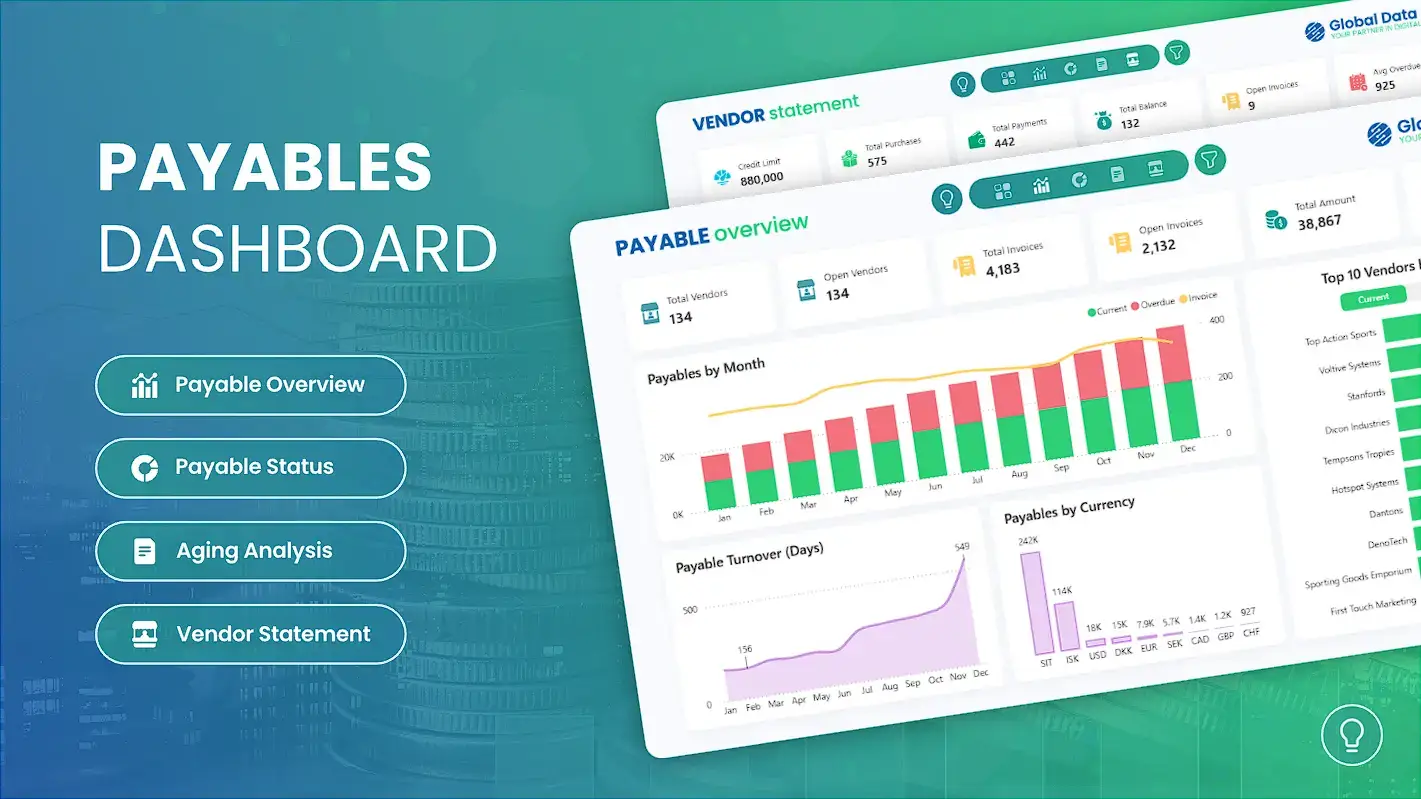
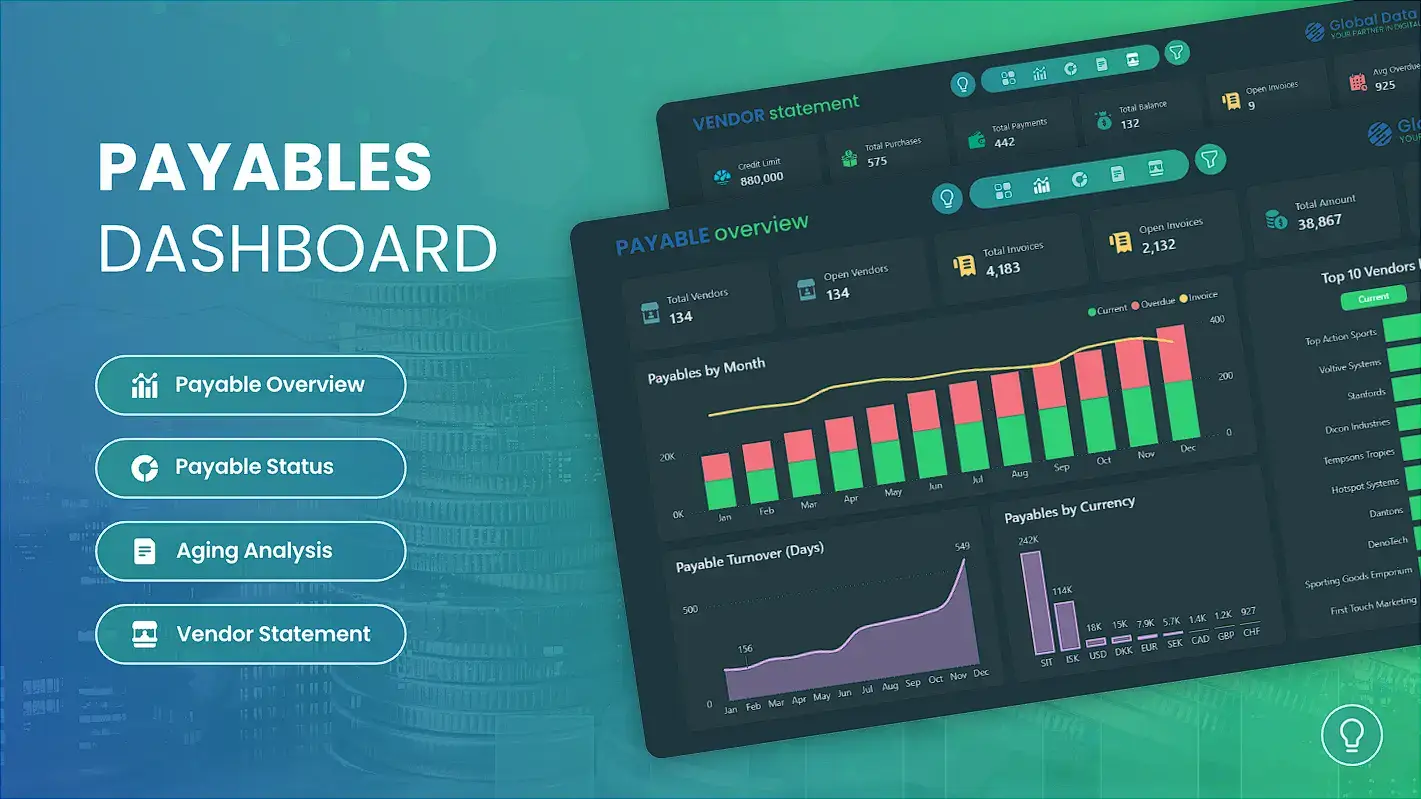
Front Page Payables Dashboard
The Front Page of our Power BI Accounts Payables Dashboard serves as the gateway to your key payables insights, with navigation buttons that help users quickly move between different sections for seamless payable monitoring.
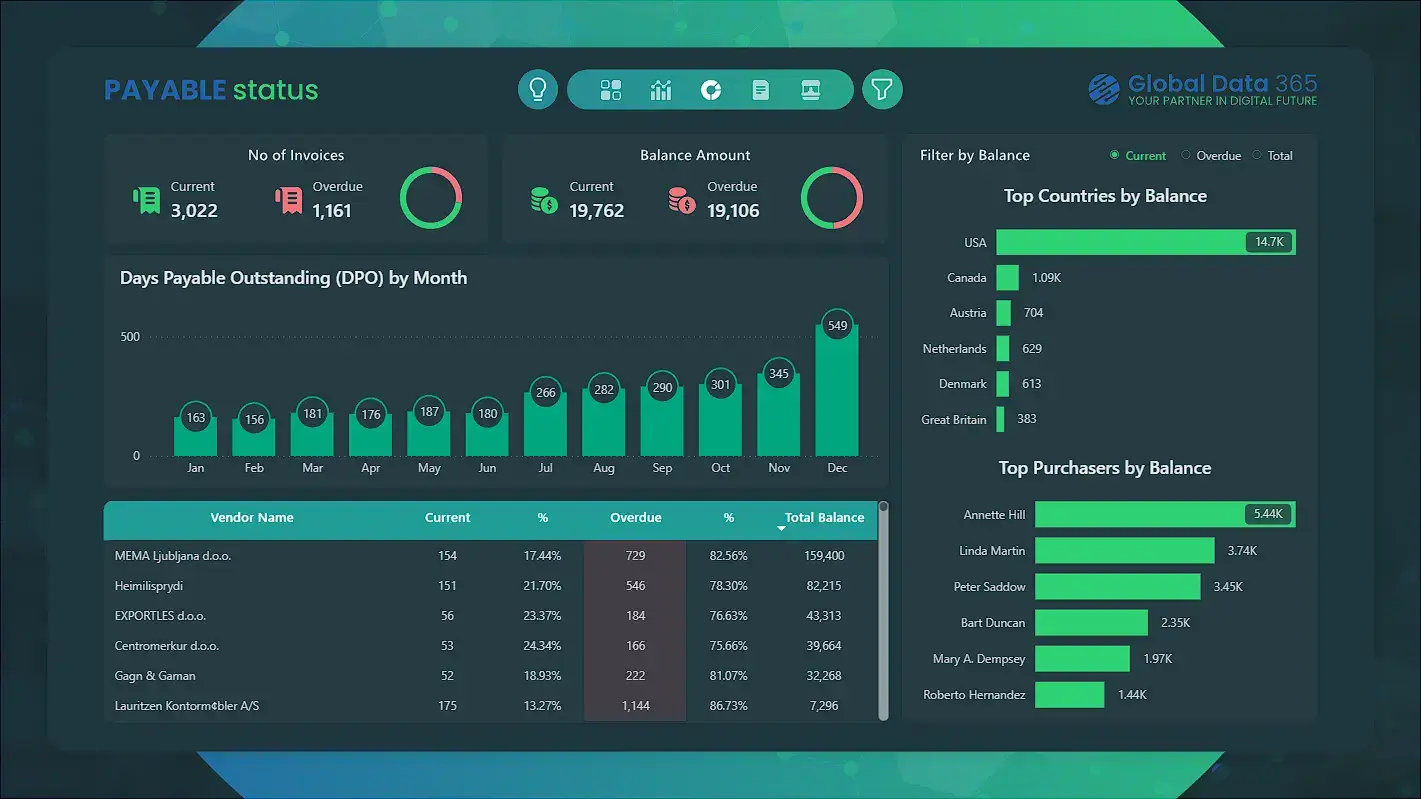
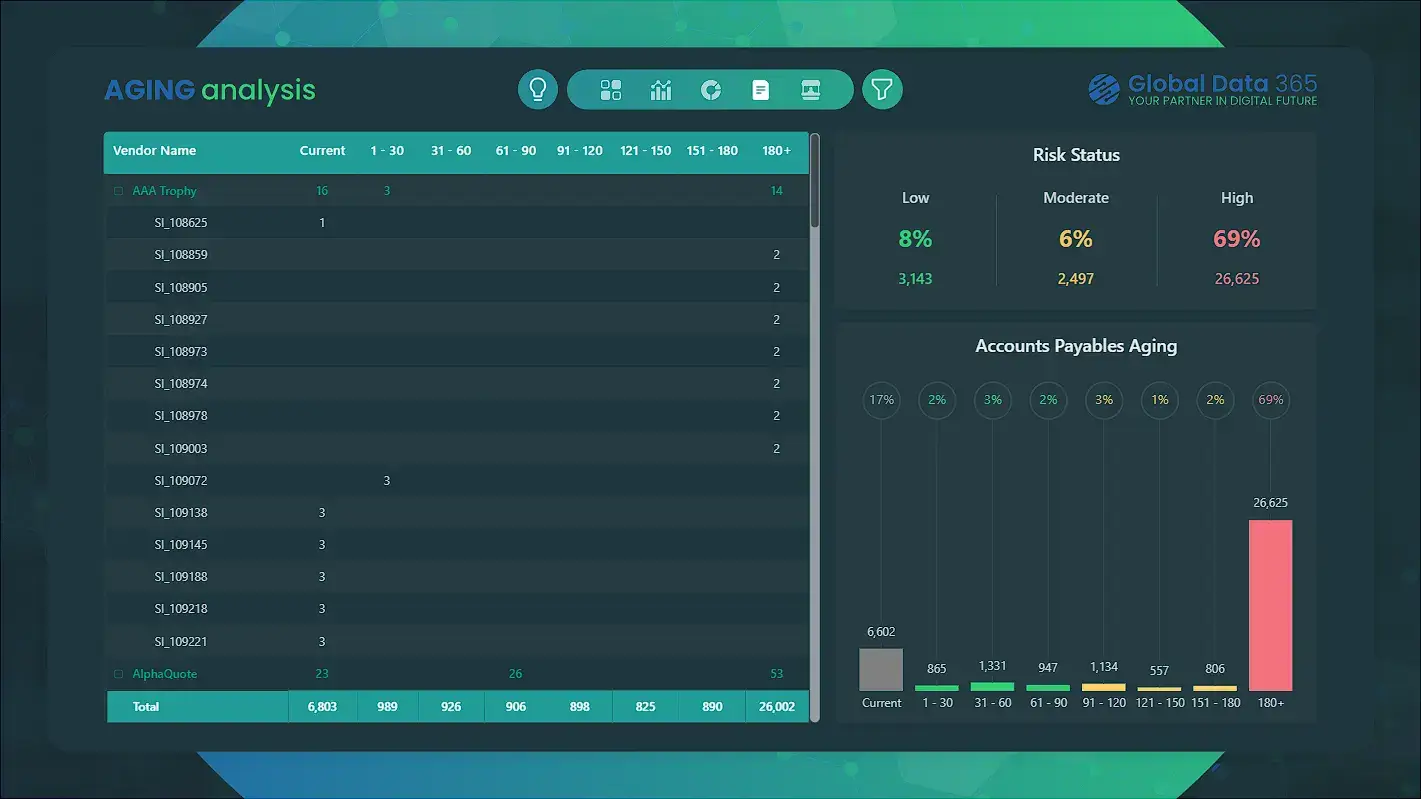
These navigation buttons sit prominently on the title page for quick, intuitive access to any dashboard section, while the light-bulb icon enables instant dark-mode switching for a more comfortable viewing experience.
Payable Overview
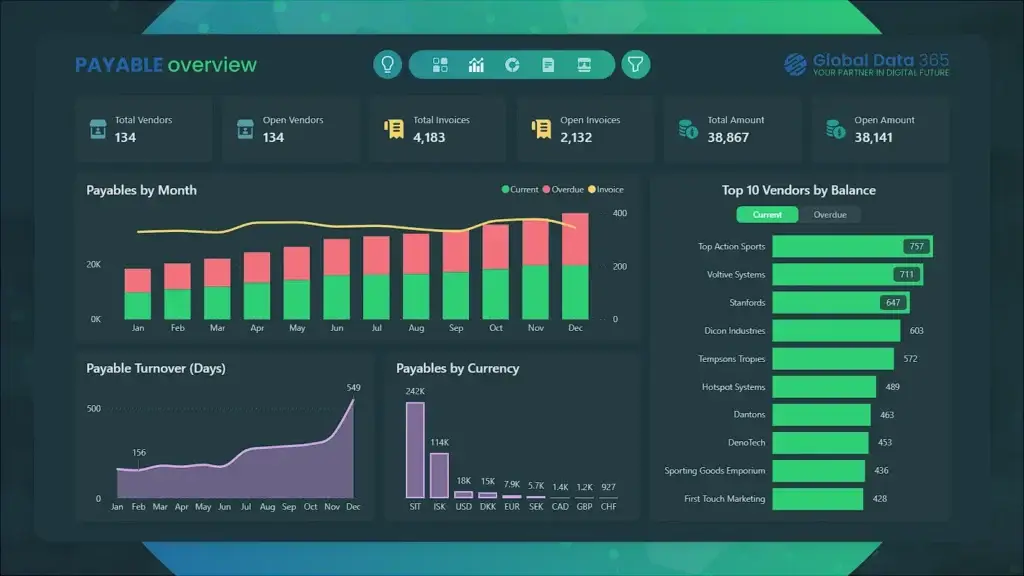
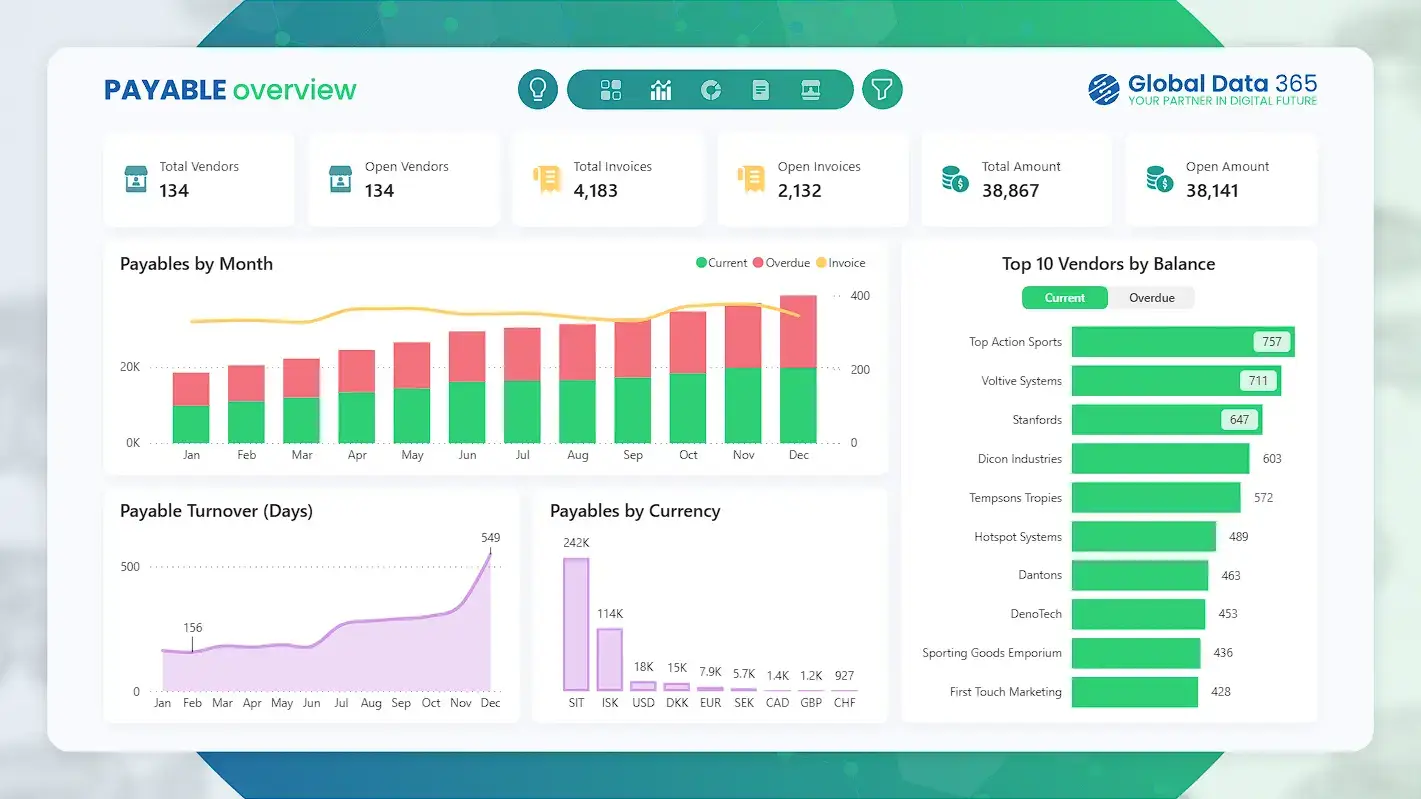
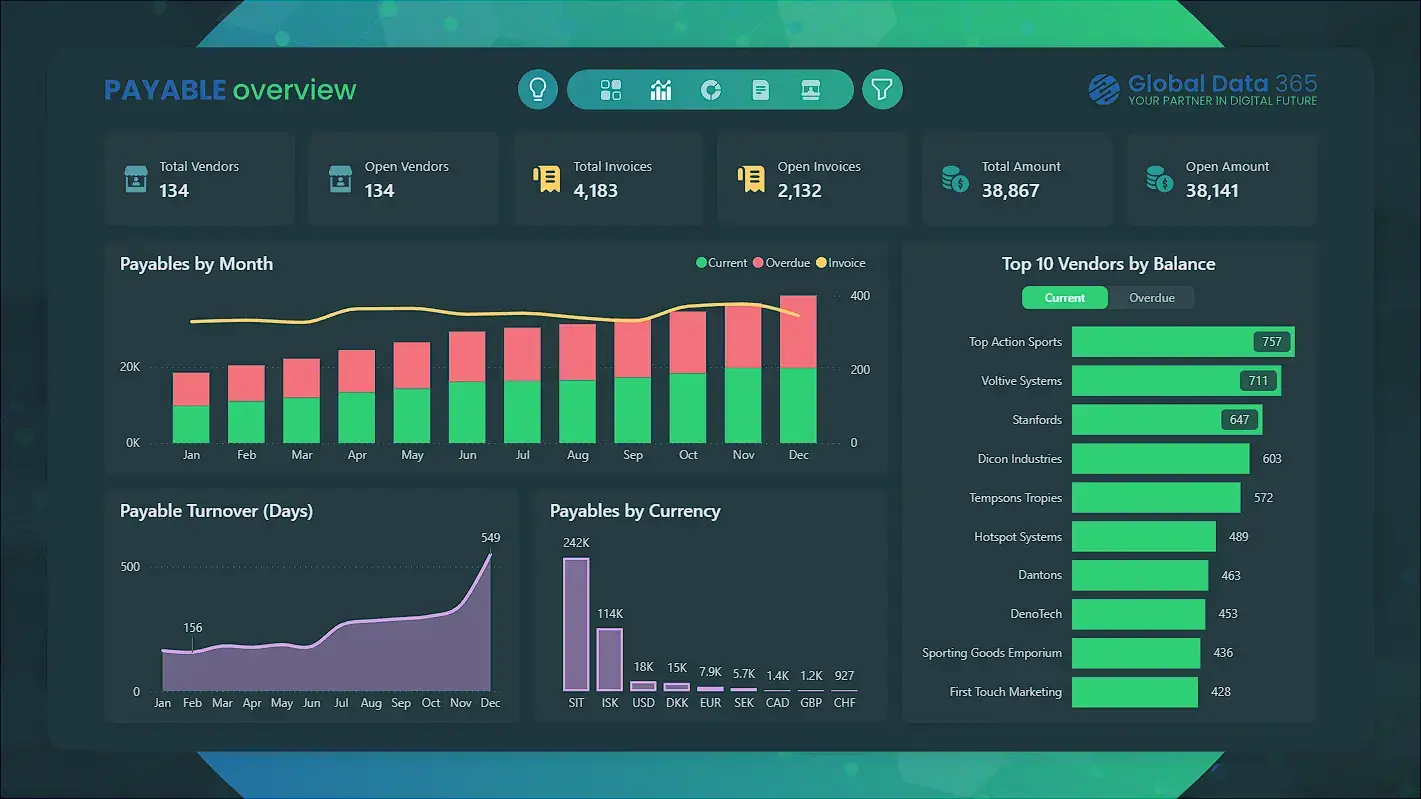
The Payables Overview Dashboard provides a complete real-time view of the company’s accounts payable in Power BI, offering clear insights into spending trends and vendor obligations.
It highlights six essential KPI metrics, including Total and Open vendors, invoices, and payable amounts. These metrics deliver valuable visibility into outgoing cash flow, vendor payment cycles, and overall financial stability empowering smarter planning, timely payments and efficient payables management.
Payable Status
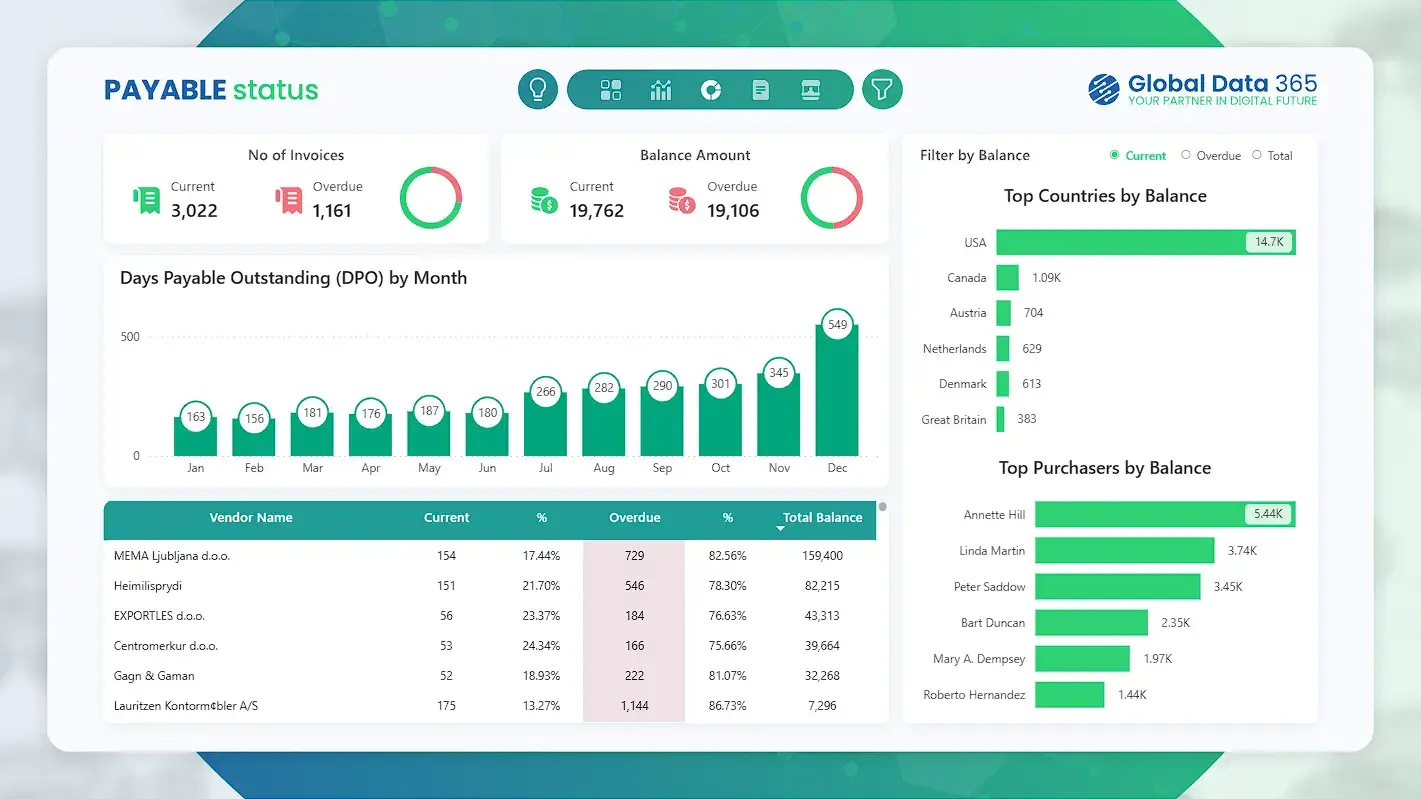
The Accounts Payable Status Dashboard provides a comprehensive comparison of the company’s current financial obligations and payment performance.
It highlights key KPIs for current and overdue invoices and balances, offering a clear view of outstanding vendor payments. The dashboard presents a month-by-month analysis of Days Payable Outstanding (DPO), along with top current, overdue and total balances by country and purchaser. A detailed vendor balance table further enhances visibility into payable distribution, helping businesses better understand payment cycles and manage cash outflow.
Aging Analysis
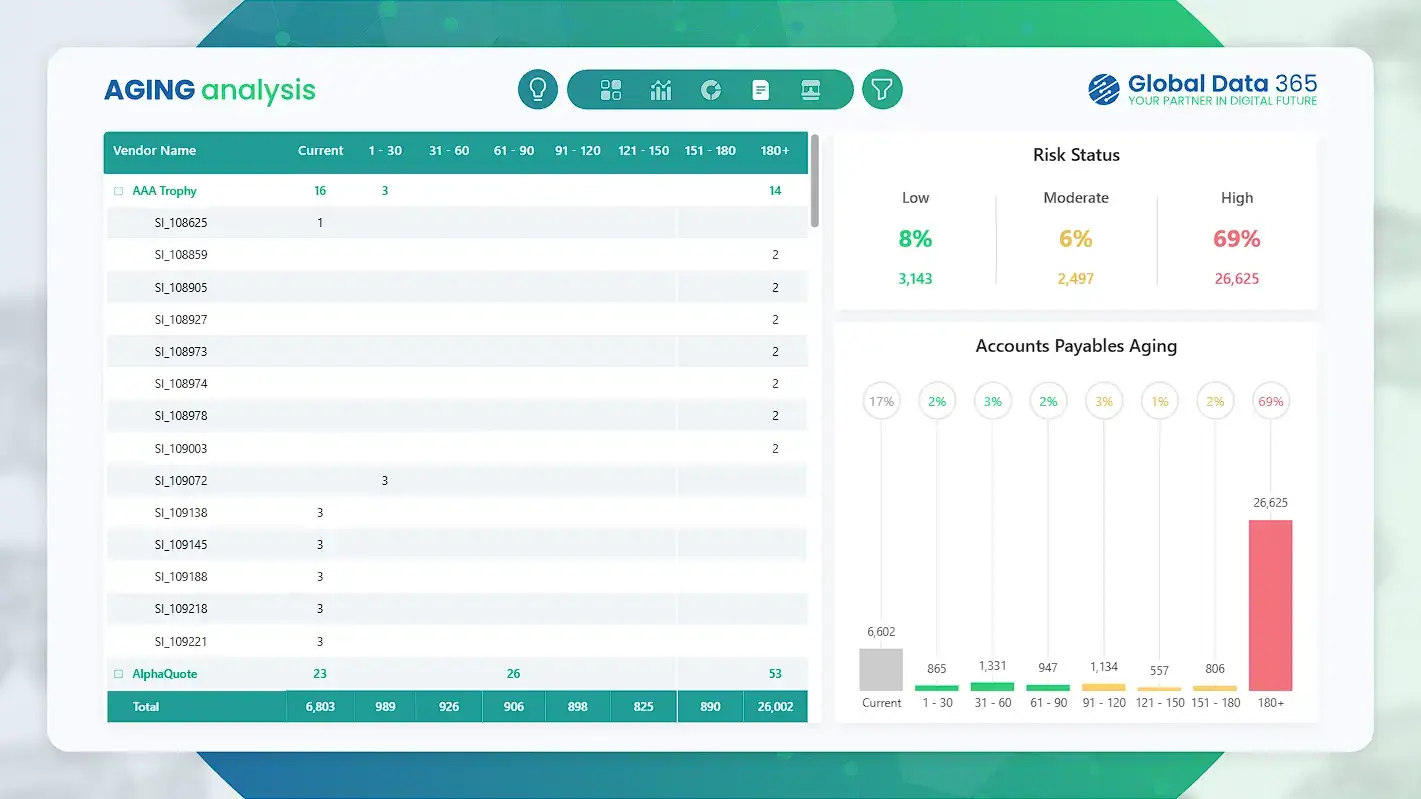
The Accounts Payable Aging Dashboard delivers a clear view of outstanding vendor balances, overdue payables and overall risk exposure.
It highlights essential payables insights, including invoice aging across all buckets, detailed vendor-level breakdowns and payment timelines. The risk status section categorizes vendors into low, moderate and high-risk groups, supporting stronger cash flow planning and timely payment management. The dashboard also pinpoints the highest aging payables and aging saturation, helping businesses monitor payables trends and avoid late payment penalties.
Vendor Statement
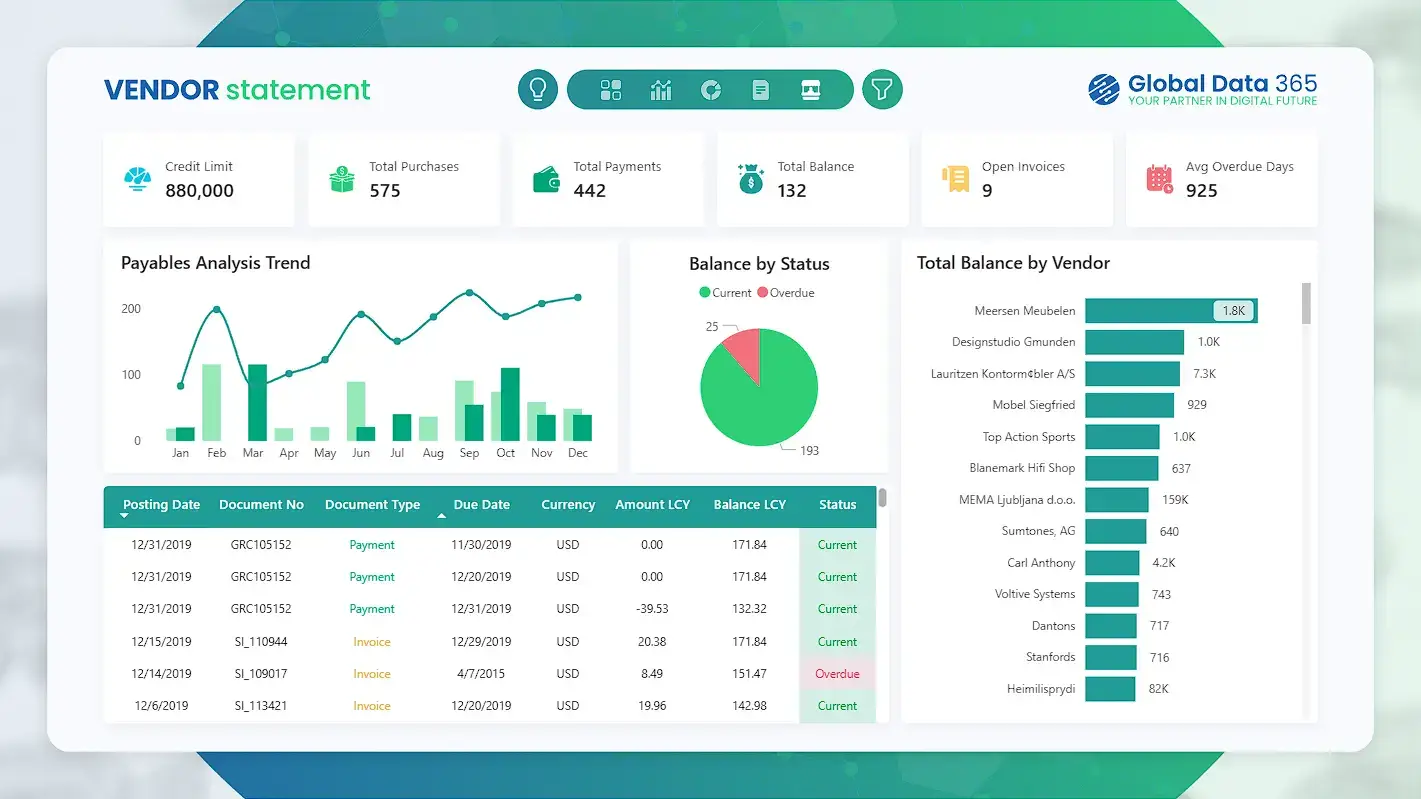
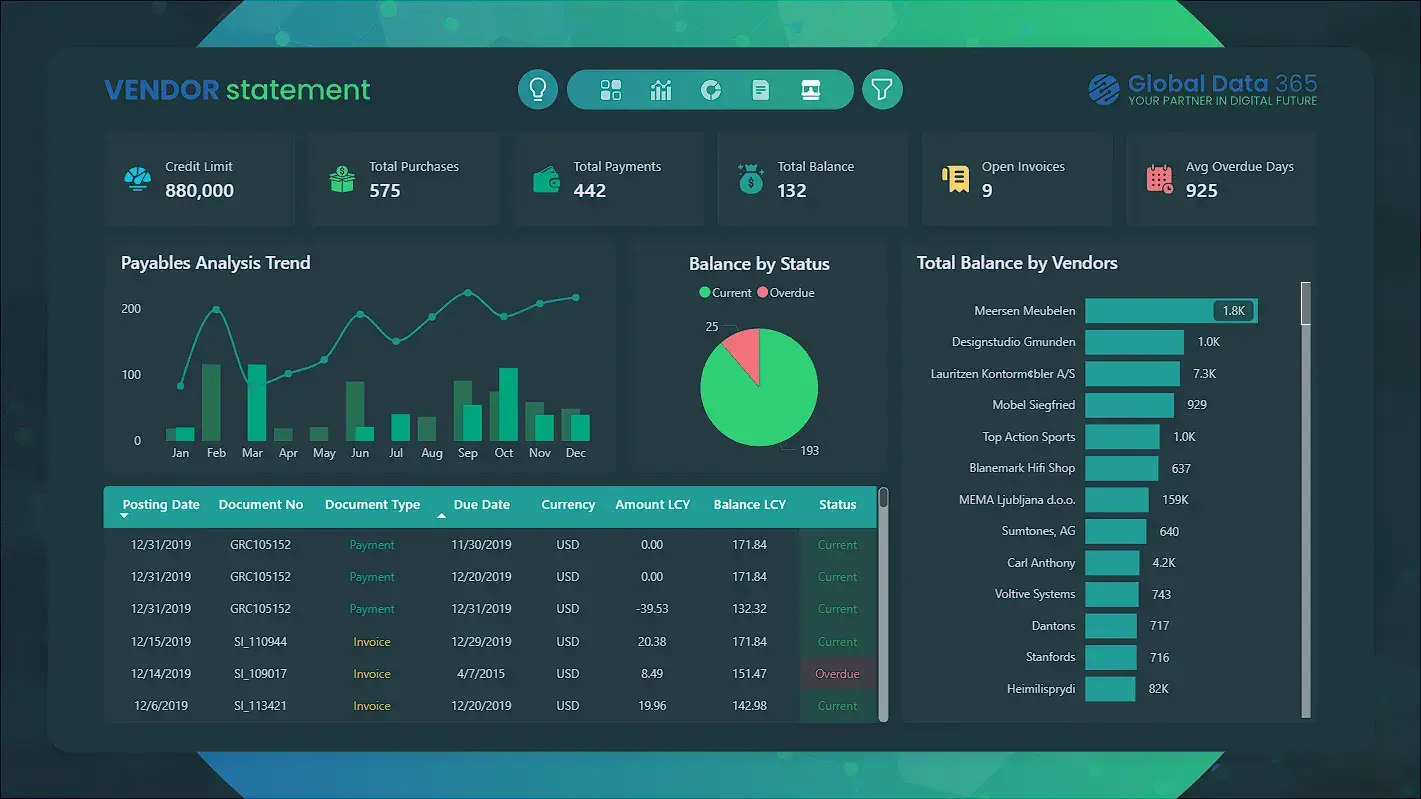
The Vendor Statement Dashboard delivers a comprehensive overview of vendor accounts, invoices and outstanding payables.
It highlights key metrics such as credit limits, total purchases, total payments, open invoices and average overdue days for each vendor. A detailed payables trend analysis and a clear breakdown of balances by status support effective tracking of purchasing activity and payment obligations. The visual ranking of top vendors by total balance helps organizations identify critical payables while maintaining healthy cash-flow management.
Get expert help to build your dashboard
Our Data Analysts work with hundreds of companies across all industries including retail, manufacturing, technology, healthcare, marketing services, and more.
FAQs on Payables Dashboard
Accounts Payable is the business accounting term for money a company owes to its suppliers or vendors for goods and services purchased on credit. It tracks outgoing payments and helps manage short-term liabilities efficiently.
The cost of the accounts payable dashboard template is tailored to your specific requirement and customization needs. Please contact our sales team for more information.
Yes, the accounts payable dashboard power bi can be connected to a wide range of financial systems. It supports multiple connectors and APIs to ensure seamless data integration from various sources, enhancing your financial analysis and reporting capabilities.
Yes, the payables dashboard's theme is fully customizable. You can personalize colors, fonts, and layouts to align with your brand identity, ensuring a perfect look.
Currently, there is not a mobile version of this dashboard for payables. However, we can develop a customized mobile version upon request that will be same as the power bi accounts dashboard template.
Yes! The accounts payable KPI dashboard is fully customizable, allowing you to tailor KPIs and charts to match your business needs and priorities.
The implementation timeline varies based on specific requirements and the number of pages. Typically, it can range from 3 to 10 days.
Accounts Payable (AP) is the money a business owes to suppliers or vendors for goods and services purchased on credit. It represents outgoing payments.
Accounts Receivable (AR) is the money a business expects to receive from customers for sales made on credit. It represents incoming payments.
More than 50+ companies trusted us to implement Power BI and transform their data into powerful insights






What Our Customers Has to Say About Us
Working with Global Data 365 has been a fantastic experience. Their Power BI reports have completely transformed how we analyze and use our data. The insights are clear, actionable, and have made decision-making so much easier for our team.

Tres Nelson
Manager BI - Signature Systems
It was a genuine pleasure working with Global Data 365. They consistently demonstrated patience, professionalism, and attentiveness to my requirements. Their expertise in Power BI is impressive; they quickly comprehends the concepts I aim to communicate and promptly provides effective solutions.

Rana Yaseen
Accounting Manager - Boston Scientific
Our finance dashboard from Global Data 365 has revolutionized the way we manage our finances, providing real-time insights that enable us to make informed decisions and drive business growth. The team was responsive and attentive throughout the design process, and we highly recommend their services.

Cesco Righetti
CFO - The Arts Club
We are incredibly impressed with the sales dashboard designed for us on Power BI by Global Data 365. The dashboard has provided us with valuable real-time insights into our sales performance. We would highly recommend their services to anyone looking to take their sales analysis to the next level.

Ahmad Hammad, MBA
BI & ERP Specialist at SYH Retail - IKEA
Thanks to Global Data 365 for their outstanding Power BI service. We are grateful for the opportunity to work with Global Data 365’s team of talented and committed individuals

Mohammad Arshad
Financial Control & Reporting Assistant Manager - PepsiCo
The supply chain dashboard on Power BI has revolutionized the way we manage our operations, providing real-time insights that enable us to optimize for maximum efficiency. They were highly professional and responsive throughout the process, and we highly recommend their services.

Mahmoud Mohsen
IT Administrator - Alif
Related Resources