
Power Apps
Transform your Workflow into Custom Business Apps with Power Apps!
Build custom Power Apps forms, automate processes with SharePoint, Dataverse and 1,000+ sources to simplify daily tasks with reliable business apps in Power Apps.
Book a Demo & Discovery Call
Leave your contact information and a message below and one of our experts will get back to you shortly.
What are Power Apps?
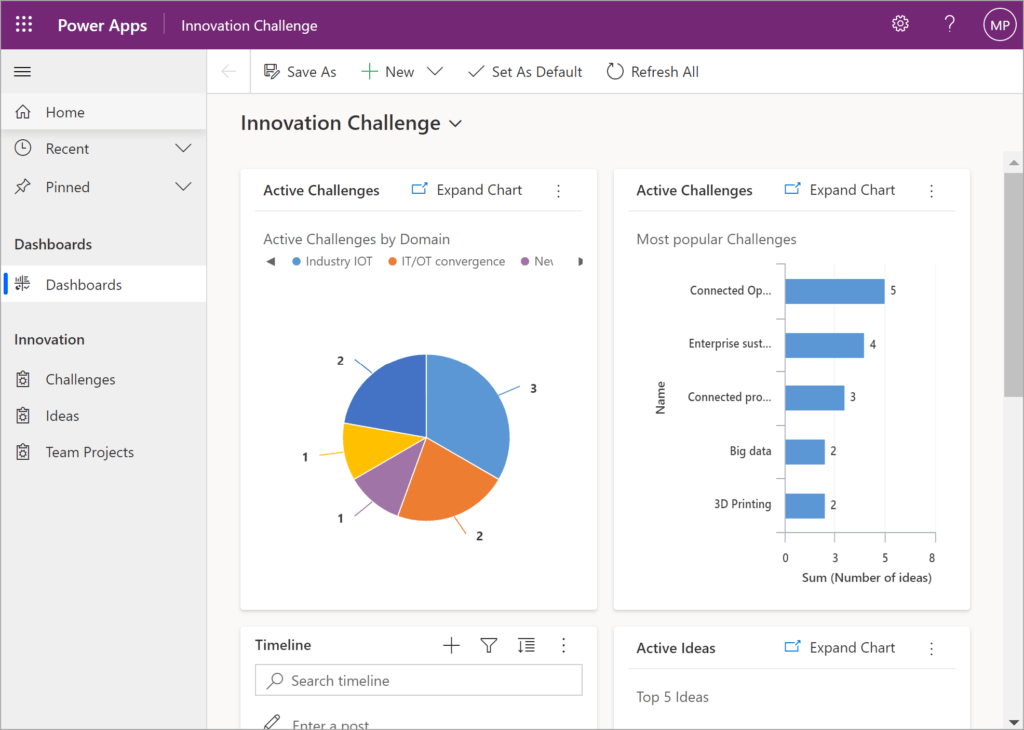
A tool, developed by Microsoft as part of the Power Platform, are user-friendly tools for creating custom business applications with minimal coding. These versatile apps enable organizations to streamline workflows, enhance productivity, and leverage data from various sources including Office 365 and other third-party services. With an intuitive interface and robust functionality, it allow businesses to rapidly prototype and deploy solutions tailored to their specific needs.
What to expect from Power Apps?
Enterprise-Grade Governance
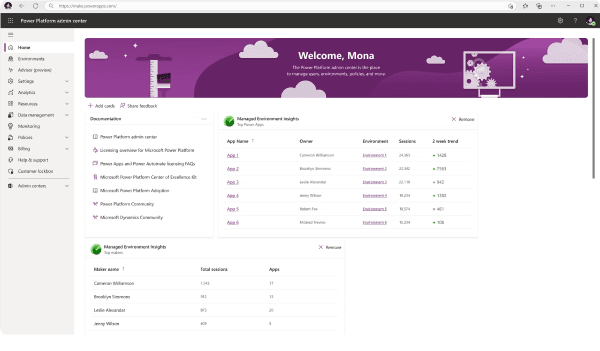
Ensure robust compliance and control with advanced administrative tools, enabling secure deployment and management of applications across your organization.
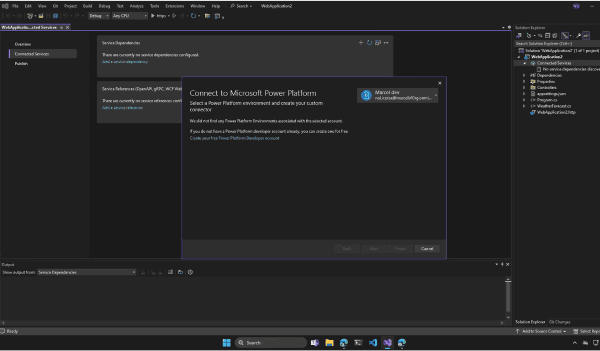
Custom Code Development
Tailor apps precisely to your requirements using flexible low-code tools and support for custom scripting, empowering developers to create sophisticated functionalities effortlessly.
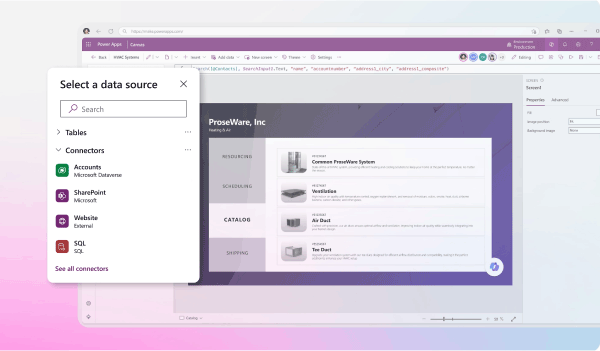
Secure Data Connectivity
Integrate data seamlessly from Office 365, Azure, and other sources with stringent security measures in place, ensuring data integrity and accessibility.
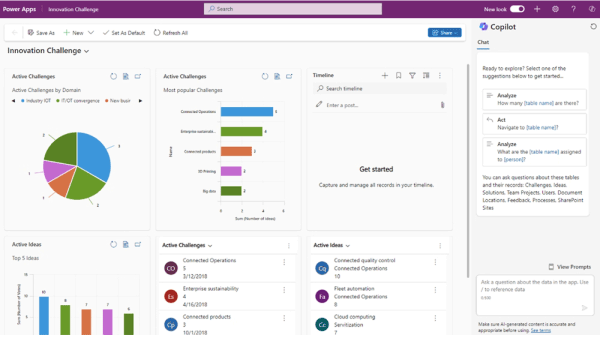
AI-Infused Applications
Enhance app capabilities with AI Builder, leveraging AI to enable predictive insights, image recognition, and automated processes tailored for you.
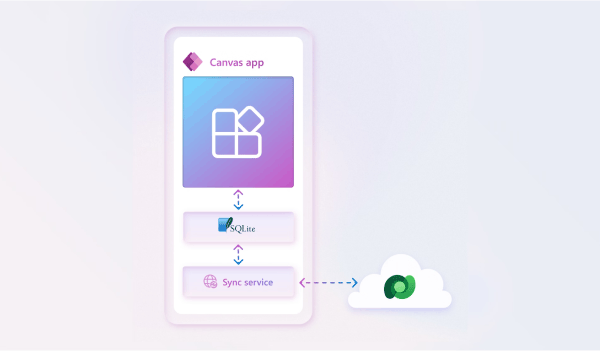
Robust Mobile Experiences
Design responsive and feature-rich mobile apps that operate offline and across all devices, optimizing user experience and productivity.
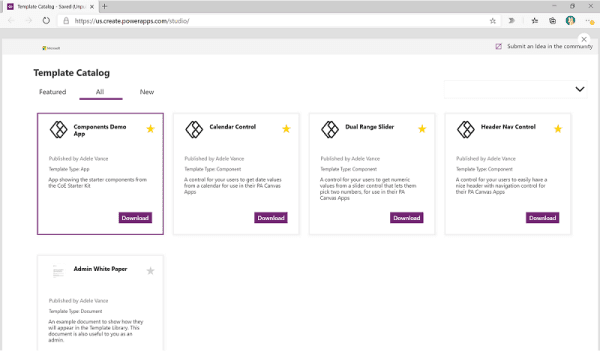
Extensive Template Library
Access a diverse range of pre-built templates tailored for various industries and business needs, accelerating app development and deployment.
Featured Integrations
Power Apps Services
Our Power Apps service brings together custom app development, licensing strategy, automation, and training to help you turn manual processes into powerful business apps with our Microsoft-certified experts
Free 1-hour Session
Uncover Your Processes: Get a Free Discovery Call
Not sure where to start with Power Apps? Connect with us and we’ll review how you’re currently handling manual workflows, walk through your Power Apps licensing and help you build a practical roadmap using Power Apps templates.
Free Discovery Call
Custom App Roadmap

Your Business Workflows

Build Solutions: Tailored Power Apps Development
We build custom canvas and model-driven apps around the workflows that actually matter to your team, from data entry and approvals to field service and inventory tracking, so every app replaces a manual process, not just digitizes one.
Personalized App Design
Mobile Ready Apps

1000+ Connectors
Elevate Your Workflows: Expert Data Integration & Automation
We connect and automate your data from SharePoint, Dataverse, SQL Server, CRM, ERPs, and hundreds of other sources using Power Apps and Power Automate, so your apps stay connected, accurate and easy to maintain.
SharePoint Integration
Automated Workflows
25% Discount

Boost Your Skills: 25% Off Power Apps Training & Certification
Our Power Apps training programs prepare your team for real project work and Power Apps Training with certification, using real examples pulled from your live business scenarios and covering both canvas and model-driven app development.
1:1 Live Training
Expert-Led Training
Save 25 Percent

Elevate Your Operations: 25% Off Premium Power Apps Support
Get ongoing help with your Power Apps premium license, environment governance through the Power Apps admin center, data connections and app maintenance, our team keeps your app environment running smoothly, at a 25% discount.
Remote Troubleshooting
Ongoing Technical Support
Use Cases for Power Apps
Finance
Develop budgets, forecasts, and reports from any data source for streamlined financial management.
Sales and Marketing
Connect systems for instant notifications and mobile access to sales tools and product information.
Human Resources
Build apps for connectivity, data tracking, information sharing, and actiontaking among employees.
Operations
Modernize auditing, inventory management, and dispatch operations to optimize efficiency.
Frontline Workers
Provide productivity-boosting apps for desktops, mobiles, shared devices, or Microsoft Teams.
Customer Service
Enhance customer support with personalized service management and data accessibility.
Frequently Asked Questions
Microsoft Power Apps is a low-code application development platform, part of the Microsoft Power Platform, that enables businesses to build custom web and mobile apps without extensive coding knowledge. It combines a visual drag-and-drop builder called Power Apps Studio, hundreds of pre-built connectors to services like SharePoint and SQL Server and a library of ready-made Power Apps templates, letting both professional developers and business users design, publish and manage apps tailored to their specific workflows.
It can be used to build custom business applications for nearly any repetitive or manual process, including site inspections, cost estimation tools, budget tracking dashboards, approval workflows, and inventory checklists. Because it supports both canvas apps (fully custom layouts) and model-driven apps (structured around existing data), organizations across finance, operations, HR and field services use it to replace paper forms and spreadsheets with real digital tools.
To create and publish apps first you have to download Power Apps Desktop for Windows. Then you can create the app in the studio and when you publish an app, it will be instantly available for the users you’ve shared it with on any device.
It connects natively to hundreds of data sources, including SharePoint, SQL Server, Excel, Microsoft Dynamics 365, Dataverse and most major CRM and cloud database platforms, using built-in connectors that require no custom code to set up. Because these connections pull live data, apps can occasionally display outdated information if a data source isn't refreshed, a common fix that involves either a manual refresh button or an automatic refresh triggered when a screen loads. Find our complete guide on: how to connect data sources to Power Apps.
It consists of three types of apps to suit different needs. The canvas apps give you complete control over the design, you start with a blank canvas and drag-and-drop elements to create a tailored user experience. The model-driven apps are based on your data model and use a more structured layout, ideal for complex business processes. the portal apps let you build secure, external-facing websites so people outside your organization can interact with your data, such as customers or partners.
Yes, it seamlessly integrates with Business Central, allowing businesses to create tailored applications that enhance functionality. Whether you need to streamline workflows or automate tasks, it provides a flexible platform to extend Power Apps Business Central capabilities and drive efficiency.
Yes, PowerApps for Office 365 is included for free with some Office 365 plans, but advanced features and premium connectors require a separate subscription or license purchcase.
Power Apps allows users to create custom apps with little to no coding. Power Automate automates workflows and tasks across applications and services, focusing on process automation. In short, one builds apps, while other creates automated workflows.
Power Apps is a platform for building custom business applications that connect to your data and work across the web and mobile without requiring extensive coding. Power BI, on the other hand, is a data visualization and business intelligence tool that allows users to create interactive reports and dashboards to analyze data and share insights.
As a developer, you work across the Microsoft Power Apps platforms, including Power Apps Desktop, to build custom business apps that meet the needs of organization, simplify the manual tasks and create business workflows which can then be run through the app for your organization.
The pricing plans, include a per app plan at $10 per user/month and a per user plan at $40 per user/month. For customized solutions or enterprise needs, contact sales for detailed pricing options.
Our Power Apps training is built with beginners in mind, no coding background needed. Whether you're a business user, analyst, or just curious about building your own apps, we’ll guide you step by step. You’ll learn how to turn ideas into working apps, automate tasks, and boost productivity, all in a way that’s easy to follow and apply.