View Categories

How to Download Power Apps Desktop?

Developed by Microsoft, Power Apps Desktop is a powerful low-code application development platform designed to help users create and deploy custom apps for their business needs. As organizations increasingly adopt various Microsoft solutions to drive digital transformation, learning how to deploy these tools efficiently is essential. You can download Power Apps for your specific requirements from either the Microsoft Store or directly via the web browser.   In this article, we’ll cover how to download Power Apps Desktop in Windows using different methods.  
Want to build apps without writing code? 👉 Join our Power Apps Training for expert-led, hands-on learning.

How to Download Power Apps Free?

Power Apps is a free platform for app creation, with advanced features available through subscription plans. Below are the two methods for downloading it to your system:  

– Download Using Microsoft Store

  You can easily download it through the Microsoft Store by following these steps:  
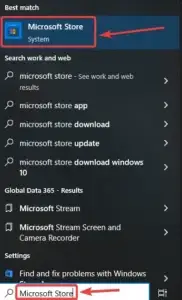
  1. Search for the Microsoft Store: Open the Search menu in your Windows taskbar and type Microsoft Store. Then you have to click on the application you want to install in this case is Power Apps.microsoft store
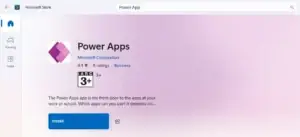
  2. Search for Power Apps: In the Microsoft Store search bar, type Power Apps Desktop and press Enter.  power apps download
  3. Download Power Apps: Select Power Apps from the search results and click on it for getting to start the download process.  power apps download
  4. Launch Power Apps: Once the download is complete, open the app and sign in with your Microsoft account or work/school credentials.

– Download Using Browser: Power Apps Download for Windows

You can also opt to download through your browser as per your preference to download power apps for windows through following these steps:  
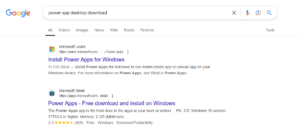
  1. Go to the Power Apps Website: Open your web browser and search for Power Apps to download, or go directly to the link: Microsoft Power Apps.install power apps from website
  2. Navigate to the Download Page: Click on the “Start Free” or “Sign In” option depending on whether you’re signing up for the first time or logging in to an existing account.power platform for windows
  3. Download Power Apps: Once signed in, the Power Apps will provide direct access to its desktop features or redirect you to install the app on your system. Now you are all set to get started with the application building.

Conclusion

  In this article, we’ve outlined the steps to download and install Power Apps desktop using two methods: via Microsoft Store and through a web browser. With our guide you can download power apps desktop for your windows or macOS to start creating your business apps and flows today.   The preferred method is to download from the Microsoft Store, as updates are automatically installed. When using the browser, you may need to manually check for and install updates. If you have existing apps follow up our tutorial on: How to connect your existing Power Apps to Dataverse?   

1. Is Power Apps Desktop free to download?

Yes, Power Apps Desktop is free to download and can be used to get started with Power Apps. However, access to premium features, premium connectors, Dataverse capabilities and certain business scenarios may require a paid Microsoft Power Apps or Microsoft 365 license, depending on your organization’s setup.
 

2. Can I download Power Apps Desktop on Windows 10 and Windows 11?

Yes, you can use Power Apps Desktop on supported Windows 10 and Windows 11 devices. Microsoft provides Power Apps through its supported installation, download and access methods, with updates delivered through the relevant Microsoft channels.
 

3. Do I need a Microsoft account to use Power Apps Desktop?

Yes, you need a Microsoft account or a work or school account to sign in and use Power Apps. If your organization uses Microsoft 365 or Dynamics 365, you can typically sign in using your existing work or school credentials, subject to your organization’s licensing and permissions.
 

4. What’s the difference between downloading Power Apps from the Microsoft Store vs. the browser?

The Microsoft Store provides a convenient way to install supported Power Apps components on Windows, while the browser version lets you access Power Apps online without installing a desktop application. For most users, the browser is the standard way to create and manage Power Apps, while a desktop installation is useful when Microsoft specifically provides a supported desktop experience for the required functionality or specific business case.
 

5. Does Power Apps Desktop work on macOS?

Power Apps Desktop does not have a native macOS desktop application for building Power Apps. If you are a Mac user you can access Power Apps through a supported web browser and use the online Power Apps experience to create, edit and manage your apps.

If You Need Any Help, Contact us Now!

Still have Questions?

Ask us anything about this article – we’ll get backto you shortly.