Complete Reporting Solution
for Microsoft Dynamics 365
F&O with Power BI,
Jet Analytics & Atlas
Enhance Microsoft D365 Finance & Operations(F&O) reporting with Power BI, Jet Analytics and Atlas, build interactive dashboards, automate reporting and real-time insights from a complete reporting solution.






WHAT WE OFFER
Turn Your D365 F&O Data Into Decisions
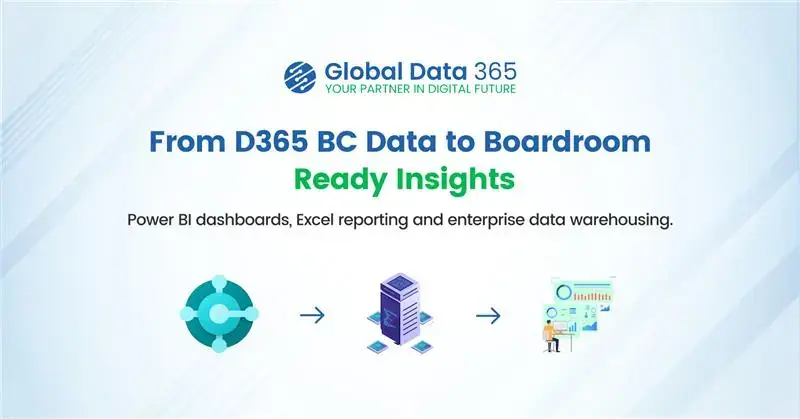
We build a complete reporting foundation for Microsoft Dynamics 365 Finance and Operations by automating
data into a centralized analytics model.
This model delivers a wide range of KPIs through ready-to-use Power BI and Excel dashboards.
Plug-and-Play Analytics for D365 F&O
Pre-built data models and dashboards for instant insights with drag and drop
Complete D365 F&O Automation
Eliminate manual reporting and save 40+ hours every month
100+ excel and 65+ Power BI Reports
100+ Excel and 65+ Power BI Reports pre-built and fully customizable for you
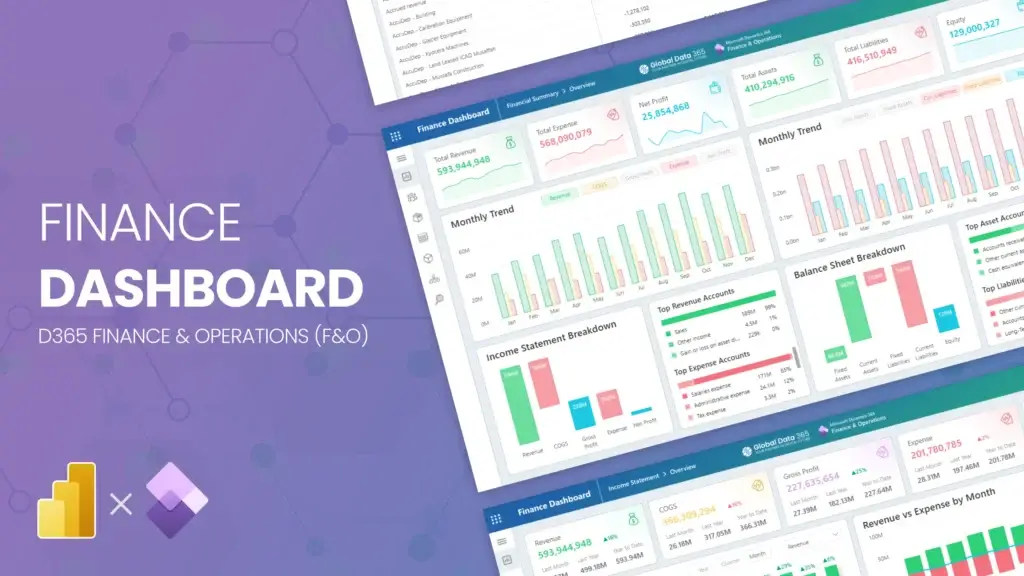
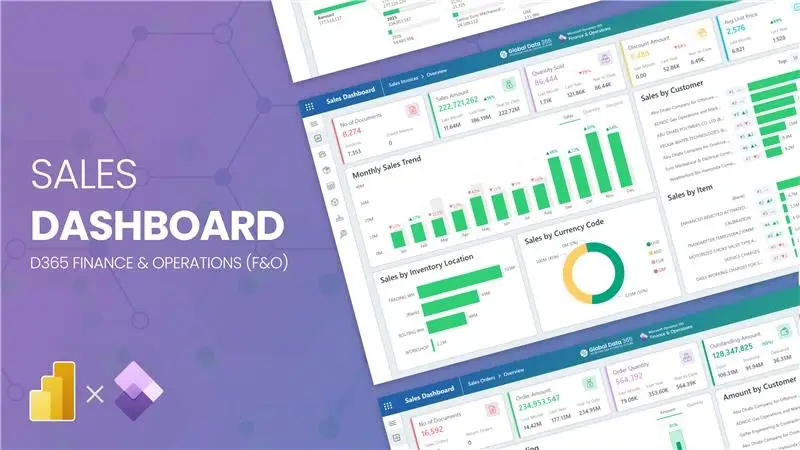
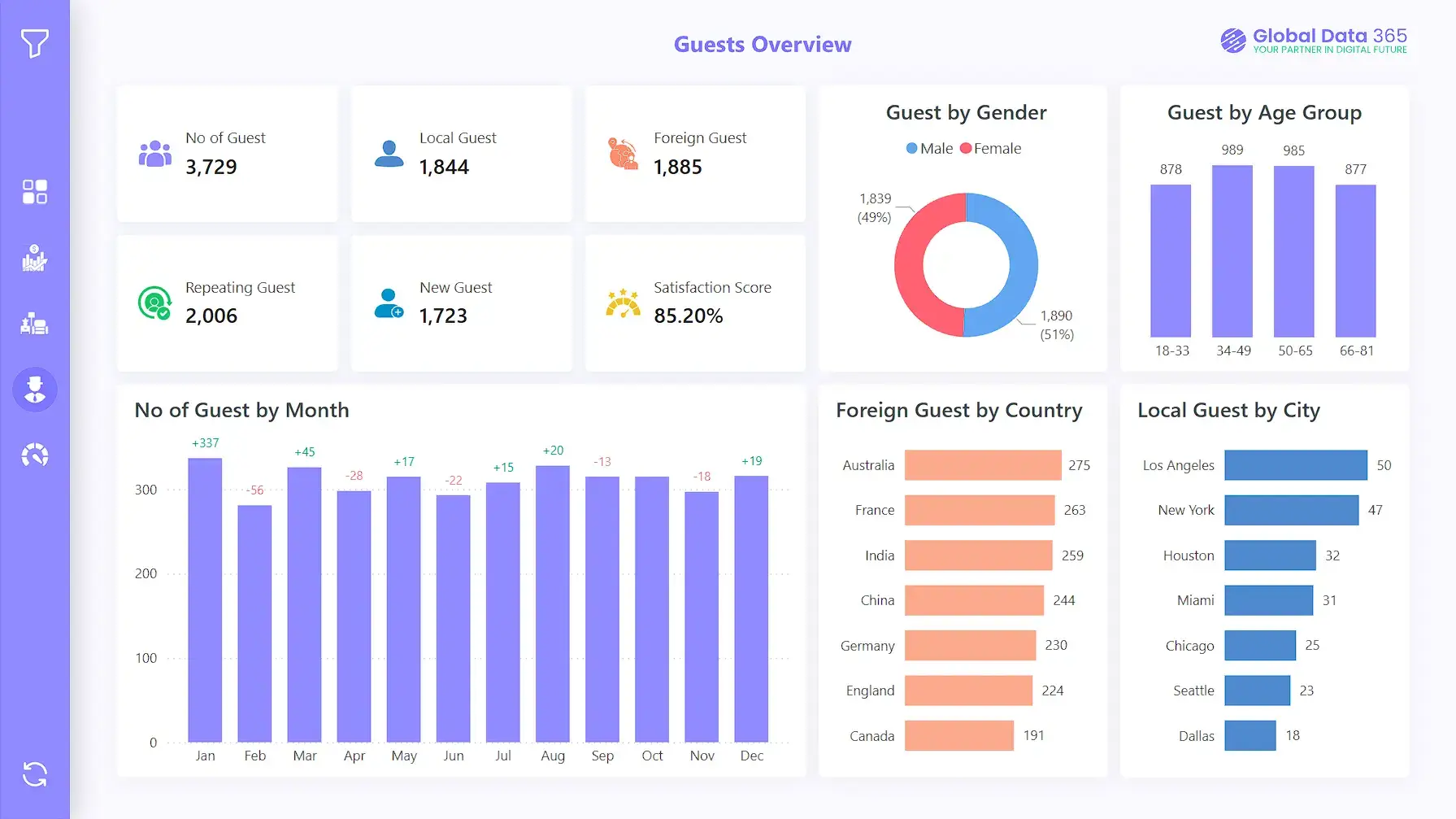
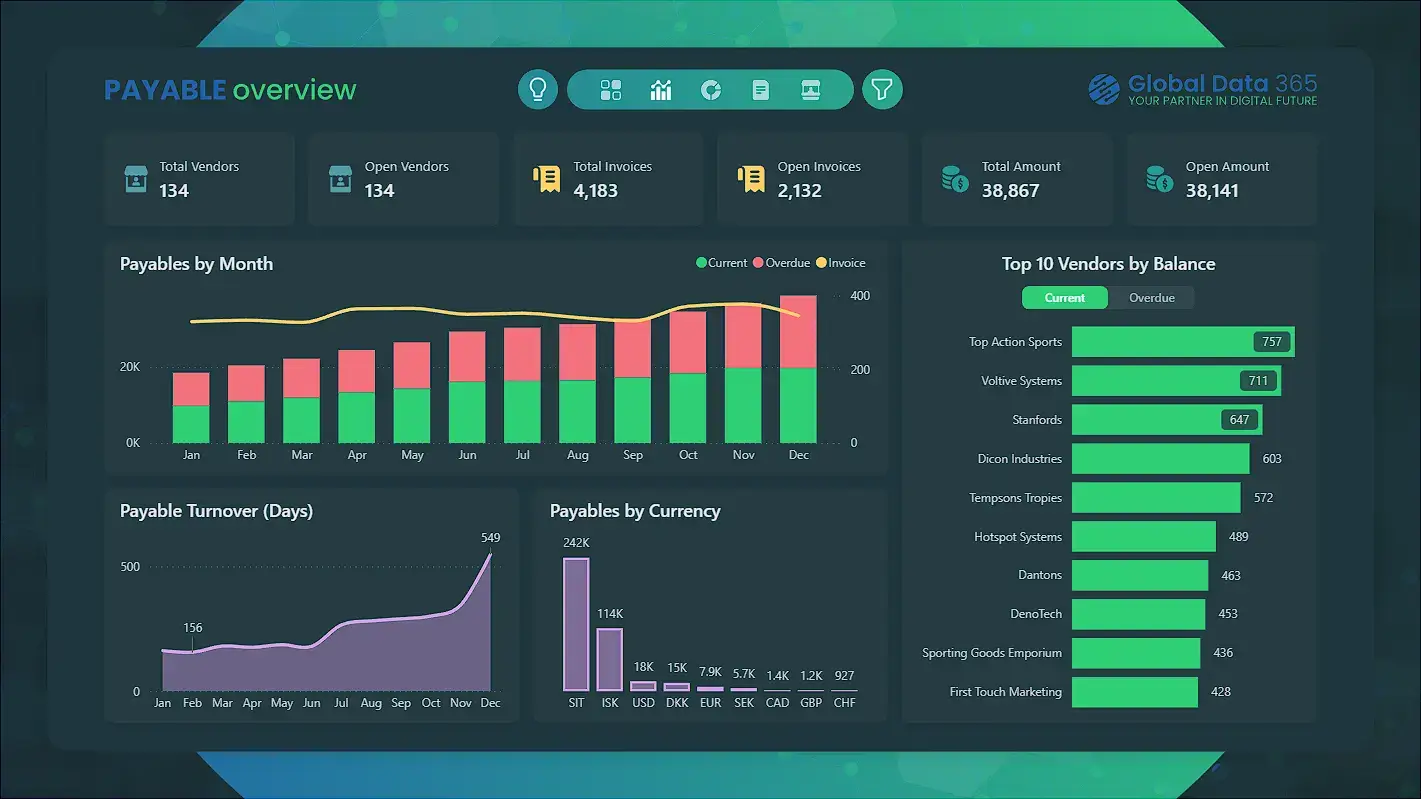
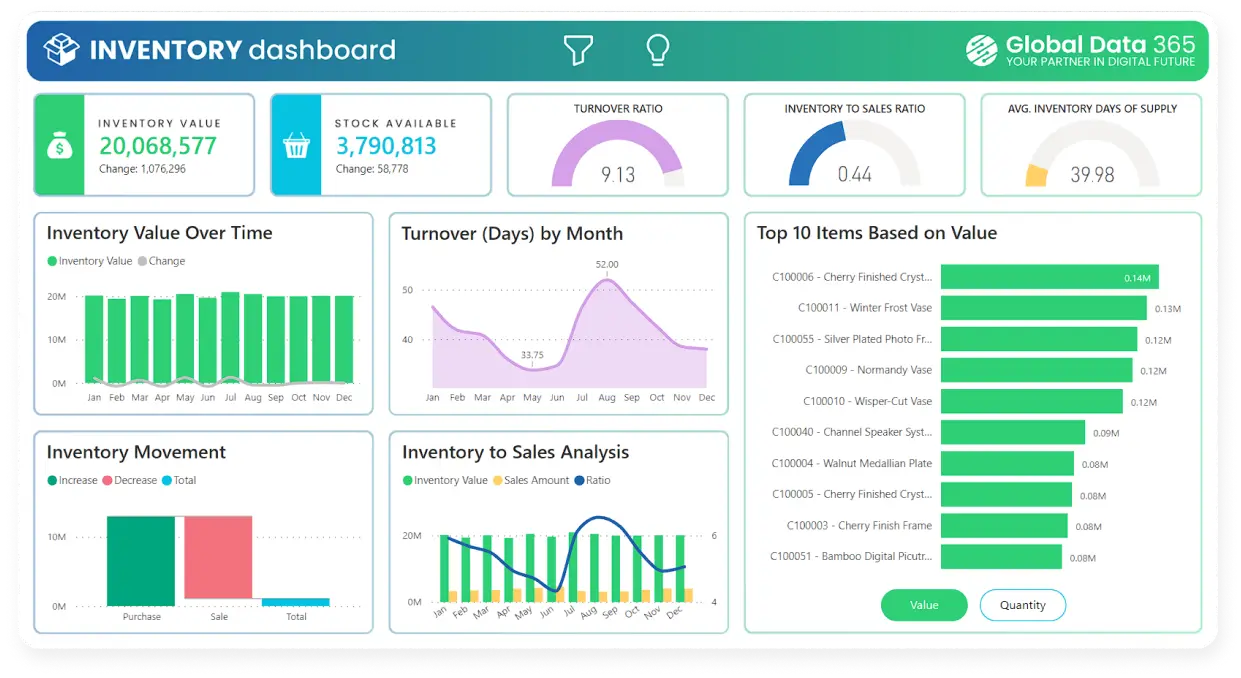
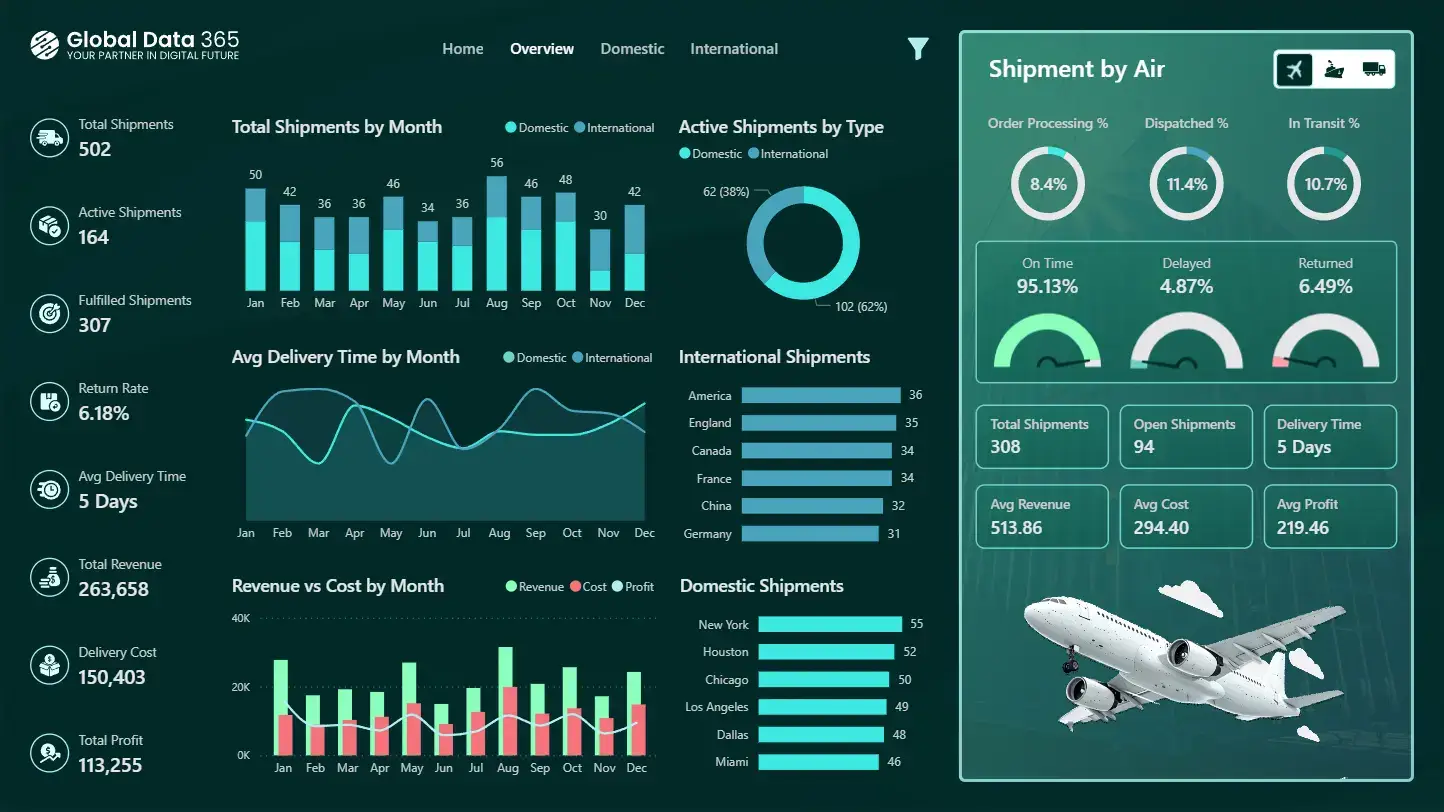
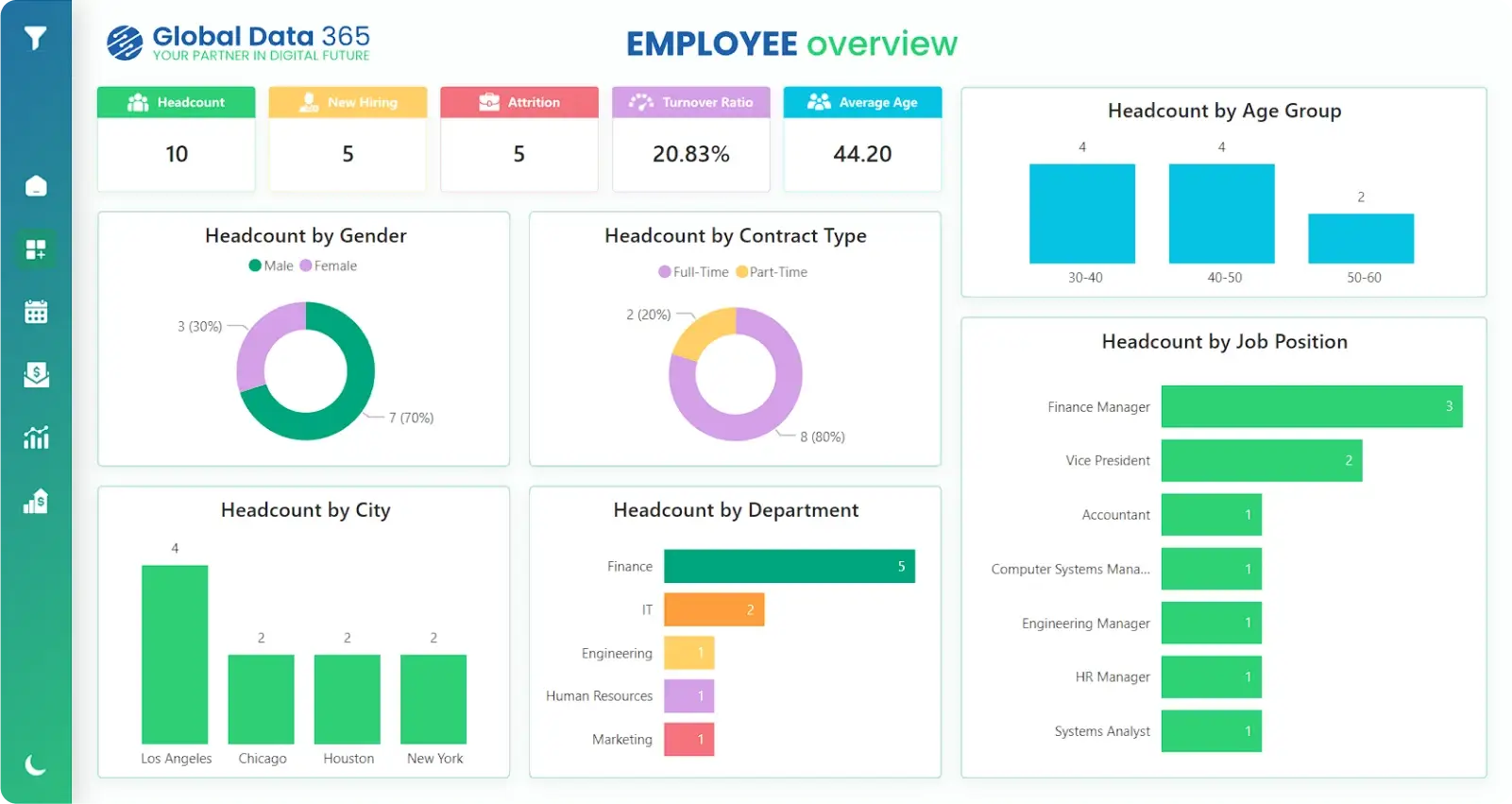
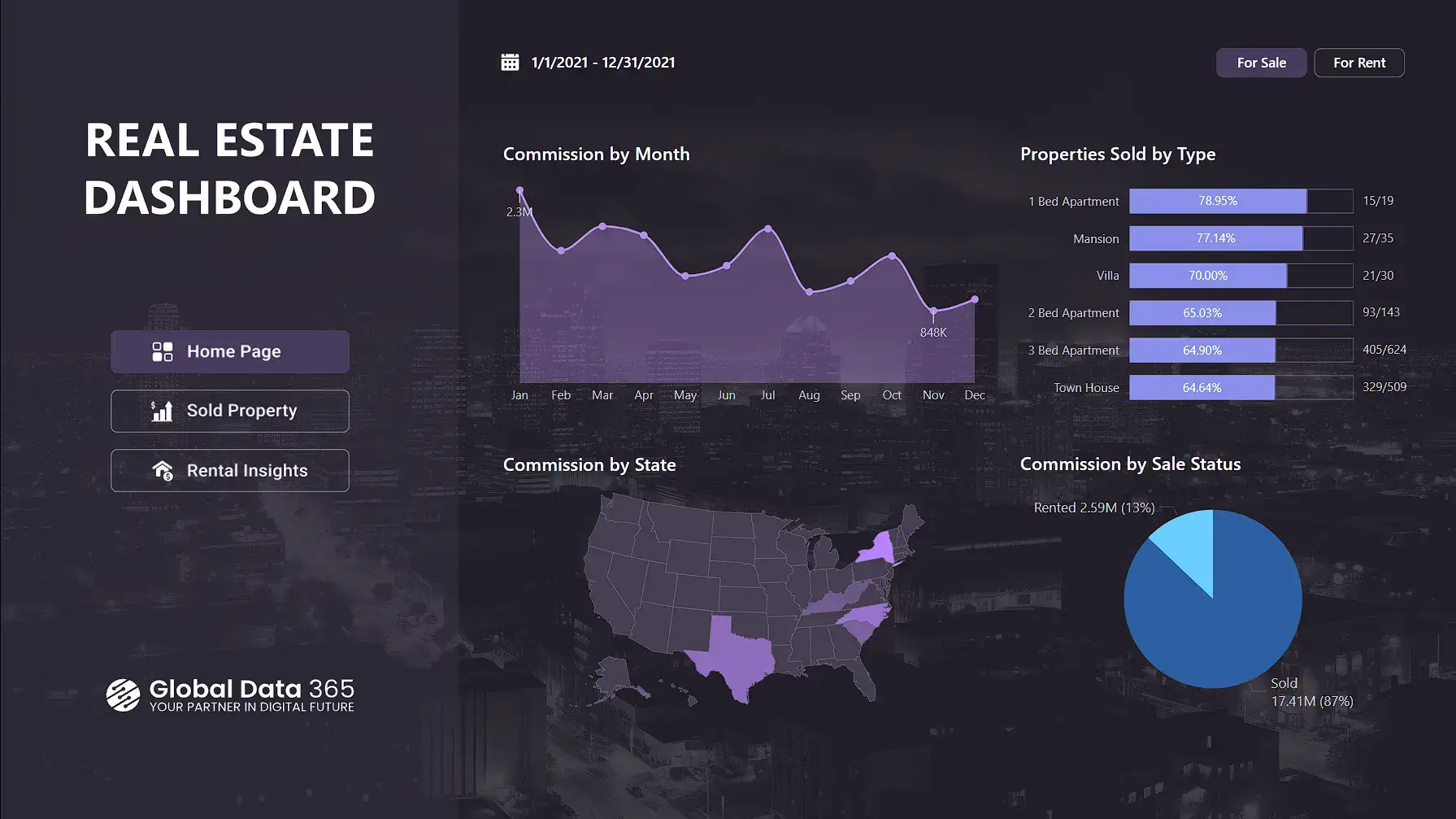
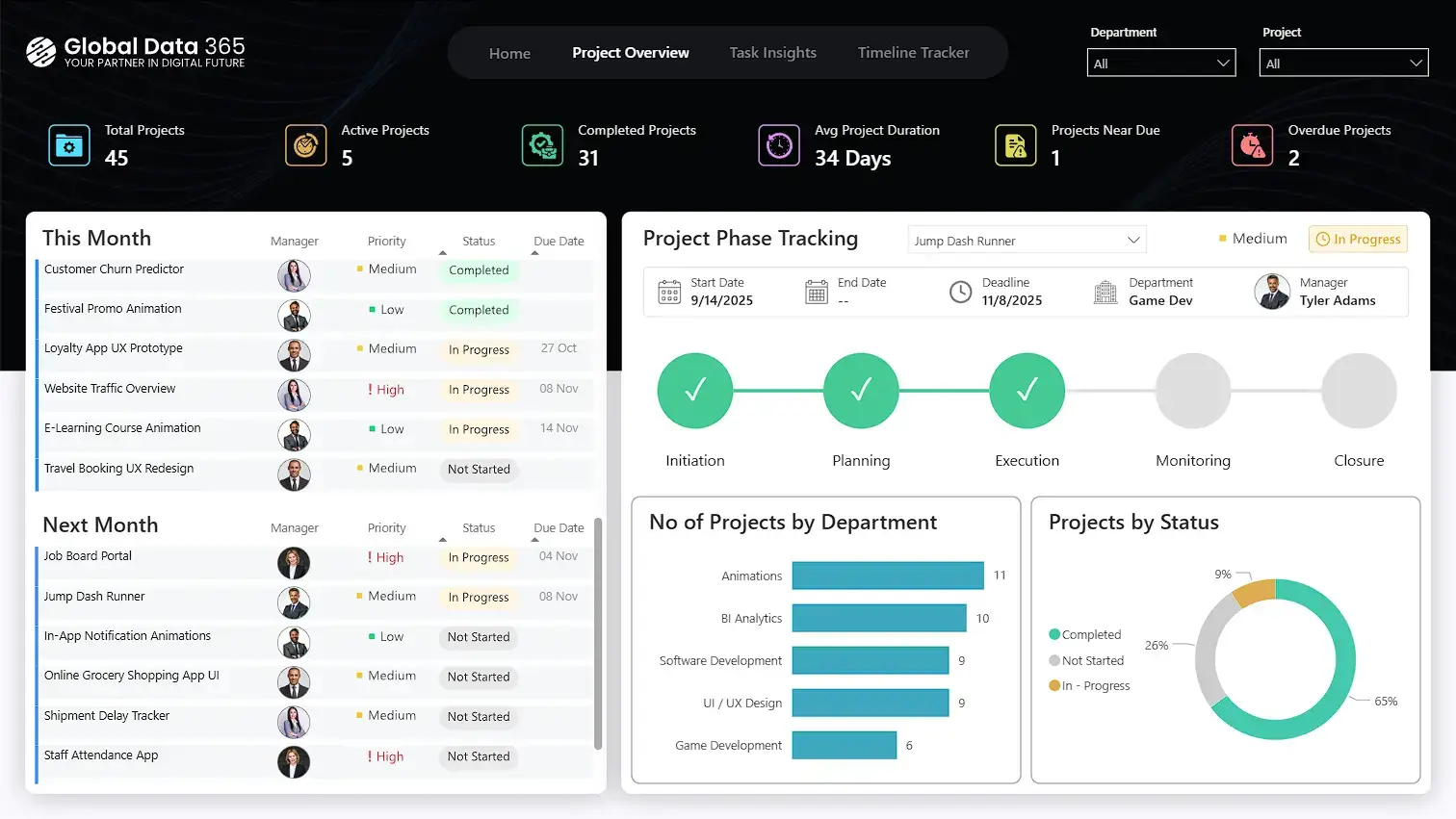
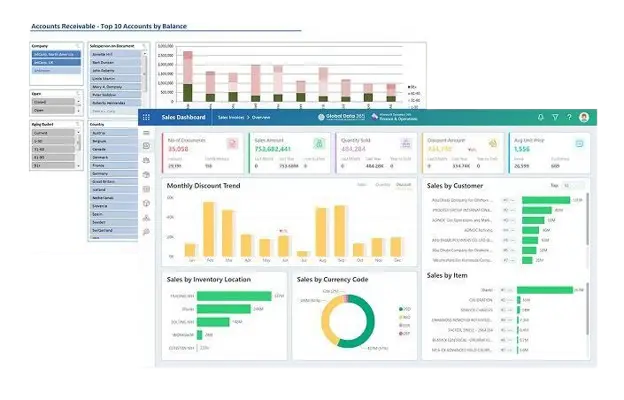
Ready-to-Use Power BI Dashboards for D365 F&O
Scroll right to view more dashbaords –>
Advanced Analytics for
D365 Finance & Operations
Global Data 365 simplifies reporting by automatically extracting and organizing your D365 F&O data into a centralized analytics model.
Simplify Your Reporting Today
HOW IT WORKS
From ERP Data to Decision-Ready Insights Solutions Engineered for D365 F&O
FIND YOUR REPORTING APPROACH
Choose the Right Reporting Solution for D365 Finance & Operations
Enterprise Reporting: Jet Analytics for D365 F&O
Data Flow:
1. From D365 F&O to Tables– Microsoft Service
- Data is accessed via Data Entities and Data Tables.
- Azure Synapse Link exports selected data to Azure
Data Lake (Parquet/CSV format).
2. Data Lake → Jet Processing Layer
- Azure Data Lake stores exported F&O data.
- Synapse Serverless / Spark processes CSV–Parquet files.
- Jet Data Manager loads data into the Jet Staging Database.
- Structured transformations build the Jet Data Warehouse.
- Jet Analysis Service optimizes models for reporting.
Key Features:
- Multiple Connectors: Integrates not only with D365 F&O but also other ERPs, CRM systems, and external data sources.
- Data Consolidation: Easily combines multi-company, multi-entity, and external datasets into one structured model.
- Non-Extensive Infrastructure: Cost-effective Synapse Serverless architecture.
- Customization: Fully customizable data warehouse models tailored to finance, operations, and management KPIs.
Ruling:
A scalable enterprise d365 f&o data warehouse delivering structured, consolidated and high-performance F&O reporting.
Operational Dashboards: Power BI for D365 F&O
Data Flow:
1. D365 F&O → Power BI
Connect via Data Entities or OData feeds.
2. Data Processing in Power BI
Clean, transform, and model data using Power Query and DAX.
3. Power BI → Business Users
Publish interactive dashboards for finance and operational teams.
Key Features:
- Interactive Dashboards: Real-time insights and analytics for
d365 f&o as per your business requirements and needs with plug and play f&o dashboards. - Flexible Modeling: Custom measures, drilldowns and dynamic filtering.
- Lower Setup Cost: No full data warehouse required.
- Business Agility: Quick deployment for management and f&o reporting needs.
Ruling:
A flexible and visualization-driven solution for dynamic D365 F&O dashboards.
Excel-Based Reporting: Atlas for D365 F&O
Data Flow:
1. D365 F&O → Atlas (Excel Add-In)
Secure live connection to F&O data entities.
2. Query & Cache Processing
Smart caching and incremental refresh optimize performance.
2. Excel → Finance Reporting
Easily understandable Excel reports for FP&A and others.
Key Features:
Build live financial statements, trial balance, and ad-hoc reports directly
in Excel.
- Excel-Native Environment: Finance teams work in familiar spreadsheets.
- Live Data Access: No manual exports or copy-paste.
- Security Controlled: Respects D365 F&O role-based permissions.
- Lightweight Setup: Minimal infrastructure and fast implementation.
Ruling:
The fastest way to enable controlled, live Excel reporting for D365 F&O finance teams.
WHAT YOU GET
Everything You Need for D365 Finance & Operations Reporting
Connect Your Entire Ecosystem
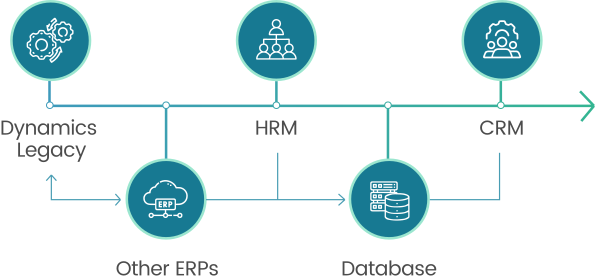
Power BI can integrate Dynamics 365 Finance & Operations with Microsoft Excel, Dynamics 365 CRM, SQL Server, SharePoint, Azure services, Microsoft Fabric and many third-party applications.
This creates a unified reporting environment where your data can be analyzed through real-time reports.
150+ Ready Dashboards – Instant Insights
Access a comprehensive library of pre-built dashboards and reports across finance, operations, sales
and supply chain.
Start analyzing key business metrics immediately and save weeks of setup time.


Tailored Insights for Your Business
Customize dashboards, KPIs, and reporting models to match your workflows, forecasting needs
and team roles.
Turn complex data into actionable intelligence that drives decisions.
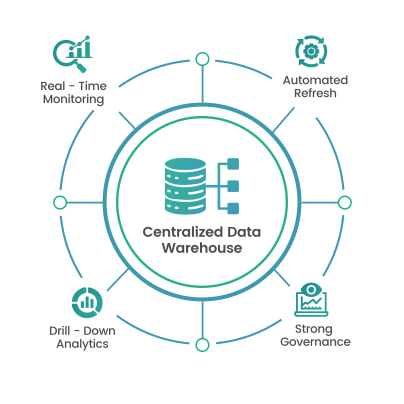
Built on Centralized Data Foundation
Leverage a centralized data warehouse with automated refresh, strong governance and
drill-down analytics.
Empower teams with insights they can trust and act on instantly
Why Choose Our D365 F&O Reporting Solutions?
Plug & Play Deployment
Pre-built connectors and structured data models allow
quick integration with Microsoft Dynamics 365 F&O.
Minimal disruption. Faster go-live. Immediate reporting.
Scalable & Secure Architecture
Designed to grow with your business, supporting multi-entity reporting, role-based security, and enterprise-level performance.
Complete End-to-End Reporting
From data extraction to visualization, everything is covered, data processing, transformation, modeling, and reporting in one unified solution.
Customizable & Forecast-Ready
Flexible architecture supports tailored financial models, custom KPIs, and advanced forecasting.
Adapt dashboards and reports as your business evolves.
WHY CHOOSE US
Customer Success Stories
Our consultants have implemented reporting solutions for Microsoft Dynamics 365 Business Central and Dynamics 365 Finance & Operations across finance, manufacturing, retail, healthcare and other industries.
“Global Data 365 was responsible for the implementation of JET Reports at the marine agency company where I worked. We’ve been able to automate most of our reporting with his help. Excellent support!”

Antonio Vasconcelos
Microsoft Dynamics Functional Consultant, Port Logistics
“The 2 days training so helpful for our company. Jet report has more features than we expect. After the training we can create useful report therefore I recommend this training and the program for monitoring companies for future.”

YADİGAR KÖKSAL
Finance and Accounting Manager, ATC
“Global Data 365’s expertise with Jet Reports was instrumental in automating our reporting at SMT Africa. Their dedicated support and insightful training were exceptional. I highly recommend them for their exceptional services.”

Iqbal M.
IT Project Manager, SMT Africa
“Global Data 365 had provided a in depth training to me that enabled me to start multiple report design and help the user to extract their data from Navision for jet reporting. They are helpful and responsive even after the training.”

Joanne Chong
Business Analyst, TG Group of companies
“When working on implementing Jet Reports in Al Ghalia will was done in a timely manner as well the support and training provided by Global Data 365 was outstanding.”

Joseph Pires
Assistant Financial Controller. Al Ghalia
“We took Jet Reports training from Global Data 365 which proved to be very beneficial for our team. They were very supportive and patient throughout the training and answered all our questions.”

Ali Zahran
Home Centre Brand Manager, Fashmore company
“I recently worked with Global Data 365 for upgrading JET. He was also responsible for training and consultation for our Dubai team. They are very resourceful and prompt in responding to our support request.”

Rukku Shantha
IT Manager, MPH Global
“Partnered with Global Data 365 for Jet Reports implementation. Their expertise and insights have been invaluable in automating management reporting. Highly recommend their services.”

LAWRENCE KILINGA
Business systems analyst, Amref
“Implemented Jet Report for IKEA with Global Data 365 who were professional, adhered to timelines, and provided advanced reporting tools. I highly recommend them.”

Ahmad Hammad
BI & ERP Specialist at SYH Retail, IKEA
“Collaborating with Global Data 365 for over two years, I’ve found them to be approachable and highly adaptable, even when dealing with unfamiliar territories. Our reports now run with exceptional accuracy and efficiency.”

Cesco Righetti
Chief Financial Officer UK, The Arts Club
Ready to Transform Your F&O Reporting?
Book a demo with us and see your real F&O data in action inside our live dashboards.
Frequently Asked Questions(FAQs)
The best reporting solution for Microsoft Dynamics 365 Finance & Operations depends on your reporting requirements. Power BI is ideal for interactive dashboards, executive reporting, and real-time business analytics. Atlas is best suited for finance teams that need live Excel-based reporting, budgeting, and financial statements directly from Dynamics 365 Finance & Operations. Jet Analytics is designed for enterprise reporting, providing a centralized data warehouse, historical analysis, and advanced business intelligence. Many organizations use these solutions together to create a complete reporting environment that supports finance, operations, supply chain, manufacturing, and executive decision-making.
Power BI improves Dynamics 365 Finance & Operations reporting by transforming ERP data into interactive dashboards, automated reports, and real-time performance insights. Unlike standard ERP reports, Power BI enables users to visualize key performance indicators, drill down into transactions, consolidate data across multiple legal entities, and combine information from other business systems into a single dashboard. This helps finance teams, operations managers, and executives monitor business performance, identify trends, and make faster, data-driven decisions.
Companies can automate financial reporting in Dynamics 365 Finance & Operations by using Power BI, Atlas, and Jet Analytics to eliminate manual data exports and repetitive reporting tasks. Power BI automatically refreshes dashboards, Atlas generates live Excel-based financial reports directly from ERP data, and Jet Analytics centralizes reporting data for scheduled analysis and enterprise reporting. Automating financial reporting reduces manual effort, improves data accuracy, shortens month-end close processes, and ensures decision-makers always have access to current financial information.
Yes, D365 F&O dashboards can be integrated with other ERP, CRM, and external data sources. Using a data warehouse approach like Jet Analytics, businesses can consolidate multiple data sources into a single reporting model for unified analytics and better decision-making.
Custom Power BI dashboards provide greater flexibility, visualization, and analytical capabilities than standard Dynamics 365 Finance & Operations reports. While standard reports are useful for operational reporting, Power BI allows organizations to build executive dashboards, consolidate multiple data sources, monitor real-time KPIs, perform advanced analysis, and create interactive reports tailored to specific business processes. Custom dashboards also improve decision-making by presenting complex ERP data in an easy-to-understand visual format that can be securely shared across the organization.
Yes, cloud-based Dynamics 365 F&O reporting solutions provide real-time access, automated updates, and scalable performance. They eliminate manual data handling and allow businesses to access dashboards and reports anytime, anywhere.
Yes. Power BI can connect directly to Microsoft Dynamics 365 Finance & Operations using standard Microsoft connectors, Azure services, OData feeds, and data entities. It also integrates with Microsoft Fabric, SQL Server, Excel, SharePoint, Dynamics 365 CRM, and many third-party applications. This allows organizations to combine ERP data with information from other business systems, creating centralized dashboards that provide a complete view of financial and operational performance.
Yes, advanced F&O reporting tools support forecasting, budgeting, and scenario analysis. With customizable data models and historical data integration, businesses can build accurate financial forecasts and strategic plans. Additionally, AI-assisted tools like BI Insights 365 further enhance forecasting capabilities, enabling smarter, data-driven planning (available on request via our sales team).
Azure Synapse Link for D365 F&O is a Microsoft-managed service that enables continuous data export from Dynamics 365 Finance & Operations to Azure Data Lake. It allows businesses to access near real-time ERP data in structured formats (such as CSV or Parquet) without impacting system performance. This data can then be processed using tools like Synapse Serverless or integrated into a data warehouse, enabling scalable reporting, advanced analytics, and Power BI dashboards for faster, data-driven decision-making.
Related Resources