Microsoft Dynamics 365

Microsoft 365 Copilot

A Complete Guide on Microsoft 365 Copilot

Microsoft 365 Copilot: Revolutionizing Your Productivity

Microsoft 365 Copilot

In the ever-evolving landscape of digital productivity tools, Microsoft 365 stands tall as a comprehensive suite that empowers businesses worldwide. Among its many offerings, Microsoft 365 Copilot emerges as a transformative solution, promising to revolutionize the way organizations manage their Microsoft 365 environment.

What is Microsoft 365 Copilot?

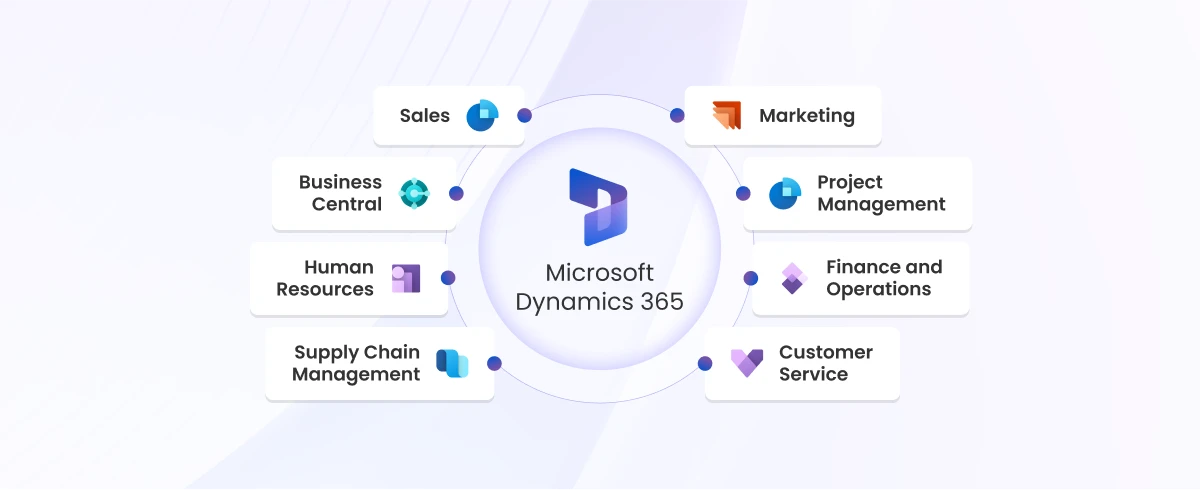
Microsoft 365 Copilot is a revolutionary management tool designed to simplify the administration of Microsoft 365 services including those crucial for customer relationship management (Microsoft Dynamics 365 CRM), finance and operations (Microsoft Dynamics 365 F&O), and business central management (Microsoft Dynamics 365 BC).

It comprises three main components: Microsoft 365 apps (like Word, Excel, Teams), Microsoft Graph (incorporating files and data across the M365 environments), and OpenAI models (including ChatGPT-3, ChatGPT-4, DALL-E, Codex, and Embedding), all hosted on Microsoft Azure. Unlike traditional management methods, Copilot offers a more efficient and streamlined approach, allowing organizations to focus on their core business activities.

Microsoft 365 Copilot Features:

The Copilot offers many features for vast business community such as;

  • Effortless Automation: Microsoft 365 Copilot improves productivity by automating repetitive tasks and workflows, allowing employees to focus on more strategic initiatives.
  • Reduced Cost and optimizing Resources: It helps organizations save costs and optimize resources by streamlining Microsoft 365 management processes.
  • AI-powered insights: It leverages AI to unlock valuable insights from your Dynamics 365 state. Gain real-time customer behavior trends in Dynamics 365 CRM or identity financial optimization opportunities in Dynamics 365 F&O.
  • Streamlined Collaboration: Microsoft 365 Copilot fosters seamless collaboration within Dynamics 365 applications. Imagine teams working together on sales proposals in Dynamics 365 CRM or project plans in Dynamics 365 Business Central with real-time edits and suggestions.
  • Enhanced Security: It empowers businesses to maintain robust security within Dynamics 365. Leverage advanced monitoring and threat detection to keep your data safe.
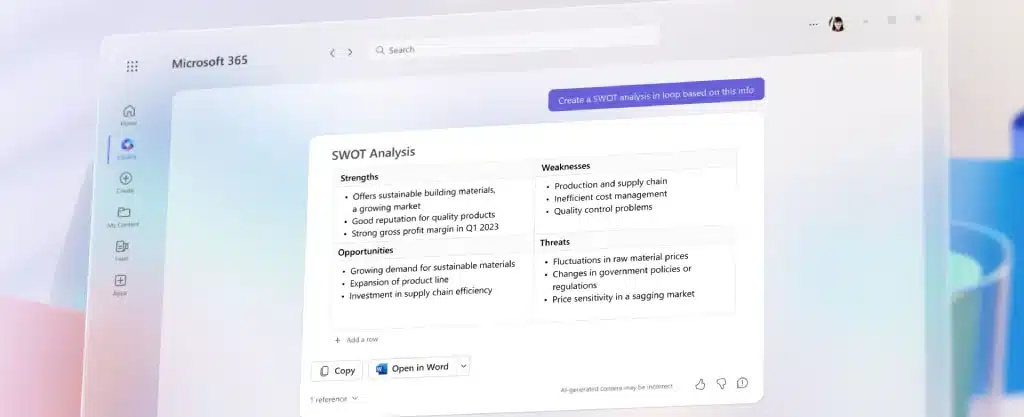
Microsoft 365 Copilot

How Much Does Microsoft 365 Copilot Cost?

Microsoft 365 Copilot is available as part of the Microsoft 365 Enterprise subscription, which offers a range of plans tailored to meet the needs of businesses of all sizes. The cost of Copilot varies depending on the specific plan chosen, with pricing starting at $30 per user per month for the basic plan. Find how Microsoft Dynamics transform your business with: Microsoft 365Future plans include tailored Microsoft 365 Copilot for Dynamics 365, Power Platform, security suite, and Windows OS.

How many Modes of Interaction are in Copilot?

  • Microsoft 365 Copilot system offers two main interaction modes: Direct engagement within applications like Word and Teams, and accessibility through Microsoft 365 Chat in Teams
  • Within applications, users seamlessly integrate M365 Copilot for tasks like drafting documents and summarizing meetings in real-time.
  • The second method of interaction is through Microsoft 365 Chat, functioning as a chatbot within Teams. Microsoft 365 Chat serves as a versatile tool for natural language interactions, enabling users to search across diverse sources.
  • Microsoft 365 Copilot enhances productivity in Word by offering text suggestions, facilitates collaboration in Teams with real-time meeting summaries, and streamlines PowerPoint presentations.
  • In addition to automation, Microsoft 365 Copilot also provides advanced monitoring and reporting capabilities, allowing you to keep track of service health and performance metrics. This information can help you identify potential issues before they escalate, ensuring that your Microsoft 365 copilot environment remains stable and reliable.

In Conclusion

Copilot is a transformative tool that empowers businesses to unlock the full potential of Dynamics 365. With its innovative cutting-edge functionality and user-friendly interface, Copilot is empowering teams to collaborate more effectively and achieve their goals efficiently. To experience the benefits of Microsoft 365 Copilot for your business and drive growth, contact us at Global Data 365 today. Our team is ready to help you leverage this powerful tool to take your productivity to new heights.

Get 30 days free license for Jet Reports

Share this blog on:

Search Blog

About Us

Global Data 365 is composed of highly skilled professionals who specialize in streamlining the data and automate the reporting process through the utilization of various business intelligence tools.

Follow us on:

Want to try Jet Analytics?

Get Free License for 30 Days

Jet Analytics Hero Section

Subscribe to Our Newsletter

Microsoft 365 Copilot: Revolutionizing Your Productivity Read More »

Management Reporter Jet Reports

Management Reporter vs Jet Reports

Management Reporter vs. Jet Reports: 7 key differences

Management Reporter Jet Reports

Importance of Reporting Tools in Business Management

In today’s dynamic business environment, the significance of robust reporting tools cannot be overstated. Efficient financial reporting software and business intelligence reporting play a pivotal role in business management; aiding organizations to make informed decisions, monitor performance, and strategize for the future. Two prominent players in the reporting tools arena are Management Reporter vs. Jet Reports. 

What Is Management Reporter?

Management reports are essential components of business intelligence, providing a comprehensive overview of an organization’s financial performance. Management Reporter, a powerful financial reporting tool, stands out with its versatile report designer, enabling the creation of dynamic reports tailored to specific needs. 

We are going to give you three scenarios where a user should consider switching to Jet Reports or Jet Analytics: 

What is Jet Reports?

Jet Reports, on the other hand, is a dynamic business intelligence tool that goes beyond conventional financial reporting. With its user-friendly interface and Jet Dashboard Designer, organizations can leverage its capabilities for comprehensive financial reporting and analysis. Jet Reports is known for its adaptability and ease of use, making it an asset for businesses aiming to enhance their reporting processes. 

We are going to give you three scenarios where a user should consider switching to Jet Reports or Jet Analytics: 

Management Reporter vs. Jet Reports: 7 Key differences

Management Reporter (MR) is a standalone application from Microsoft that pulls data from Dynamics GP, while Jet Reports is an Excel add-in that pulls data into Excel from Dynamics GP. Jet Reports works with Microsoft Dynamics GP 9 (November 2005 release) and later. Both tools were designed specifically for working with Microsoft Dynamics data and integrated seamlessly with Dynamics GP, but between Management Reports vs. Jet Reports there are several key differences. 

- Building reports

MR reports are built in components one-by-one, starting with defining rows, then defining columns and trees, while Jet Reports are built in whole, not in components, cutting in half or more the time it takes to create a report. 

- Adding new accounts

When a new account is added in Dynamics GP, it must be manually added to Management Reporter. Due to the way MR is structured, not all data changes in Dynamics GP will be tracked on the change tracker and do not update the data mart, which is the tool that syncs MR with Dynamics GP. At times there might be hard coding involved to change how the data mart pulls data from Dynamics GP. However, Jet Reports can refresh data from Dynamics GP at any time, and new accounts will show up, without any hard coding or manually checking for new accounts. 

- Previewing reports

You cannot preview reports in MR, unless you assign a row to an actual report. In Jet Reports, you can easily toggle between design mode and report mode to check and see if the formatting and formulas you used are working as desired. 

- Data extractions

MR connects directly to your instance of Dynamics GP, however you can only create reports in MR using that data – you cannot pull from any other source. In contrast, Jet Reports allows you to pull data from numerous sources and consolidate it together, rather than just pulling data from Dynamics GP for building reports. Jet Reports can extract any data from Dynamics GP into Excel, and when the data refreshes, so does your pivot table. 

- Working in Excel

When building reports in MR, you can link to an Excel spreadsheet as a reference and pull in data from a spreadsheet. MR users often find themselves switching between MR and Excel when building reports to pull in data from different sources that might have been exported into Excel. With Jet Reports, you’re working directly inside Excel and can pull data from a variety of locations in addition to from Dynamics GP. This creates a smoother workflow and reduces the need to switch between applications to find the necessary data for a report or dashboard. Additionally, with designing Jet Reports inside Excel, you can take advantage of formatting options, copying and pasting, and other functionalities you are used to in Excel.

- Compatibility

The most recent version of MR reporter is Management Reporter 2012, last updated in 2014, and is compatible with Dynamics AX 2009 and 2012, Dynamics GP 2013 to 2018, and Dynamics SL 2011 and 2015. Jet Reports is regularly updated by insightsoftware, and is compatible with all Microsoft ERPs including Dynamics 365 products, Dynamics NAV, Dynamics GP, Dynamics AX, Dynamics CRM, and Dynamics SL. 

- Migrating to a newer ERP system

Dynamics GP is no longer supported by Microsoft and many companies realize they will eventually need to migrate to a newer ERP such as Dynamics 365 or choose a new ERP altogether. MR is not supported by newer Microsoft products, and as such, none of your reports built inside MR will migrate with you to a new system. On the other hand, all work completed in Jet Reports carries over into any ERP you choose since it is an independent platform and can pull data from any source; all you would have to do is update the data connectors. 

In Conclusion

In conclusion, while both Management Reporter and Jet Reports serve essential roles in the realm of reporting tools, but in the comparison of Management Reporter vs. Jet Reports the latter stands out as a superior choice for businesses aiming to elevate their business management with efficient financial reporting and business intelligence capabilities. The decision ultimately hinges on the specific needs and priorities of each organization, but Jet Reports’ user-friendly features and comprehensive functionality position it as a strong contender in the reporting tools landscape. 

Get 30 days free license for Jet Reports

Share this blog on:

Search Blog

About Us

Global Data 365 is composed of highly skilled professionals who specialize in streamlining the data and automate the reporting process through the utilization of various business intelligence tools.

Follow us on:

Want to try Jet Analytics?

Get Free License for 30 Days

Jet Analytics Hero Section

Subscribe to Our Newsletter

Management Reporter vs Jet Reports Read More »

data lake vs data warehouse

12 Key Differences between Data Lake and Data Warehouse

Data Lake vs Data Warehouse: What's The Key Difference?

data lake vs data warehouse

With the rise of big data and the explosion of new data sources, traditional data warehousing approaches may not be sufficient to meet the needs of modern data management and analytics, creating confusions between Data Lake vs Data warehouse. This has led to the development of new approaches, including Data Lake and Data Warehouse. Each approach offers unique benefits and drawbacks, and understanding the differences between them is critical to making informed decisions about data management and analytics.

Data Lake

A Data Lake is a centralized repository that allows businesses to store vast amounts of raw, unstructured, or structured data at scale. It provides a flexible storage environment, enabling organizations to ingest diverse data types without the need for upfront structuring. This unrefined data can then be processed and analyzed for valuable insights, making Data Lakes ideal for handling large volumes of real-time and varied data.

Benefits and Use Cases of Data Lake

Data lakes provide scalable and cost-effective storage, accommodating diverse data types such as raw and unstructured data for flexible analysis. With a focus on real-time analytics and advanced capabilities like machine learning, they support innovation in algorithm development. Cost-efficient storage solutions, often leveraging scalable cloud storage, make data lakes economical for managing large datasets.


Use cases range from big data analytics, IoT data management, and ad hoc analysis to long-term data archiving and achieving a 360-degree customer view. In essence, data lakes offer dynamic repositories that empower organizations with flexibility, real-time insights, and comprehensive data management solutions.

Data Warehouse

On the other hand, a Data Warehouse is a structured, organized database optimized for analysis and reporting. It is designed to store structured data from various sources in a format that is easily query able and supports business intelligence reporting. Data Warehouses are characterized by their schema-on-write approach, requiring data to be structured before entering the system, ensuring a high level of consistency for analytical purposes.

Benefits and Use Cases of Data Warehouse

Data warehouses offer a multitude of benefits, including optimized structured data analysis for improved query performance and efficient reporting. They preserve historical data for time-series analysis and audit trails, enhance business intelligence through data consolidation and dashboard creation, ensure data quality and consistency through cleansing processes, and provide scalability to handle growing data volumes.


Common use cases encompass business performance analysis, customer relationship management, supply chain optimization, financial reporting and compliance, and human resources analytics.

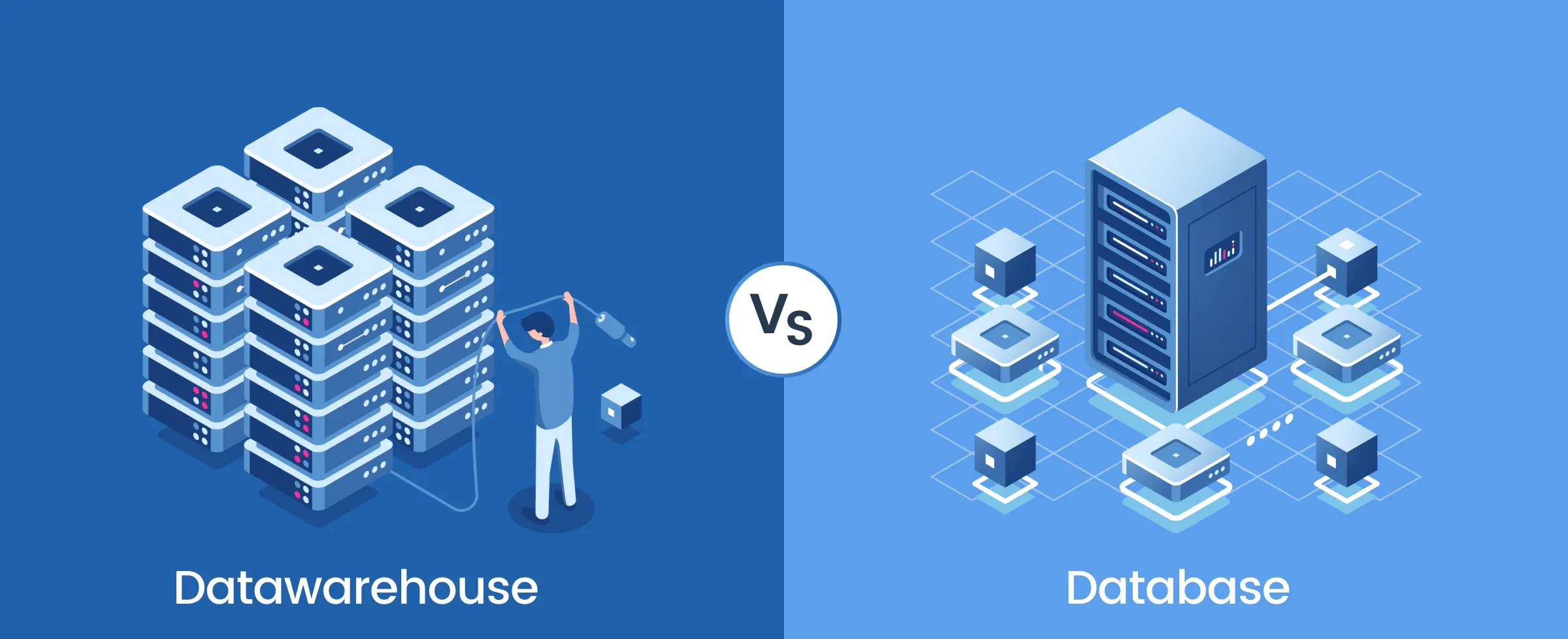
Find the visual representation and difference between: Data Lake vs Data Warehouse.

Data Lake vs Datawarehouse: Key Differences

Features 

Data Lake

Data Warehouse 

Purpose 


Used for storing vast amounts of diverse data types for future analysis. 

Optimized for large-scale analytical queries, storing historical data for reporting and analysis. 

Data Type 


Stores raw, unprocessed data in its native format. 

Stores summarized, aggregated, and historical data. 

Data Structure 

Schema-on-read, allowing for flexibility in data storage. 

Optimized for read-heavy operations (OLAP – Online Analytical Processing). 

Users 


Primarily used by data engineers, data scientists, and machine learning teams. 

Mainly used by business analysts, data scientists, and decision-makers for insights and reporting. 

Data Volume 

Holds vast amounts of unstructured and structured data. 

Handles large volumes of historical data from various sources. 

Performance 


Performance can vary; optimized for large data ingestion rather than query speed. 

High performance for complex queries and large-scale data retrieval for analysis. 

Schema Design 

Uses a flexible schema design; data is often stored without a predefined schema. 

Denormalized schema (e.g., star or snowflake schema) for faster query performance. 

Data Processing 


Processes a wide variety of data types, including structured, semi-structured, and unstructured data. 

Processes complex  queries requiring significant data aggregation. 

Concurrency 

Supports high concurrency for data ingestion and retrieval.


Supports a lower number of users. 

Storage Cost 


Typically cheaper to store vast amounts of data due to lower storage costs. 


Higher storage costs due to large datasets and complex processing requirements. 


Example Use Cases 


Data exploration, machine learning, real-time analytics. 

Business intelligence reporting, trend analysis, forecasting, decision support. 

Data Source 

Captures data from various sources, including social media, IoT devices, and unstructured data. 

Aggregates data from multiple sources, including databases, external systems, and log files. 

  1. Data Type:
    Data Lake: Stores raw, unprocessed data in its native format.
    Data Warehouse: Stores summarized, aggregated, and historical data.
     
  2. Purpose:
    Data Lake: Used for storing vast amounts of diverse data types for future analysis.
    Data Warehouse: Optimized for large-scale analytical queries and historical data analysis.

  3. Data Structure: 
    Data Lake: Schema-on-read, allowing for flexibility in data storage.
    Data Warehouse: Optimized for read-heavy operations (OLAP – Online Analytical Processing).

  4. Users:
    Data Lake: Primarily used by data engineers, data scientists, and machine learning teams.
    Data Warehouse: Mainly used by business analysts, data scientists, and decision-makers for insights and reporting.

  5. Data Volume:
    Data Lake: Holds vast amounts of unstructured and structured data. 
    Data Warehouse: Handles large volumes of historical data from multiple sources.

  6. Performance: 
    Data Lake
    : Performance can vary; optimized for large data ingestion rather than query speed. 
    Data Warehouse: High performance for complex queries and large-scale data retrieval.

  7. Schema Design:
    Data Lake: Uses a flexible schema design; data is often stored without a predefined schema. 
    Data Warehouse: Denormalized schema (e.g., star or snowflake schema) for faster query performance.

  8. Data Processing:
    Data Lake: Processes a wide variety of data types, including structured, semi-structured, and unstructured data. 
    Data Warehouse: Processes complex queries requiring significant data aggregation.

  9. Concurrency:
    Data Lake: Supports high concurrency for data ingestion and retrieval. 
    Data Warehouse: Supports a lower number of users.

  10. Storage Cost:
    Data Lake: Typically cheaper to store vast amounts of data due to lower storage costs.
    Data Warehouse: Higher storage costs due to large datasets and complex processing.

  11. Data Source:
    Data Lake: Captures data from various sources, including social media, IoT devices, and unstructured data. 
    Data Warehouse: Aggregates data from multiple sources, including databases, external systems, and log files.

  12. Example Use Cases: 
    Data Lake: Data exploration, machine learning, real-time analytics. 
    Data Warehouse: Business intelligence reporting, trend analysis, forecasting. 

Finding the Right Fit: data lake vs data warehouse

Is there room for both Data Lake and Data Warehouse in your data strategy? Explore the benefits of adopting a hybrid approach, seamlessly integrating the strengths of both solutions for comprehensive data management. Discover the factors to consider when choosing between Data Lake and Data Warehouse solutions. From cost considerations to scalability needs and varying data types and formats, find the perfect fit with Global Data 365 for your business’s unique requirements by contacting us now.

Simplify Your Data – Get a Free Consultation!

Share this blog on:

Search Blog

About Us

Global Data 365 is composed of highly skilled professionals who specialize in streamlining the data and automate the reporting process through the utilization of various business intelligence tools.

Follow us on:

Want to try Jet Analytics?

Get Free License for 30 Days

Jet Analytics Hero Section

Subscribe to Our Newsletter

Data Lake vs Data Warehouse Read More »

What are Data Lakes?

What are Data Lakes?

What are Data Lakes? The Backbone of Big Data Analytics

What are Data Lakes?

The huge volume of data collected by today’s company has entailed a drastic change in how that data is stored. Data stores have expanded in size and complexity to keep up with the companies they represent, and data processing now needs to stay competitive, from simple databases to data warehouses to data lakes. As enterprise businesses collect vast amounts of data from every imaginable input through every conceivable business feature, what started as a data stream has developed into a data flow.


A new storage solution has emerged to resolve the influx of data and the demands of enterprise businesses to store, sort, and analyze the data with the data lake.

What are Data Lakes?

Data Lakes are type of centralized repository that stores all types of data—structured, semi-structured, and unstructured—in its raw format. Unlike data warehouses, which standardize data before processing, a data lake holds data without any transformation, allowing for future analysis and exploration. This raw data can later be structured for specific purposes, making it a powerful resource for businesses that deal with diverse data sources like IoT devices or event tracking.

What Does It Contain?

The foundation of enterprise businesses is a collection of tools and functions that provide useful data but seldom in a structured format. The company’s accounting department may use their chosen billing and invoicing software, but your warehouse uses a different inventory management system. Meanwhile, the marketing team is dependent on the most efficient marketing automation or CRM tools. These systems rarely interact directly with one another, and while they can be pieced together to respond to business processes or interfaces through integrations, the data generated has no standard performance.


Data warehouses are good at standardizing data from different sources so that it can be processed. In reality, by the time data is loaded into a data centre, a decision has already been taken about how the data will be used and how it will be processed. Data lakes, on the other hand, are a larger, more unmanageable system, holding all of the structured, semi-structured, and unstructured data that an enterprise company has access to in its raw format for further discovery and querying. All data sources in your company are pathways to your data lake, which will capture all of your data regardless of shape, purpose, scale, or speed. This is especially useful when capturing event tracking or IoT data, while data lakes can be used in a variety of scenarios.

Benefits of Data Lakes

  • Versatility: Data lakes store data in any form—whether it’s CRM data from marketing or raw transaction logs from inventory systems.
  • Flexibility: Since data is stored in its original format, it can be processed, transformed, and analyzed whenever needed.
  • Scalability: Data lakes, like Azure Data Lake, handle data of any volume, shape, or speed, making them ideal for large-scale enterprises.

Application of Data Lakes

Data lakes find applications across multiple industries, enabling:

  • Healthcare: Early disease detection and personalized treatments.
  • Finance: Fraud detection and market trend prediction.
  • Retail: Customer behavior analysis and inventory optimization.
  • Manufacturing: Predictive maintenance and production workflow enhancements.

Data Collection in Data Lakes

Companies can search and analyse information gathered in the lake, and also use it as a data source for their data warehouse, after the data has been collected.


Azure Data Lake, for instance, provides all of the features needed to allow developers, data scientists, and analysts to store data of any scale, shape, or speed, as well as perform all kinds of processes and analytics across platforms and languages. Azure Data Lake simplifies data management and governance by eliminating the complications of consuming and storing all of your data and making it easier to get up to speed with the queue, streaming, and interactive analytics. It also integrates with existing IT investments for identity, management, and security.


That being said, storage is just one aspect of a data lake; the ability to analyse structured, unstructured, relational, and non-relational data to find areas of potential or interest is another. The HDInsight analytics service or Azure’s analytics job service can be used to analyse data lake contents.

Data Collection and Analysis

Data lakes are especially useful in analytical environments when you don’t understand what you don’t know with unfiltered access to raw, pre-transformed data, machine learning algorithms, data scientists, and analysts can process petabytes of data for a variety of workloads like querying, ETL, analytics, machine learning, machine translation, image processing, and sentiment analysis. Additionally, businesses can use Azure’s built-in U-SQL library to write the code once and have it automatically executed in parallel for the scale they require, whether in.NET languages, R or Python.

Microsoft HDInsight

The open-source Hadoop platform continues to be one of the most common options for Big Data analysis. Open-source frameworks such as Hadoop, Spark, Hive, LLAP, Kafka, Storm, HBase, Microsoft ML Server, and more can be applied to your data lakes through pre-configured clusters tailored for various big data scenarios with the Microsoft HDInsight platform.

Learn More About Microsoft HDInsight

Future-Proof Data

For companies, data lakes reflect a new frontier. Incredible possibilities, perspectives, and optimizations can be uncovered by evaluating the entire amount of information available to an organization in its raw, unfiltered state without expectation. Businesses may be susceptible to data reliability (and organizational confidence in that data) and also protection, regulatory, and compliance risks if their data is ungoverned or uncatalogued. In the worst-case scenario, data lakes will have a large amount of data that is difficult to analyse meaningfully due to inaccurate metadata or cataloguing.


For companies to really profit from data lakes, they will need a clear internal governance framework in place, as well as a data catalogue (like Azure Data Catalogue). The labelling framework in a data catalogue aids in the unification of data by creating and implementing a shared language that includes data and data sets, glossaries, descriptions, reports, metrics, dashboards, algorithms, and models.

Built your BI Infrastructure

The data lake will remain a crystal-clear source of information for your company for several years if you set it up with additional tools that allow for better organization and analysis, such as Jet Analytics.


At  Global Data 365, you can contact our team to find out more information on how to effectively organize your data or executing big data systems seamlessly.

Get 30 Days Free Jet Analytics License!

Share this blog on:

Search Blog

About Us

Global Data 365 is composed of highly skilled professionals who specialize in streamlining the data and automate the reporting process through the utilization of various business intelligence tools.

Follow us on:

Want to try Jet Analytics?

Get Free License for 30 Days
Jet Analytics Hero Section

Subscribe to Our Newsletter

What are Data Lakes? Read More »

Migrating from On-Premise ERP to Microsoft Dynamics 365 F&SCM
Migrating from On-Premise ERP to Microsoft Dynamics 365

Migrating from On-Premise ERP to Microsoft Dynamics 365

Migrating from On-Premise ERP to Microsoft Dynamics 365 F&SCM

Many software companies are embracing a cloud-first approach when designing, deploying, and delivering their products and ERP is no exception. Microsoft has been enhancing its ERP and CRM business applications for years, making migrating ERP to Dynamics 365 a natural step for organizations moving toward a cloud-centered strategy. Customers of Microsoft Dynamics AX, Microsoft Dynamics NAV, Microsoft Dynamics GP, and Microsoft Dynamics SL will eventually move to one of the two cloud-based ERP products, Microsoft Dynamics 365 Business Central (D365 BC) or Microsoft Dynamics 365 Finance & Operations (D365 F&O).


Importance of Reporting Tools in Business Management

Microsoft will target its resources in the future on only those two ERP products. Microsoft D365 F&O is aimed at mid-sized companies, while Microsoft D365 BC is more suited to smaller businesses with simpler needs. Both technologies have their origins in one of Microsoft’s current ERP code lines (AX and NAV, respectively), but the company has redesigned its technology and made major improvements. Microsoft is likely urging you to consider moving to the cloud if your company is currently using any of the Microsoft Dynamics legacy products. Microsoft continues to support its legacy products until at least 2028, but potential investments in enhanced features will be focused on the two latest Microsoft D365 products.


Making the transition to cloud ERP comes with a slew of advantages. It offers a reliable, scalable IT infrastructure and enhanced integration capabilities, allowing wider implementation of digital transformation technologies. Moving to the cloud, on the other hand, would necessitate yet another large project, with all of the associated expense, difficulty, and risk. How do companies navigate the process to achieve beneficial outcomes while staying within budget and risk constraints?


Some of the best practices for migration to Microsoft Dynamics 365 include:

- Starting the Process Early

Despite Microsoft’s determination to support its legacy Dynamics products for at least another eight years, business leaders should begin considering cloud migration now. The big picture of the migration process allows companies to better prepare for the future and divide the process down into smaller steps that are easier to handle and lower risk. Companies can better identify their needs if they provide enough time for thorough preparation and review. This includes determining which Microsoft D365 components the new platform would need. Microsoft is using a more flexible licensing model for its cloud-ERP apps than it does for its legacy on premise ERP applications.


Microsoft D365 Finance and Operations, for example, is made up of two main parts: Microsoft D365 Finance and Microsoft D365 Supply Chain Management. You may buy user licenses for specific subgroups of the entire experience, but they function together as a cohesive whole. As a result, rather than paying a premium price for unrestricted access, you’ll only pay for the features needed for each user. Current Microsoft Dynamics customers are eligible for discounts, which should be noted by business leaders. Microsoft has encouraged consumers to make the transition by providing competitive subscription rates to customers of their current legacy ERP solutions, while the company seeks to rapidly expand its position as a pioneer in cloud ERP.

- Deploying a Test Setting

Customers usually also create vendor specifications to simplify the management of incoming inventory. Electronic Data Interchange (EDI) is the default for obtaining the sales order and delivering advanced shipping notices (ASNs) to customers used by big-box retailers. Larger consumers also enforce barcoding conditions. Although those are well-known examples, large companies are increasingly requiring suppliers to adhere to other requirements as well. Walmart declared its plan to reduce CO2 emissions in 2017. Project Gigaton, as the program is called, aims to reduce the company’s carbon footprint across the supply chain. In other words, Walmart will demand that its suppliers keep track of the carbon footprint of the goods they sell to the company.


Only a few ERP vendors have built processes into their software to monitor this type of data. It is starting to happen in the biggest, most costly programs, but for most organisations, the problem can be solved with a blend of custom user-defined fields and versatile reporting tools. Whatever potential requirements can entail, reporting tools may help companies remain in compliance.

- Divide the Project

Trying to break up a cloud-ERP migration into smaller chunks is a smart idea for business leaders. This may include initiatives that can be done in advance, providing immediate benefits to the company and a reduction in cost and risk when it is time to migrate the ERP to the cloud. An improvement of reporting tools, procedures, and designs is another big project that you can do ahead of time. This is simpler than it seems, and it’s particularly critical in the sense of migrating to Microsoft D365 in the cloud because Microsoft is making significant technological improvements to the way you manage data for reports and also the reporting set of tools for its ERP applications.


Microsoft has limited direct access to the Microsoft D365 F&SCM server to boost security, substituting it with an abstraction layer made up of “data entities.” The new strategy to migration to Microsoft D365 F&SCM necessitates a significant investment in the creation of data entities that will push reporting against the cloud-ERP framework. The effort would necessitate highly trained technical experts and will take a long time. Microsoft’s latest reporting strategy is motivated by the company’s willingness to transfer customers to Azure Data Lakes and Microsoft Power BI.

What can Global Data 365 Offer for Migrating ERP to Microsoft Dynamics 365?

The reporting and analytics tools from Global Data 365 minimize complexity, lower costs, and reduce the possibility of lengthy implementations. They remove the need for experts by allowing finance, accounting, operations, and other departments to generate and adjust reports without relying on IT. We have advanced reporting and analytics solutions that integrate with more than 140 different ERP software systems, including the entire Microsoft Dynamics product line. One of them is Jet Analytics. It greatly simplifies and reduces the expense of cloud migration. Reports produced for legacy systems Microsoft Dynamics products can operate in the Microsoft Office D365 setting without a lot of changes.


Schedule a personalized demo with one of our Jet experts to see how we can simplify migrating ERP to Dynamics 365 with powerful reporting and analytics. Contact us now.

Get a Free Demo on how to optimize your reporting with JET

Share this blog on:

Search Blog

About Us

Global Data 365 is composed of highly skilled professionals who specialize in streamlining the data and automate the reporting process through the utilization of various business intelligence tools.

Follow us on:

Want to try Jet Analytics?

Get Free License for 30 Days
Jet Analytics Hero Section

Subscribe to Our Newsletter

Migrating from On-Premise ERP to Microsoft Dynamics 365 Read More »

Jet Analytics Data Warehouse as a Future-Proof Business Solution

Jet Analytics Data Warehouse

Jet Analytics Data Warehouse as a Future-Proof Business Solution

Jet Analytics Data Warehouse as a Future-Proof Business Solution

To remain competitive, a business needs to implement a jet Data Warehouse system that can keep with future requirements. Preparing to implement an ERP system can be a challenging task. Data storage technology’s future will be characterized by speed, convenience, and efficiency. Many of Microsoft’s legacy GP, NAV, and SL customers are likely to be considering a shift to the new platform now that the company’s latest ERP software version for small and midsize businesses has been released.

Microsoft Dynamics 365 (D365 BC) is the next version of the Microsoft Dynamics NAV code base. It is expanding it to a more cloud-friendly platform and incorporating it more deeply than before with the remainder of the Microsoft stack. The process of data transfer is never an easy task, no matter which ERP system you are moving from. Some particular problems related to data transfer are there. Surprisingly, many of them can be easily handled using a data warehouse.

Although data warehouses have been built for a different reason (i.e. to store data for big data analytics), they can provide tremendous value during an ERP transfer. That is because an entire data warehouse solution can pay itself from the savings generated by the process of migration itself. Enterprises have access to an increasing amount of data from all departments of their sector. Controlling how data travels through the enterprise becomes increasingly important as a company gathers data in different formats.

Data warehouse Obstacles during Data Transfer

Data warehouse technology has not changed much. However, the rise of Big Data and an excess demand for data has uncovered technical vulnerabilities that some legacy warehouses are not equipped to manage. One of the first questions asked from a project team when it comes to data transfer is which data is going to be moved from the old system to the new one? Firstly, all the data is going to be transferred. Secondly, many businesses have collected a large amount of historical data. Exporting data, filtering it, cleaning it, and reformatting it for the new system costs time and money.

Then the challenge arises of matching transactions. Bringing the list of the history of customer payments and invoices is a separate thing from recreating the history, providing the details of the payments made to certain invoices in certain amounts. On the other hand, the cloud model distinguishes storage from computing, resulting in a new level of cost and performance efficiency. Enabling IT to:

– Pay for only what is used.
– Gain total cost/performance leverage.
– Reduce duplication of data.
– Eliminating loading of data.
– Multiple platforms can access the same data.

If the company continues to retain the old system intact, it will cost them time and money. If only a single person knows how to operate the system leaves, or if the system update conflicts with the old ERP software. It will cost your company time on support and maintenance.

Jet analytics Data Warehouse as a Solution

Most ERP system manager fails to think of the alternative; a data warehouse solution that contains data from your old ERP system. It contains all of the data you require for historical reference. With a data warehouse, there is no need to handle transactions on the old system.


In comparison to the cost of maintenance of an old ERP system vs. a data warehouse, the data warehouse comes out on top every time. It not only solves the issue of historical ERP records but also serves an ongoing function as well. It significantly reduces security risks. The cloud has changed the way companies handle and store data for the better. To satisfy your existing and future business needs, cloud computing will help you create a new modern data infrastructure. Your organization now has the opportunity to harness its data’s potential, delivering unmatched productivity and ROI. You are finally ready to turn your data to reveal the deeper insights that will help you make better business decisions and produce higher-quality results.

Data Warehouse as a Migration Tool

By creating a standard data model for your old and new ERP systems within the data warehouse. You can utilize the data warehouse as a migration tool itself. You may proactively use the data harmonization process among the two platforms to clean and normalize data from the old system and prepare it for transfer to the new system.

Since most people think of a data warehouse primarily as a staging area for reports. This is a creative solution to the issue of data migration that is rarely suggested.

ERP Migration without Reformatting Reports

The future is hard to foresee, but one certain thing is that the most productive data warehouses are those that can use their data efficiently to optimize operations, anticipate market shifts, and boost availability. Similarly, Jet Analytics is a reporting platform from Global Data 365 that deals with the entire Microsoft Dynamics products, which include Microsoft Dynamics CRM, AX (Axapta), NAV (Navision), GP (Great Plains), SL (Solomon), BC, and Microsoft Dynamics 365 Finance and Supply Chain Management product.


The relation between Jet Analytics and the various products of Microsoft Dynamics operates independently. Users can extract data from the ERP system, which is integrated inside the data warehouse to a harmonized data structure. The customer records of both Microsoft Dynamics GP and Microsoft Dynamics 365 Business Central may appear the same in the data warehouse. Invoice records from various systems will also appear similar.


If you are thinking about transferring data from one system to another, particularly from Microsoft’s legacy ERP products to D365 BC, you can save time and money by implementing these approaches. Jet Analytics data warehouse can offer the following benefits:

– You can automate the removal and transfer of data that you intend to migrate by linking the Jet Analytics product to your old system, storing them in the data warehouse for import to the new system.

– You can tackle the issue of historical data by using Jet Analytics to provide unlimited access to data that is too difficult or costly to transfer. This decreases the probability of security breaches, saves recourses, and improves efficiency.

– If you have used Jet Analytics to develop reports for your previous Microsoft Dynamics ERP system. You can continue using the reports for data with little to no change from your new Microsoft Dynamics ERP system. This saves considerable time and money on implementation.

– You will have the most sturdy BI and reporting platform on the market after the migration, which will remove any potential reporting inefficacies.

A Detailed View over Time

The Jet Analytics data warehouse approach enables you to view both old and new data together as a single whole. Jet Analytics helps businesses to run comparative reports that look back through different years. Information is structure and interpreted by the data warehouse as if it originated from a single system.


Any level of compliance is involved in most ERP system implementations. One such compliance is the necessity of a complete break from the past. This particular problem is tackled effectively by the Jet Analytics data warehouse approach.

Jet Analytics Data warehouse as a Solution

For the success of any business, the present and future warehouse management systems need to embrace the incorporation of BI software solutions and visualization of insight. You can get started with Jet Analytics whether you have upgraded to the latest versions of Microsoft’s ERP system. There are many advantages to implementing a Jet Analytics data warehouse system.

– Jet Analytics can be deployed ahead of an ERP framework update to give you a head start, reduce risk, and lighten the overall implementation workload. When you finally introduce a new ERP system, report creation on Jet Analytics will continue to pay off.

– By acquainting yourself and your staff with the data warehouse setting, you can obtain an understanding of the benefits of implementing the Jet Analytics data warehouse system.

It is time to unlock the potential of your data to drive your business ahead. To learn more about how Jet Analytics can benefit your company or learn to improvise with Jet Analytics training.

Contact us to get more information.

Get 30 days free upgrade to Jet Reports.

Share this blog on:

Search Blog

About Us

Global Data 365 is composed of highly skilled professionals who specialize in streamlining the data and automate the reporting process through the utilization of various business intelligence tools.

Follow us on:

Still using Jet Basics?

Get Free Upgrade
to Jet Reports

jet services

Subscribe to Our Newsletter

Jet Analytics Data Warehouse Read More »

global-data-365-logo
Get an Instant Demo!
global-data-365-logo
Talk to Our BI Experts!