BI4Dynamics vs Other BI Tools for Dynamics 365 Business Central
- Ayesha Binte Habib
BI4Dynamics vs other BI tools comes down to scope and cost. BI4Dynamics is a data warehouse automation tool for Microsoft Dynamics with 150+ prebuilt reports, strongest for companies running several Dynamics ERPs at once. Compared with Jet Analytics, Power BI, Jet Reports, ZAP Data Hub, Phocas and Solver, the points clients push back on are cost and dashboard quality. For most mid-market teams choosing a Business Central reporting solution, Jet Analytics with Power BI is the closer fit.
BI4Dynamics vs other BI tools at a glance
| Tool | What it is | Covers | Best for |
|---|---|---|---|
| BI4Dynamics | Data warehouse automation with 150+ prebuilt Power BI and Excel reports (vendor claim) | NAV, Business Central, AX, F&O | Multi-ERP Dynamics estates with a BI team |
| ZAP Data Hub | Data warehouse automation with a semantic layer | Dynamics, Sage, SAP Business One, Syspro, Xero, NetSuite | Companies mixing Dynamics with other systems |
| Phocas | Self-serve analytics with connected budgeting and forecasting | Dynamics 365, AX, Business Central, GP, NAV | Sales and operations teams exploring their own data |
| Solver | Planning, reporting and consolidation built for Business Central | Business Central | Finance teams that need budgeting and consolidation |
| Jet Analytics | SSAS cube data layer with Excel and Power BI on top | Dynamics ERPs including Business Central, NAV and F&O | Teams that want governed cubes and Excel self-service |
| Power BI with a governed model | Star schema data model and designed dashboards, built by Global Data 365 | Business Central | Teams that want boardroom-ready dashboards |
What BI4Dynamics does
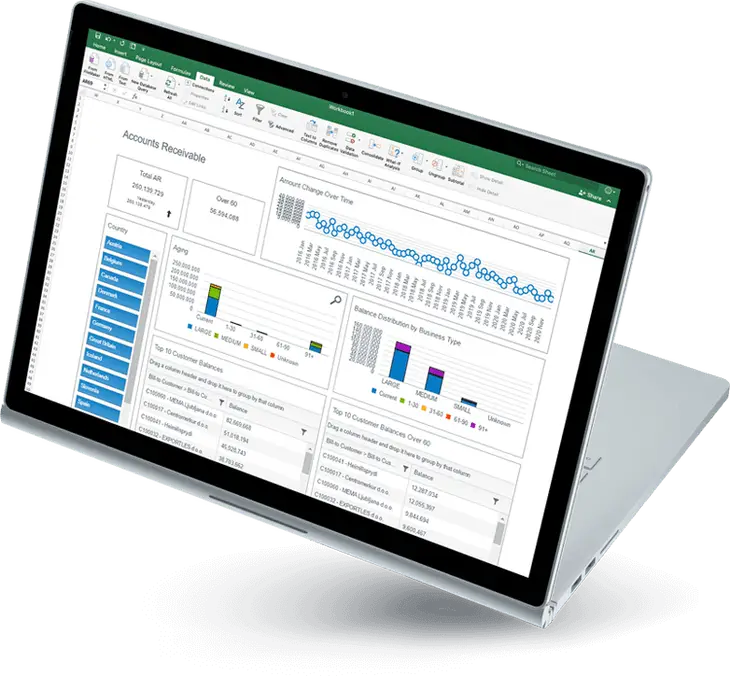
BI4Dynamics automates extracting, transforming and loading Dynamics ERP data into a structured warehouse, on-premises or in the cloud. The vendor’s listing claims 150+ out-of-the-box Power BI reports, a wizard-based setup with no custom code, and deployment in “a matter of days”.
Where BI4Dynamics falls short for Business Central clients
The feedback we hear most from Business Central clients who have evaluated BI4Dynamics is that the cost does not match what they need. It is a full data warehouse automation platform and is priced as one. A team that needs governed financial dashboards, an AR ageing view and operational reports that refresh automatically is often buying more infrastructure than the problem requires.
One client came to Global Data 365 for exactly this reason. Their BI4Dynamics implementation had produced a large volume of reports, but the dashboards were not boardroom-ready and the cost was high. They were paying for breadth when they needed depth.
That is the core trade-off for Business Central clients: quantity of reports versus quality and usability of dashboards.
If you are weighing BI4Dynamics pricing against a scoped alternative, start with your own data. Our Business Central reporting solution is built around the reports your team will actually use, with Jet Analytics and Power BI implemented around your own KPIs.
BI4Dynamics vs other BI tools: How each compares
ZAP Data Hub
ZAP Data Hub automates data preparation and loading into a central warehouse with a semantic layer, and supports Dynamics alongside Sage, SAP Business One, Syspro, Xero and NetSuite (Capterra). It is the closest like-for-like to BI4Dynamics. Choose it if your data comes from several non-Dynamics systems too. Like BI4Dynamics, its pricing is listed as “contact vendor”.
Phocas
Phocas pulls Dynamics 365, AX, Business Central, GP and NAV data into a self-serve platform with drag-and-drop reporting, drill-down to transaction level and budgeting synced to the ERP (Phocas). Its page does not name F&O, so confirm that with the vendor. Choose it if sales and operations users need to explore their own data without IT help.
Solver
Solver is a planning, reporting and consolidation application built for Business Central, covering financial statements, driver-based budgeting and multi-entity consolidation with intercompany eliminations (Solver). Choose it when budgeting and consolidation are the main problem. By its own description, its centre of gravity is finance planning and reporting.
Jet Analytics
Jet Analytics connects to Business Central natively and deploys 12 prebuilt SSAS cubes covering finance, sales, purchasing, inventory, fixed assets and more. The cube layer pre-aggregates data, which avoids the OData throttling and query timeouts that slow direct Power BI connections on large datasets. Finance teams can self-serve in Excel through OLAP pivot tables, which suits the many GCC teams that still work in Excel.
The limitation: Jet Analytics is a data layer, not a finished dashboard library. It needs SQL Server and SSAS infrastructure, and dashboards are built on top of it.
Power BI with a governed data model
This is the model Global Data 365 builds: fact and dimension tables for GL, AR, AP, purchasing and sales, a Power BI semantic layer on top, and row-level security at the model level so each department sees only its own data. The result is fewer dashboards than BI4Dynamics ships, but each one is comprehensive, smart, visually strong and boardroom-ready.
The limitation: it needs a modelled layer built first. A direct Power BI connection to a large Business Central dataset, without a warehouse or cube layer, can hit throttling.
When BI4Dynamics is still the right choice
- You run several Dynamics ERP systems at once (NAV, Business Central, AX, F&O) and need one warehouse across all of them.
- You have a dedicated BI team to manage and extend the warehouse.
- You need every functional area covered out of the box, even if the dashboards are not visually refined.
- Budget is not the main constraint and you are buying for a 5 to 7 year architecture.
For enterprise organisations with complex multi-system landscapes, that investment can be justified.
BI4Dynamics vs other BI tools: Which to choose for Business Central
If your priority is | Look at |
|---|---|
One warehouse across several Dynamics ERPs | BI4Dynamics or ZAP Data Hub |
Data from non-Dynamics systems as well | ZAP Data Hub |
Self-serve exploration for sales and operations | Phocas |
Budgeting and consolidation | Solver |
Governed cubes and Excel pivots on Business Central | Jet Analytics |
Boardroom-ready dashboards at a scoped cost | Power BI with a governed model, on Jet Analytics if data volumes are large |
Quick operational reports in Excel | Jet Reports |
For most mid-market Business Central clients in the UAE, GCC and wider MEA region, the answer is Jet Analytics, Power BI, or both. If your team would use 15 of BI4Dynamics’ 150+ reports, you pay for the other 135. Jet Analytics and Power BI work is scoped to the problem.
Compare it on your own data
If you are comparing BI4Dynamics vs other BI tools for your Business Central environment, we will show you what a Jet Analytics or Power BI implementation looks like on your own data: the architecture and the dashboards, not a slide deck.
Find right BI Tool for your business.
Search Blog
Related Resources
Business Central Dashboards with Power BI
D365 Business Central Power BI Dashboard in Texas
D365 Finance Operations dashboard Saudi Arabia