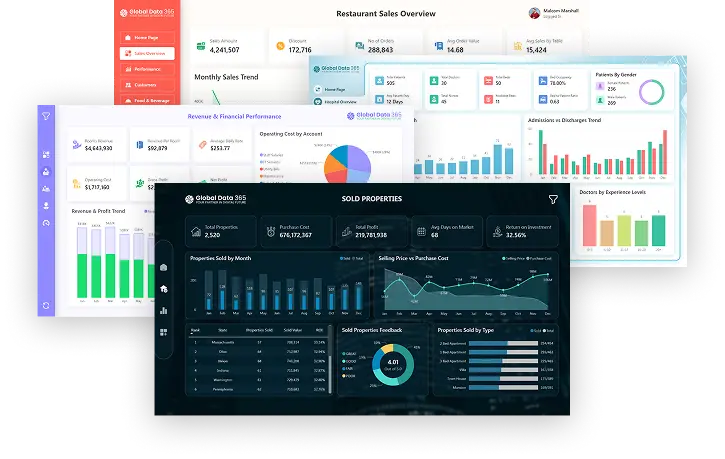
Power BI vs Jet Reports for Dynamics 365: 11 Key Differences

- Ayesha Binte Habib
If you’re running Dynamics 365 Business Central and evaluating your reporting options, this question comes up constantly: buy Jet Reports or hire a Power BI consultant? Both tools work. Both integrate with Business Central. The decision comes down to what your finance team does every day and how much of that work needs to stay in Excel. As an authorised Jet Reports reseller and Microsoft-certified Power BI partner, we’ve deployed both tools across finance, distribution, and manufacturing teams in the UAE, Saudi Arabia, and the United States. Power BI vs. Jet Reports: the ultimate comparison between two powerful tools, each with its strengths and unique features.
Power BI, developed by Microsoft, is a comprehensive business analytics tool that enables users to visualize and analyze data through interactive reports and dashboards. It excels at creating interactive dashboards and reports for tailored insights. However, Power BI does have some limitations when it comes to financial and operational reporting. Creating reports is complex, requiring DAX scripting and technical knowledge. It lacks drill-down capability to Dynamics NAV/365 Business Central, and needs detailed transactions in the data model.
While Jet Reports is a business reporting solution designed to work with Microsoft Dynamics ERP systems, such as Dynamics NAV and Dynamics 365 Business Central. It provides fast, flexible financial and business reporting within Excel environment. It simplifies access to information by enabling real-time reporting on Microsoft Dynamics data and allows easy sharing of reports across your organization.
Power BI and Jet Reports for Dynamics 365: What are 11 key differences?
Both Power BI and Jet Reports are complementary tools in the realm of data analysis and reporting, but they have core differences in their functionality and focus. Here we list down 11 key aspects that differ for both Power BI and Jet Reports in terms of reporting capabilities;
|
Aspects |
Power BI |
Jet Reports |
|
Purpose |
Microsoft’s robust analytics, best for data visualization and dashboards with interactive visuals. |
Focused on detailed financial and operational reporting from Dynamics ERP. |
|
Interface |
Uses Power BI Desktop, requires learning for new users. |
Integrates with Excel, familiar for finance professionals. |
|
Visualization |
Offers rich, interactive visuals with numerous chart types. |
Basic visualizations, prioritizing details on transactions.
|
|
Data Integration |
Connects to various on-premises, cloud, and third-party sources. |
Optimized for Microsoft Dynamics ERP data. |
|
Customization |
Strong visual customization, limited for detailed formatting. |
High flexibility in formatting and layout via Excel.
|
|
User Base |
Used by executives and analysts for high-level insights. |
Preferred by finance teams for detailed reporting.
|
|
Security |
Robust security with role-based access and Azure integration. |
Utilizes the NAV-BC security model, eliminating the need to manage a separate security model. |
|
Real Time Reporting |
Supports live data and frequent refreshes. |
Real-time data from Dynamics ERP. |
|
Drill-down Capabilities |
Advanced drill-down on interactive dashboards. |
Excel-based drill-down functionality. |
|
Report Scheduling and Distribution |
Automates report sharing via Power BI Service. |
Reports scheduled and distributed directly from Excel. |
|
Dimensions |
Supports dimensional analysis for detailed data slicing. |
Works seamlessly with Dynamics dimensions.
|
When to Buy Jet Reports?
Jet Reports is the right investment if your finance team lives in Excel and needs formatted financial statements that pull live from Business Central.
Buy Jet Reports when:
- Your team produces monthly P&L, balance sheet, or budget-vs-actuals reports manually in Excel today
- You need trial balance or consolidation reports across multiple companies in Business Central
- Finance users need to build and edit their own reports without involving IT
- You want formatted outputs; specific fonts, layouts, sign conventions. that match board-ready templates
We’re an authorised Jet Reports reseller, which means you get licensed, implemented and trained by the same team.
Get a Jet Reports quote →
When to Hire a Power BI Consultant
Power BI is the right move when your reporting needs go beyond finance when you need dashboards that combine Business Central data with sales, inventory, HR or operations data in a single view.
Invest in Power BI consulting services when:
- Executives need live dashboards across departments, not just finance
- You’re combining Business Central with other systems CRM, e-commerce, logistics
- You want drill-through dashboards that go from KPI to transaction in one click
- Your organisation is moving toward self-service BI for business users
- You need mobile-accessible reports for field sales or senior leadership
Our Power BI consulting services cover everything from connector setup and data modelling to custom dashboard development and user training.
Request Power BI consulting services →
In Conclusion
In conclusion of Power BI vs. Jet Reports; both offer valuable solutions for data analysis and reporting, each has its own strengths and focus. Power BI is a comprehensive tool suitable for users working with diverse data sources, offering advanced data visualization and analysis capabilities. On the other hand, Jet Reports, is specifically designed for reporting of Microsoft Dynamics ERP systems, providing a more streamlined and tailored reporting solution.
The core differences between Power BI and Jet Reports lie in their functionality and integration capabilities. Power BI requires manual or scheduled refreshes for its data model and lacks real-time reporting directly from the ERP. In contrast, Jet Reports enables real-time reporting by directly refreshing reports against the live ERP system, providing a more seamless and integrated reporting experience within the Dynamics environment.
Ultimately, the choice between Power BI and Jet Reports depends on the organization’s specific needs and requirements. Power BI is ideal for users who require extensive data visualization and analysis capabilities, while Jet Reports is more suitable for users within the Dynamics ERP environment who need a specialized reporting solution. Integrating these tools can enhance an organization’s data analysis and reporting capabilities, especially for those leveraging Microsoft Dynamics ERP systems.
Get the Right Tool, Properly Implemented
The single biggest mistake we see is buying the right tool and implementing it wrong. A misconfigured Jet Reports setup produces slow, fragile reports. A Power BI semantic model built without proper star schema gives wrong numbers. We’ve fixed both many times.
As a certified Microsoft Partner and authorised Jet Reports reseller, our team delivers implementations that hold up in production. We also offer Power BI training for Business Central users and Jet Reports training so your team can maintain and extend the solution after go-live.
Or just book a demo with us, tell us your requirements and our experienced consultant, Haseeb Tariq, will guide you to the best choice for you.
Book a demo with Haseeb Tariq→
Unlock Powerful Insights: Get Your Free Jet and Power BI Demo!
Search Blog
Related Resources
Jet Reports Training

What is Power BI?
Jet and Power BI
Power BI with Jet Analytics