Microsoft Dynamics 365

key features of microsoft dynamics 365 crm

Key Features of CRM (Customer Relationship Management)

Key Features of Microsoft Dynamics 365 CRM: Transforming Customer Relationships
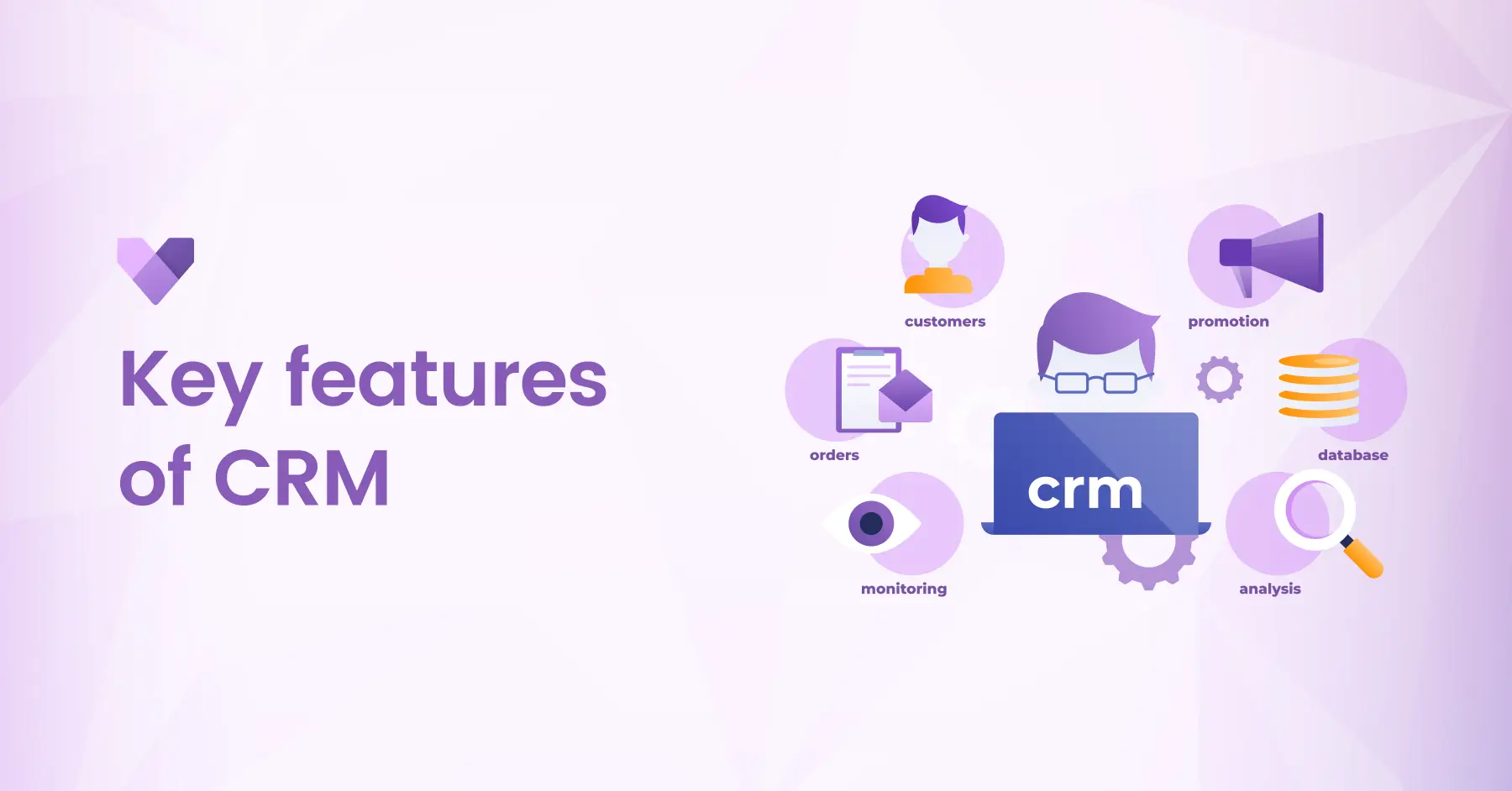
key features of microsoft dynamics 365 crm

In today’s competitive business world, building and maintaining strong customer relationships is the foundation of success. Organizations need a powerful and flexible Customer Relationship Management (CRM) system that not only helps manage customer interactions but also drives productivity and growth. Microsoft Dynamics 365 CRM, a part of the Microsoft Dynamics 365 suite, is designed to do just that offering intelligent tools to streamline sales, service, marketing, and beyond. Let’s explore in detail the key features of Dynamics 365 CRM that can help your organization strengthen relationships, improve efficiency, and achieve business excellence.

Introduction to Microsoft Dynamics 365 CRM

Microsoft Dynamics 365 CRM is a cloud-based solution that unifies customer data, automates key processes, and empowers teams to deliver exceptional customer experiences. From tracking leads to resolving customer issues and optimizing marketing efforts, Dynamics 365 CRM provides everything businesses need to nurture relationships and drive growth, all from a single, integrated platform.


By combining insights, automation and AI-driven intelligence, it helps organizations move beyond transactional interactions to build long-lasting customer trust and loyalty.

Key Features of Microsoft Dynamics 365 CRM
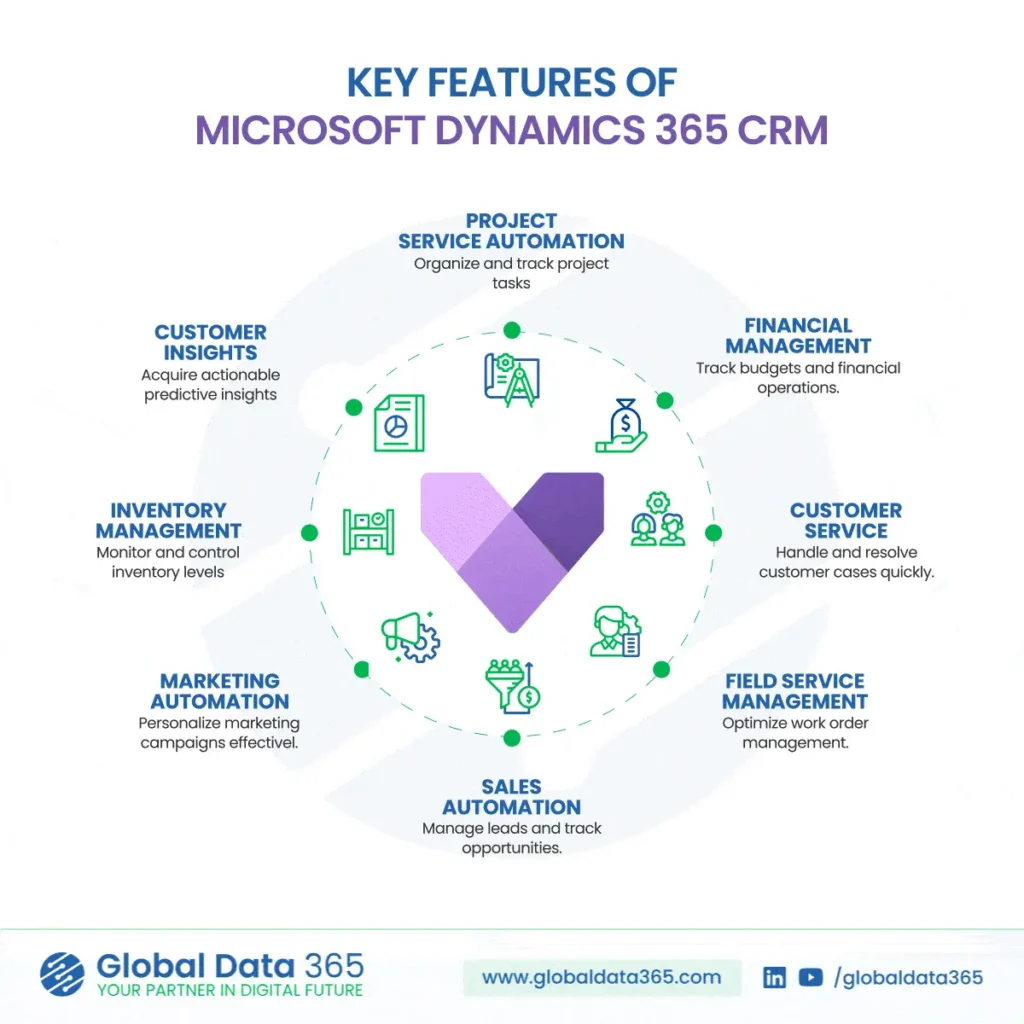
key features of crm

1. Project Service Automation

Efficient project management lies at the heart of business success. Dynamics 365 CRM simplifies how organizations organize, track and deliver projects on time and within budget.

  • Create and manage project tasks and milestones.

  • Track resource allocation, costs, and progress in real time.

  • Improve collaboration between teams and ensure project transparency.

With integrated automation and analytics, businesses can achieve higher accuracy, better forecasting, and greater customer satisfaction.

2. Financial Management

Dynamics 365 CRM allows organizations to maintain tight control over financial operations and ensure data-driven decision-making.

  • Track project budgets and monitor financial performance.

  • Automate billing, invoicing, and payment tracking.

  • Gain real-time visibility into revenue streams and expenses.

By integrating with other Dynamics 365 applications, such as Business Central, businesses can achieve a unified financial and operational ecosystem that enhances profitability and control.

3. Customer Service Management

Customer satisfaction is crucial for retention and growth. Dynamics 365 CRM empowers service teams to handle and resolve cases quickly and efficiently with tools designed for superior customer support.

  • Manage and assign customer cases automatically.

  • Access complete customer histories for personalized service.

  • Utilize AI-driven insights to predict issues and recommend solutions.

The result: faster resolutions, improved satisfaction, and stronger customer loyalty.

4. Field Service Management

For organizations that rely on field operations, Dynamics 365 CRM offers tools to optimize work order management and deliver seamless field service experiences.

  • Schedule and dispatch field technicians efficiently.

  • Track job progress and resource utilization in real time.

  • Enable mobile access for on-site teams to update information instantly.

This ensures consistent service quality, reduced downtime, and enhanced productivity across all service locations.

5. Sales Automation

Sales teams thrive on clarity, collaboration and actionable insights. Dynamics 365 CRM automates sales workflows to help you manage leads and track opportunities from prospect to close.

  • Capture, nurture, and score leads automatically.

  • Track pipeline performance and forecast revenue accurately.

  • Collaborate seamlessly with real-time customer data.

By providing a complete view of every customer interaction, sales teams can focus on what matters most — building relationships and driving conversions.

6. Marketing Automation

Personalized engagement is key to successful marketing. With Dynamics 365 CRM, marketers can plan, execute and measure campaigns with precision.

  • Segment audiences and deliver targeted campaigns.

  • Automate email journeys and nurture leads efficiently.

  • Analyze campaign performance with real-time dashboards.

Marketing Automation ensures that every campaign feels personal, relevant, and impactful — driving stronger brand connections and better ROI.

7. Inventory Management

Even within CRM, operational visibility matters. Dynamics 365 CRM allows businesses to monitor and control inventory levels to meet customer demand efficiently.

  • Track stock levels and item availability in real time.

  • Automate reorder processes to avoid shortages or overstocking.

  • Integrate with supply chain systems for end-to-end visibility.

This level of transparency helps maintain smooth order fulfillment and enhances customer trust.

8. Customer Insights

Every interaction tells a story and Dynamics 365 CRM helps you listen. With Customer Insights, businesses can leverage AI and analytics to uncover patterns, predict behavior and personalize engagement.

  • Analyze customer journeys and buying trends.

  • Build unified customer profiles from multiple data sources.

  • Deliver predictive recommendations to sales and service teams.

By turning raw data into actionable insights, organizations can anticipate customer needs and exceed expectations.

In Conclusion

Microsoft Dynamics 365 CRM offers more than just customer management it’s a complete solution that empowers organizations to build meaningful relationships, improve operational efficiency, and make smarter business decisions. From sales and service automation to marketing intelligence and project management, its powerful features of CRM transform how you connect with customers.


By leveraging its integrated capabilities, your teams can work more collaboratively, respond faster, and deliver personalized experiences that drive loyalty and growth. Microsoft Dynamics 365 CRM enables you to streamline your processes, enhance customer satisfaction, and accelerate business success making it the ultimate tool to strengthen your organization’s relationship with customers and achieve long-term growth.

Transform your customer relationships with Dynamics 365 CRM

Share this blog on:

Search Blog

About Us

Global Data 365 is composed of highly skilled professionals who specialize in streamlining the data and automate the reporting process through the utilization of various business intelligence tools.

Follow us on:

Still using Jet Basics?

Get Free Upgrade
to Jet Reports

jet services

Subscribe to Our Newsletter

Key Features of Microsoft Dynamics 365 CRM: Transforming Customer Relationships Read More »
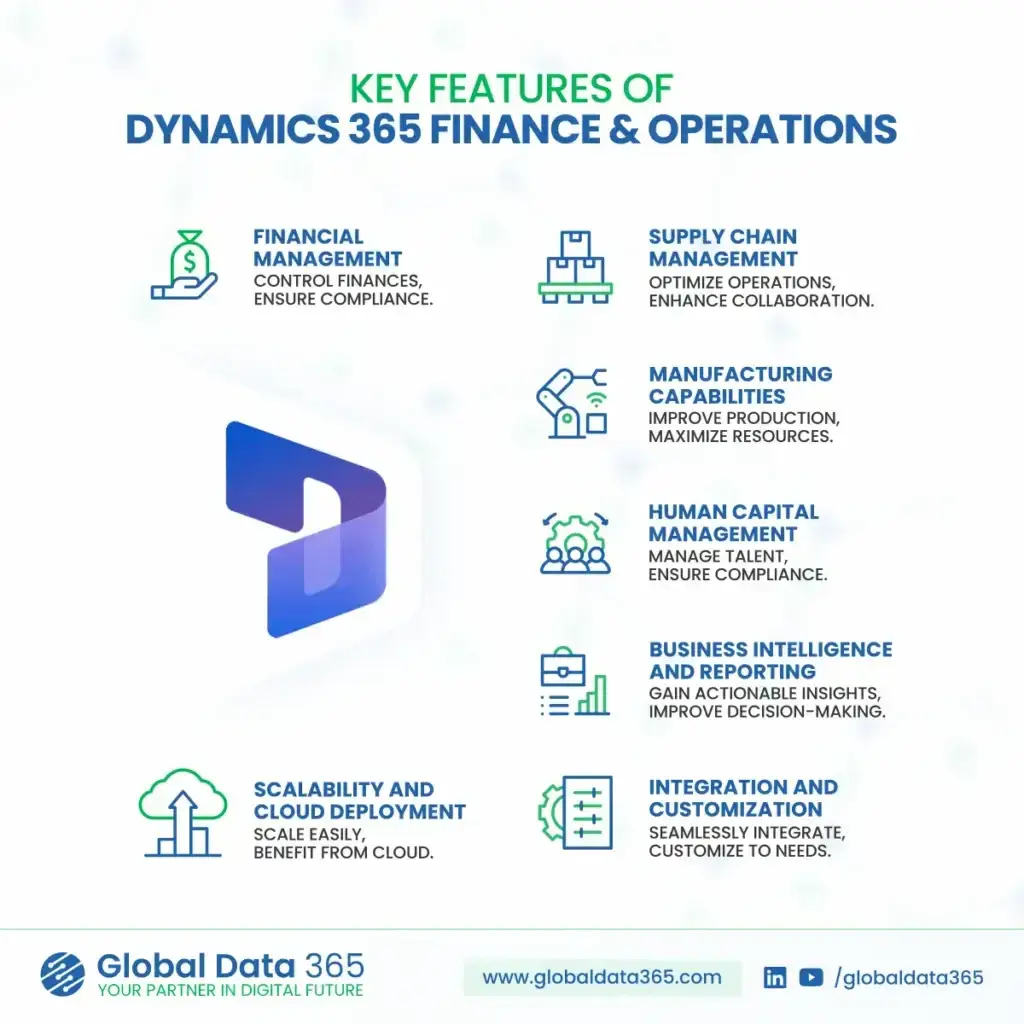
key features of Finance and operations(F&O)

Key Features of Finance & Operations(F&O): Empowering Enterprise Growth

Key Features of Finance & Operations(F&O)

key features of Finance and operations(F&O)

F&O empowers businesses to streamline complex processes, drive operational efficiency, and make real-time, data-driven decisions. Whether you operate globally or locally, F&O provides the scalability and flexibility needed to support your growth strategy. Let’s explore the key features of Dynamics 365 Finance & Operations(F&O) and how they can help transform your enterprise operations.

Introduction to Dynamics 365 Finance and Operations(F&O)

Microsoft Dynamics 365 Finance & Operations (F&O) is a cloud-based enterprise resource planning (ERP) solution designed for medium to large organizations. As part of the Microsoft Dynamics 365 suite, it integrates core business functions; finance, supply chain, manufacturing, human resources and analytics into a single unified platform.

F&O empowers businesses to streamline complex processes, drive operational efficiency, and make real-time, data-driven decisions. Whether you operate globally or locally, F&O provides the scalability and flexibility needed to support your growth strategy.

Key Features of Finance and Operations(F&O)

Key Features of finance and operations (F&O)

Financial Management

Gain full control over your organization’s finances and ensure compliance across global operations.


  • General Ledger & Accounting: 
    Automate accounting processes and maintain accurate financial records.

  • Accounts Payable & Receivable: 
    Track payables, receivables and manage credit efficiently.

  • Global Compliance: 
    Ensure regulatory compliance with multi-currency, multi-language, and multi-entity support.

  • Budgeting & Forecasting: 
    Improve financial planning with robust budgeting tools and real-time forecasting.

Supply Chain Management

With powerful tools for inventory, logistics and procurement, F&O helps businesses build a resilient supply chain. It enables faster response to market changes and ensures product availability where it matters most.


  • Procurement & Sourcing:
    Automate purchasing processes and vendor collaboration.

  • Inventory & Warehouse Management: 
    Gain visibility into stock levels, movements and warehouse operations.

  • Logistics & Transportation:
    Optimize routes, manage shipping and reduce delivery costs.

  • Demand Forecasting:
    Predict demand to improve fulfillment and reduce waste.

Manufacturing Capabilities

Dynamics 365 F&O empowers manufacturers with tools to streamline production, reduce downtime and ensure quality. Whether it’s discrete, lean or process manufacturing, the system offers end-to-end visibility and control.


  • Production Control:
    Plan and execute discrete, lean and process manufacturing.

  • Shop Floor Management
    Track real-time operations on the production floor.

  • Resource Optimization:
    Allocate machines, labor and materials efficiently.

  • MRP & BOM Management: 
    Streamline planning with Material Requirements Planning and Bill of Materials.

Human Capital Management

From recruitment to retirement, F&O simplifies human resource operations. It offers a centralized platform to manage employees, foster growth and ensure compliance with labor laws.


  • Core HR Functions:
    Track employee data, benefits, and organizational structure.

  • Payroll Integration:
    Automate payroll processing and ensure accuracy.

  • Performance & Talent Management:
    Develop and retain top talent with integrated performance tracking.

  • Compliance & Reporting:
    Maintain workforce compliance with global regulations.

Business Intelligence & Reporting

Built-in analytics and reporting tools turn raw data into actionable insights. F&O helps businesses make informed decisions with real-time data, dashboards and predictive analytics.


  • Real-Time Dashboards: 
    Monitor KPIs, financial metrics, and operational health at a glance.

  • Advanced Analytics:
    Use embedded Power BI to uncover trends and drive performance.

  • Custom Reports:
    Generate financial and operational reports tailored to your business needs.

  • Data-Driven Decisions:
    Empower teams to make informed choices based on reliable data.

Scalability & Cloud Deployment

Designed to grow with your business, F&O provides the flexibility of cloud-based deployment. It ensures high availability, global reach and scalability without compromising performance.


  • Flexible Deployment:
    Choose between on-premises, cloud or hybrid deployment.

  • Global Scalability:
    Expand operations without compromising performance.

  • Security & Reliability:
    Rely on Microsoft Azure’s enterprise-grade security and uptime.

  • Automatic Updates: 
    Stay current with continuous platform enhancements and security patches.

Integration & Customization

Dynamics 365 F&O seamlessly connects with other Microsoft products and third-party systems. Its flexible architecture allows businesses to tailor processes and workflows to fit their unique needs.


  • Seamless Integration:
    Connect with other Microsoft products like Office 365, Teams, Power BI and more.

  • Low-Code Customization:
    Use Power Platform to build custom workflows and apps.

  • Industry-Specific Extensions:
    Deploy tailored solutions to support your industry’s challenges.

  • API Connectivity:
    Integrate with external systems via REST APIs and data connectors.

In Conclusion

Microsoft Dynamics 365 Finance & Operations offers a powerful, end-to-end ERP solution that enables organizations to unify financials, optimize supply chains, manage production and make intelligent decisions with real-time insights. Whether you’re managing multiple entities across geographies or seeking to scale efficiently with cloud-native solutions, F&O delivers the tools and agility your enterprise needs to lead in today’s competitive market. With the key features of F&O, businesses gain a flexible foundation to drive growth, innovation, and operational excellence.

Ready to transform the way your enterprise operates?

Share this blog on:

Search Blog

About Us

Global Data 365 is composed of highly skilled professionals who specialize in streamlining the data and automate the reporting process through the utilization of various business intelligence tools.

Follow us on:

Still using Jet Basics?

Get Free Upgrade
to Jet Reports

jet services

Subscribe to Our Newsletter

Key Features of Finance & Operations(F&O): Empowering Enterprise Growth Read More »

Jet Analytics vs Microsoft Fabrics

Jet Analytics vs. Microsoft Fabrics: Which One Fits Business Central Best?

Jet Analytics vs. Microsoft Fabrics: For Business Central

Jet Analytics vs Microsoft Fabrics

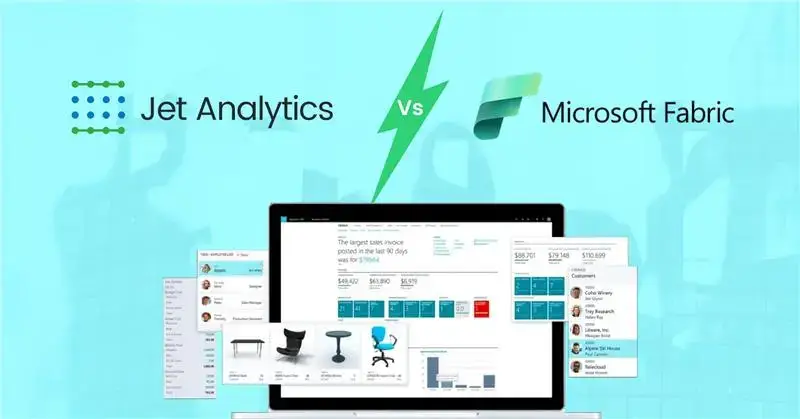
As organizations increasingly depend on data to drive smarter decisions, the tools used for data integration, reporting, and business intelligence are more important than ever. For users of Microsoft Dynamics 365 Business Central, two options often come into consideration: Jet Analytics and Microsoft Fabrics. But which one truly aligns with the needs of Business Central users—especially those looking for ease, speed, and clarity in reporting? Find the differences between Jet Analytics vs Microsoft Fabrics to find best fit for business central.

What is Jet Analytics?

Jet Analytics is a business intelligence solution built specifically for Microsoft Dynamics ERP systems, including Business Central and NAV. It combines pre-built OLAP cubes, a data warehouse, and visual ETL tools in an easy-to-use, Excel-integrated platform. At the core of Jet Analytics is the Jet Data Manager, which automates data extraction, transformation, and loading (ETL) without the need for heavy coding. 

Jet Analytics is designed for rapid deployment, self-service reporting, and minimal IT dependency, making it ideal for finance, operations, and business teams that want quick access to accurate data. 

What is Microsoft Fabrics?

Microsoft Fabrics is a new unified analytics platform from Microsoft that brings together data engineering, data integration, data warehousing, data science, and real-time analytics—all within the Power Platform and Azure ecosystem. It allows users to build end-to-end data solutions using tools like Data Factory, Synapse, Spark notebooks, Lakehouses, and Power BI


While powerful, Microsoft Fabric is developer-oriented and designed to support large-scale, complex data environments. It requires strong technical skills and an in-depth understanding of multiple tools across Azure and Power Platform. 

10 Key Differences for Business Central Users: Jet Analytics vs. Microsoft Fabrics

Now, let’s compare how Jet Analytics and Microsoft Fabrics differ in real-world scenarios for Business Central users. 

FeatureJet AnalyticsMicrosoft Fabrics
Business Central IntegrationNative, pre-built cubes and dimensionsManual setup required
Tabular Cube SupportOut-of-the-box cubes for BCCustom modeling via datasets
Data Warehouse CreationAutomated with Jet Data ManagerManual via pipelines & lakehouses
Ease of UseBuilt for business users, Excel-friendlyDeveloper-centric, steeper learning curve
Deployment Time1–2 weeks3–6 weeks or more
ETL ToolDrag-and-drop visual ETLCode-heavy tools (Data Factory, notebooks)
Licensing & CostSimple, fixed licensingUsage-based, potentially unpredictable
On-Premise CapabilityAvailableCloud-only
User Training & SupportGuided onboarding, strong partner ecosystemSelf-service or paid consulting required
Time-to-InsightsFast, business-ready out of the boxSlower setup and modeling process

1. Seamless Integration with Business Central

Integration is one of the most important aspects when selecting a BI solution. Business Central users need tools that understand their data model, business rules, and dimensions—without requiring complex setup or custom mapping. 

- Jet Analytics:

Jet Analytics provides deep, native integration with Business Central. It comes with pre-built cubes and ETL processes tailored specifically for BC data structures, enabling users to start generating reports quickly with minimal configuration. 

- Microsoft Fabrics:

Fabrics requires manual configuration of pipelines or Power BI dataflows to connect with Business Central. This adds time, complexity, and potential for errors during integration. 

2. Built-In Tabular Cube Support

Cubes provide structured, high-performance analytics for users needing fast, slice-and-dice reporting capabilities. The ease with which these cubes can be created and maintained is vital. 

- Jet Analytics:

Jet Analytics includes built-in tabular cubes with drag-and-drop measures and KPIs. These cubes are pre-configured for business users and offer seamless integration with Excel and Power BI. 

- Microsoft Fabrics:

Microsoft Fabrics supports tabular models through Power BI datasets, but requires custom modeling. Business Central users must build these datasets from scratch, increasing setup time and reliance on technical staff. 

3. Automated Data Warehouse Creation

A robust BI solution must include a flexible and scalable data warehouse. Automating the creation and maintenance of this warehouse saves time and reduces the need for ongoing developer involvement. 

- Jet Analytics:

Jet Analytics uses Jet Data Manager to automate data warehouse creation, manage historical data, and simplify maintenance. It eliminates the need for writing custom scripts or managing complex infrastructure. 

- Microsoft Fabrics:

Microsoft Fabrics requires setting up data pipelines, lakehouses, and notebooks, which are typically suited for data engineers and not business analysts. The manual nature of these components increases implementation complexity. 

4. Ease of Use for Business Users

An analytics platform is only valuable if the people who need insights can use it effectively. For many organizations, business users—not developers—are the primary consumers of data. 

- Jet Analytics:

It is built for non-technical users, with a familiar Excel-integrated experience that reduces training time and increases adoption. Users can build and modify reports without relying on IT. 

- Microsoft Fabrics:

Fabric is designed for technical professionals. It requires a solid understanding of Power Query, DAX, or Python, which limits its accessibility to business users. 

5. Faster Deployment Time

Time-to-value is a critical factor when implementing analytics. The longer it takes to get up and running, the longer the organization waits for actionable insights. 

- Jet Analytics:

With ready-made templates and native Business Central integration, Jet Analytics can be deployed in as little as 1–2 weeks. 

- Microsoft Fabrics:

Because Fabric relies on custom development, pipeline configuration, and modeling from scratch, it usually takes 3–6 weeks or longer to get operational. 

6. Visual ETL Tools

Transforming raw data into meaningful information should not require coding expertise. A visual ETL tool accelerates development and empowers non-developers to manage their data flows. 

- Jet Analytics:

Jet Data Manager includes a visual drag-and-drop interface for ETL/ELT processes, allowing users to manage transformations, lookups, historical tracking, and data cleansing without writing code. This simplifies data preparation and empowers business analysts to control their own pipelines. 

- Microsoft Fabrics:

Fabric requires the use of Azure Data Factory, Spark notebooks, or other developer-centric tools to build data pipelines. These tools offer flexibility but demand significant technical skills, making it unsuitable for business users or smaller teams lacking full-time data engineers. 

7. Licensing & Cost

Understanding the licensing model is crucial for budgeting and long-term planning. Solutions that include everything under a single license often result in a lower total cost of ownership. 

- Jet Analytics:

Jet Analytics provides a single license that covers Jet Data Manager, Jet Reports, and pre-built cubes, eliminating the need for multiple Azure services or unexpected usage-based costs. This makes budgeting and deployment more straightforward. 

- Microsoft Fabrics:

Fabrics uses a capacity-based pricing model based on data storage, compute usage, and Azure services. This model can lead to unpredictable costs as data volumes or usage grow—especially for organizations with frequent report refreshes or large datasets. 

8. Offline / On-Premise Capability

Not all businesses are ready to move fully to the cloud. Industries with data sovereignty concerns or specific IT policies may require hybrid or fully on-premise options. 

- Jet Analytics:

Jet Analytics can be deployed on-premise, in a private cloud, or in the public cloud—giving organizations full control over their infrastructure based on compliance and security needs. 

- Microsoft Fabrics:

Fabric is a cloud-native platform and does not support offline or on-prem deployments. This limits its suitability for businesses with strict data governance policies or disconnected environments. 

9. User Training & Support

No matter how advanced a tool is, effective onboarding and support can make or break the success of an implementation—especially for non-technical users. 

- Jet Analytics:

Jet Analytics offers partner-led training, user onboarding, and dedicated support to help organizations quickly realize value from their investment. The learning curve is short due to the Excel-based interface and pre-built assets. 

- Microsoft Fabrics:

Fabric requires learning multiple components across Power BI, Azure Synapse, Data Factory, and more, making it challenging for new users. Support is generally limited to Microsoft documentation unless organizations invest in additional consulting or partner services. 

10. Time-to-Insights & Business Value Delivery

Ultimately, the goal of any analytics solution is to deliver actionable insights quickly. The faster stakeholders get access to trustworthy data, the quicker they can make decisions that drive growth. 

- Jet Analytics:

With pre-built cubes tailored for Business Central, intuitive visual tools, and Excel integration, Jet Analytics enables organizations to start analyzing within days—not weeks or months. Reports, dashboards, and KPIs are available out of the box, which accelerates ROI and ensures rapid business value. 

- Microsoft Fabrics:

Fabric requires setting up multiple components (e.g., Data Factory, Lakehouse, Power BI datasets), coding data transformations, and building everything from scratch. This can result in weeks or even months before usable insights are available, especially for organizations without an in-house data team. 

In Conclusion

While Microsoft Fabrics is a powerful analytics platform, it’s designed with data engineers and developers in mind. Business Central users looking for a solution that delivers fast time-to-value, ease of use, and built-in integration will find Jet Analytics to be the more practical, scalable, and cost-effective choice. 


With its automated data warehouse, visual ETL, Excel-friendly experience, and faster deployment, Jet Analytics empowers business users to take control of their data—without the technical complexity of Microsoft Fabrics. 

Simplify you Business Central Reporting with Jet Analytics!

Share this blog on:

Search Blog

About Us

Global Data 365 is composed of highly skilled professionals who specialize in streamlining the data and automate the reporting process through the utilization of various business intelligence tools.

Follow us on:

Want to try Jet Analytics?

Get Free License for 30 Days
Jet Analytics Hero Section

Subscribe to Our Newsletter

Jet Analytics vs. Microsoft Fabrics: Which One Fits Business Central Best? Read More »

jet reports for business

Jet Reports for Growing Businesses

Jet Reports for Growing Businesses

jet reports for business

Growing businesses face unique and complex challenges, particularly when it comes to financial reporting. As companies expand, so does the volume of data they need to manage. Many rely on manual data handling, spreadsheets, or outdated reporting systems, which not only slow down processes but also increase the risk of errors. Inaccurate data or delays in reporting can prevent business leaders from making timely, strategic decisions. Effective and efficient reporting is the foundation of strong financial management and plays a vital role in the growth and sustainability of a business. Accurate, timely reports allow companies to analyze performance, manage cash flow, and forecast future opportunities or risks. However, traditional reporting tools and methods often fail to meet the needs of growing businesses. This is where Jet Reports stands out as a robust solution built specifically for Microsoft Dynamics ERP users. Growing businesses need more than numbers — they need real-time insights. That’s the power of Jet Reports for business.

How Jet Reports for Business Empowers Growing Companies?

In this blog, we will explore the top 5 reasons why Jet Reports is built for growing businesses and how it helps overcome common financial reporting challenges:

1. Faster Report Generation

In the fast-paced world of business, speed is critical particularly in financial reporting. Businesses need quick access to data that’s accurate and actionable to make informed decisions. The faster a report can be generated, the sooner a company can respond to market trends, internal challenges, or financial changes. 


Jet Reports excels in enabling quick report generation by leveraging real-time connections to Microsoft Dynamics 365 and other ERP systems. This direct integration eliminates the need for manual data exports, data cleansing, and repetitive tasks. Reports that once took hours or even days to compile can now be generated in a matter of minutes, streamlining the decision-making process and giving businesses a competitive edge. 

- Benefits:
  • Quick Report Compilation: Generate detailed reports within minutes rather than hours or days.

  • Real-time Decision Making: Immediate access to updated data allows for faster business responses.

  • Reduced Manual Errors: Automation minimizes human error caused by manual data handling.

  • Increased Productivity: Employees spend less time creating reports and more time analyzing insights.

  • On-Demand Reporting: Pull reports whenever needed without waiting for scheduled batch updates.

  • Comparison with Traditional Methods: Traditional reporting methods are time-consuming and prone to errors; Jet Reports automates these processes, drastically reducing the time needed to compile accurate reports. 
- Example:

A retail chain previously spent 2-3 days compiling monthly sales reports manually. After implementing Jet Reports, they could produce complete, real-time sales reports within 30 minutes, allowing management to launch timely promotional campaigns and adjust inventory strategies dynamically.

2. Enhanced Security

As companies grow, data security becomes an increasingly important concern, especially when handling sensitive financial information. The risk associated with data breaches, unauthorized access, and data corruption can have devastating consequences, including financial losses and damage to a company’s reputation. 


Jet Reports is built with robust security features, including data encryption and strict compliance with industry standards. This level of protection ensures that sensitive financial data remains secure, mitigating the risks of data breaches or unauthorized access. For businesses managing high volumes of financial information, these features are invaluable in maintaining compliance and safeguarding critical data. 


Moreover, as financial data flows through various departments and systems, maintaining data integrity is essential. Jet Reports’ built-in security measures ensure that only authorized personnel have access to specific data sets, further enhancing security and reducing the chances of internal data leaks or misuse. 

- Benefits:
  • Role-Based Access Control: Only authorized users can view or manipulate specific datasets.
  • Data Encryption: Jet Reports uses high-level encryption protocols to protect sensitive data from unauthorized access or breaches. 
  • Compliance Standards: Adhering to SOC 2 and other relevant compliance regulations ensures that your business remains in good standing with industry standards. 
  • Audit Trail Capabilities: Monitor who accessed what data and when, ensuring accountability.
  • Minimized Risk of Internal Leaks: Restricts sensitive reports to designated personnel only.
- Example:

A financial services firm needed to ensure that only senior accountants could access profit and loss statements. Using Jet Reports’ role-based access features, they easily restricted access by user roles, dramatically reducing the risk of unauthorized financial disclosures.

3. Real-time Data Accessibility

In an increasingly competitive business landscape, the ability to access real-time data is a game-changer. For growing businesses, having up-to-date financial information readily available enables more agile decision-making and more accurate performance assessments. 


Jet Reports connects directly to ERP systems like Microsoft Dynamics, providing immediate access to the latest financial data. This eliminates the need for frequent manual data refreshes or reconciliations, which can lead to discrepancies or delays. Instead, business leaders can monitor KPIs such as revenue, expenses, and cash flow in real time, making it easier to spot potential issues before they escalate. 


Having real-time insights is particularly crucial for industries that are dynamic and fast-changing. For instance, retail businesses with fluctuating inventory levels need to monitor stock movement, sales performance, and customer demand closely. With Jet Reports, they can immediately generate reports that reflect the latest data, allowing them to make proactive decisions about restocking, promotions, or pricing. 

- Benefits:
  • Instant Insights: Real-time data enables quicker, more accurate decisions that can have an immediate impact on operations or financial performance. 
  • Increased Accuracy: Reduces discrepancies caused by outdated data exports.

  • Proactive Issue Resolution: Identify and address risks before they escalate.

  • Better Resource Management: Quickly allocate budgets or staff based on the latest financial standing.

  • Impact on Business Operations: In scenarios like cash flow management or inventory tracking, having access to real-time data can be the difference between identifying a minor issue and facing a major financial problem. 
- Example:

A wholesale distributor used real-time inventory reports generated through Jet Reports to manage their stock levels daily. This allowed them to optimize reordering processes and reduce overstock issues by 40%, improving cash flow management significantly.

4. Reduced Dependence on IT

One of the biggest advantages of Jet Reports for growing businesses is its ability to significantly reduce dependence on IT. In many organizations, finance teams rely heavily on IT departments to pull data from ERP systems, troubleshoot issues, or generate custom reports. This dependency not only slows down reporting but also puts a strain on IT resources. 


Jet Reports, easy-to-use interface and direct integration with ERP systems empower finance professionals to manage reporting tasks independently. This allows businesses to operate more efficiently by freeing up IT teams to focus on higher-level projects and reducing bottlenecks in the reporting process. 

- Benefits:
  • Self-Service Reporting: Finance users create reports themselves without waiting for IT assistance.

  • Faster Report Turnaround: Cut delays caused by IT backlogs and prioritizations.

  • Reduced IT Bottlenecks: By lowering dependence on IT for report generation, businesses can streamline their workflows and enable IT teams to focus on more strategic tasks. 

  • Greater Agility: Finance teams can adjust and tweak reports on the fly as business needs evolve.

  • Cost Savings: Reduces overhead by minimizing the need for dedicated reporting IT staff.

- Example:

A mid-sized manufacturing company saved over 150 hours per quarter previously spent coordinating with IT for financial reporting. After adopting Jet Reports, their finance team could generate, customize, and analyze reports independently, allowing IT to redirect focus toward a major ERP upgrade project.

5. Ease of Use

One of key challenges for growing businesses is adopting new tools and systems without disrupting daily operations. Jet Reports is specifically designed to be user-friendly, making it accessible to non-technical users. Its intuitive interface ensures that finance teams can generate and customize reports without needing extensive training or relying on IT support.   


This user-friendly design not only empowers finance teams but also reduces the strain on IT departments, which can focus on more strategic initiatives rather than being bogged down with report requests. Jet Reports comes with pre-built templates that users can easily customize, allowing for faster report generation and minimal time spent learning the system. 


Additionally, the quick learning curve reduces the need for extensive training, making it easier for new hires or less-experienced team members to adapt quickly. 

- Benefits:
  • Minimal Learning Curve: Most finance professionals can master it within a few sessions.

  • Pre-built Templates: Quickly generate essential 100+ financial reports samples without starting from scratch.

  • Drag-and-Drop Functionality: Simplifies report customization even for non-technical users.

  • Excel-Based Interface: Familiar environment reduces training needs.

  • Increased User Adoption Rates: Ensures company-wide buy-in and consistent usage.

- Example:

A growing tech startup with no dedicated reporting department needed quick reporting capabilities. Jet Reports’ Excel-based environment meant that their CFO and junior analysts were building complex financial reports within just a week of implementation, driving faster insights without hiring additional reporting staff.

In Conclusion

For growing businesses, having a powerful, scalable, and user-friendly financial reporting tool is critical. Jet Reports provides the speed, security, real-time insights, ease of use, seamless Power BI integration, and reduced IT dependence that businesses need to thrive. As companies scale, Jet Reports grows with them, ensuring that their reporting remains efficient and accurate. 


If your business is looking for a reporting solution that can keep pace with your growth, contact us today to explore Jet Reports and see how it can help drive your success. 

Grow your business with Jet Reports Today!

Share this blog on:

Search Blog

About Us

Global Data 365 is composed of highly skilled professionals who specialize in streamlining the data and automate the reporting process through the utilization of various business intelligence tools.

Follow us on:

Want to try Jet Analytics?

Get Free License for 30 Days
Jet Analytics Hero Section

Subscribe to Our Newsletter

Jet Reports for Growing Businesses Read More »

dynamics gp migration to business central

Dynamics GP Migration: Steps to Upgrade to Business Central

Dynamics GP Migration to Dynamics 365 Business Central

dynamics gp migration to business central

Migrating from Dynamics GP to Dynamics 365 Business Central is a significant step for businesses looking to leverage the advanced features and capabilities of the latter. However, the Dynamics GP migration process requires careful planning and execution to ensure a smooth transition. In this article, we will discuss the key steps involved in preparing for this migration, from assessing your current system to planning for post-migration support and optimization.

What is Dynamics GP?

Microsoft Dynamics GP is an enterprise resource planning (ERP) software designed to help businesses manage financials, supply chain, and operations. It has been widely used for years by small to mid-sized businesses to streamline accounting and business processes. However, with technological advancements, many organizations are now considering migrating from Dynamics GP to modern cloud-based solutions like Dynamics 365 Business Central.

Understand the Dynamics GP Migration Process

Before moving towards migration, it’s crucial to understand the process involved. This transition is more than just a software upgrade; it’s a strategic shift impacting operations, data management, and business processes. To ensure a successful migration, businesses must prepare thoroughly and understand the implications.

Dynamics GP to Dynamics 365 migration includes transferring data, customizations, and configurations to the new system. It also requires careful consideration of the differences between the two systems, such as data structures, functionalities, and user interfaces.

- Conduct a Comprehensive System Audit

To start, it’s important to conduct a thorough audit of your current Dynamics GP system. This audit should include identifying all data, processes, and functionalities that need to be migrated or reconfigured for Dynamics 365 Business Central. It’s also important to assess the quality and accuracy of your data to ensure a smooth migration process.

Consider engaging a Microsoft partner to conduct a Business Process Review (BPR) of your Dynamics GP 365 system. A BPR will provide valuable insights into your system’s usage patterns, identify redundant features, and evaluate performance, aiding in your migration planning.

- Elevate Data Clean-Up and Migration Requirements

After assessing your Dynamics GP system, evaluate your data clean-up and migration needs. Check the cleanliness and relevance of your data, cleaning up and organising your data to ensure that it is compatible with Dynamics 365 Business Central.


You may also need to map your data to the new system’s data structures and formats. There are various tools and resources available to assist with data clean-up and migration. Consider partnering with an experienced partner to identify and resolve data quality issues, maintaining data integrity during migration.

- Engage Key Stakeholders

Involving key stakeholders in the migration process is crucial for success. This includes communicating effectively with stakeholders and ensuring that their needs and concerns are addressed throughout the migration process. Stakeholders may include employees, customers, and suppliers who will be impacted by the migration.


Collaborate with a trusted advisor to streamline planning across your organization, ensuring alignment with diverse business needs.

- Assess Customization and Integration

Many Dynamics GP systems are customized to meet specific business needs. Before migrating, it’s important to assess these customizations and integrations to determine how the Dynamics GP to Business Central migration. This may involve working with a third-party provider or using migration tools provided by Microsoft.


Work with a partner who has industry expertise and technical knowledge of Business Central to understand its capabilities and limitations, avoiding unnecessary third-party solutions.

- Establish a Communication Plan

Communication is key during the migration process. Establishing a communication plan that outlines how and when stakeholders will be informed about the migration progress can help ensure a smooth transition. This plan should include regular updates, training sessions, and opportunities for feedback from stakeholders.

- Create a Backup and Contingency Plan

Creating a backup and contingency plan is essential to minimize risks during the migration process. This includes ensuring data security and having a plan in place to address any issues that may arise during the migration.

- Training and Change Management

Training your team on using Dynamics 365 Business Central is crucial for a successful migration. Additionally, implementing change management practices can help ensure that your team is prepared for the transition to the new system.


This may include providing training materials, conducting training sessions, and offering ongoing support to employees.

Test Dynamics GP Migration in Controlled Environment

Testing the migration process in a controlled environment is essential to identify and address any issues before the actual migration. This helps minimize downtime and disruptions during the migration process.

Evaluate Post-Migration Support and Optimization

After the migration is complete, it’s important to evaluate post-migration support and optimization options. This includes optimizing your ERP, Dynamics 365 Business Central setup for maximum efficiency and ensuring that you have the support you need to address any post-migration issues. This may involve working with a third-party provider or using Microsoft’s support services.

In Conclusion

Dynamics GP migration to Business Central is a complex process that requires careful planning and execution. By following the steps outlined in this article, you can ensure that your migration is successful and that your business is able to take full advantage of the advanced features and capabilities of Dynamics 365 Business Central. Start preparing for your migration today to ensure a smooth transition and continued business success.

Start your migration journey by partnering with Global Data 365 to ensure a smooth and successful transition from Dynamics GP to Dynamics 365 Business Central.

Get Started with Your Dynamics GP Migration Today!

Share this blog on:

Search Blog

About Us

Global Data 365 is composed of highly skilled professionals who specialize in streamlining the data and automate the reporting process through the utilization of various business intelligence tools.

Follow us on:

Want to try Jet Analytics?

Get Free License for 30 Days
Jet Analytics Hero Section

Subscribe to Our Newsletter

Dynamics GP Migration: Steps to Upgrade to Business Central Read More »
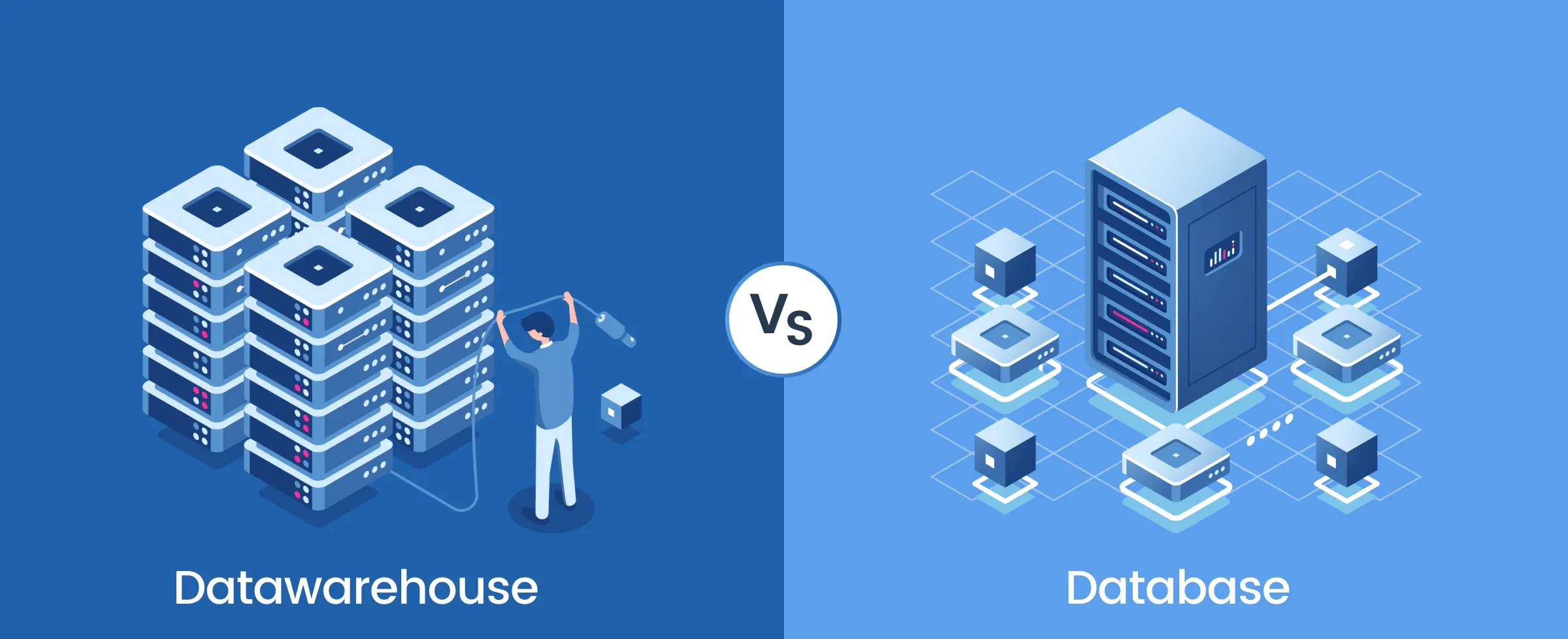
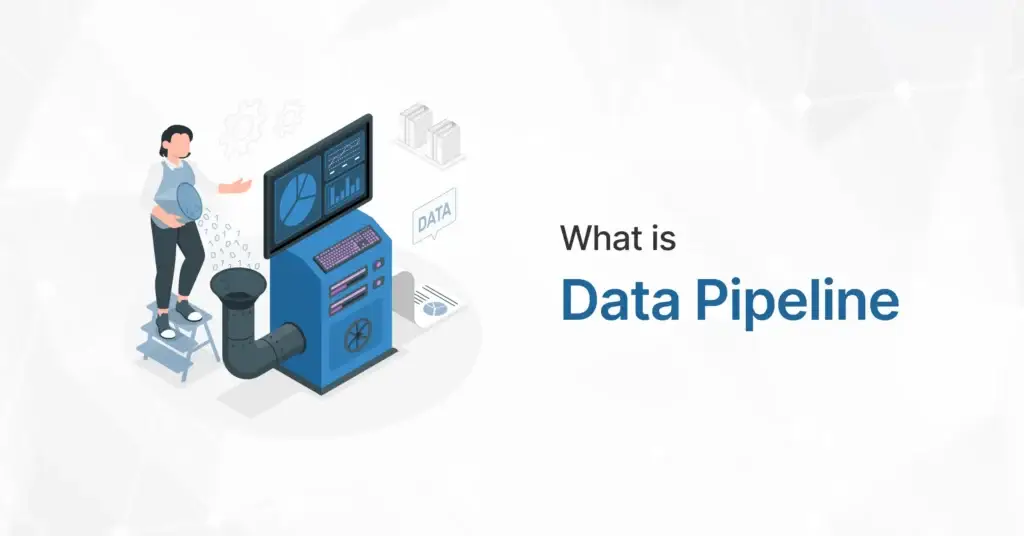
what is data pipeline

What is Data Pipeline?

What is Data Pipeline?

what is data pipeline

In today’s data-driven world, businesses generate massive amounts of information every second. Managing this data efficiently is crucial for making informed decisions, improving operations, and gaining a competitive edge. This is where data pipeline comes into play. A data pipeline is a structured process that automates the flow of data from various sources to a destination—be it a data warehouse, analytics tool, or real-time dashboard. By ensuring smooth data movement, transformation, and integration, data pipelines help organizations maintain data accuracy, consistency, and accessibility, forming the backbone of modern data management strategies.

What is Data Pipeline? A Complete Guide

Data Pipeline is a method employed to process unrefined data from diverse origins, refine it, and then deposit it into a data repository like a data lake or data warehouse for scrutiny. 


Preceding its storage, data typically undergoes processing such as filtering, masking, and aggregations to guarantee data integration and standardization, especially when the target is a relational database with a specified schema. 


Data pipelines are pivotal for data science projects and business intelligence as they prepare data for analysis and reporting. Data can originate from APIs, SQL and NoSQL databases, files, etc., but it often necessitates preprocessing before use.  


Data scientists or data engineers commonly manage data preparation, structuring it to meet business needs and managing substantial volumes of data. The type of data processing required in a data pipeline is ascertained through a combination of exploratory data analysis and defined business requirements. Well-designed data pipelines are essential for various data projects, including exploratory data analysis, data visualizations, and machine learning tasks. 

Types of Data Pipelines:

  1. Batch Processing:
    Batch processing involves collecting and processing data in large batches at scheduled intervals. Data is collected over a period of time, stored, and then processed in a single batch. Batch processing is well-suited for scenarios where data latency is not critical, such as generating daily reports or performing historical analysis. 
  1. Stream Processing:
    Stream processing involves processing data in real-time as it is generated. Data is processed as a continuous stream, allowing for immediate analysis and action on incoming data. Stream processing is ideal for applications that require low latency and real-time insights, such as fraud detection or monitoring IoT devices.  

Organizations often use a combination of batch and stream processing to handle different types of data processing requirements. Batch processing is used for tasks that can tolerate some delay, while stream processing is used for tasks that require immediate processing and response. 

The Data Pipeline Process:

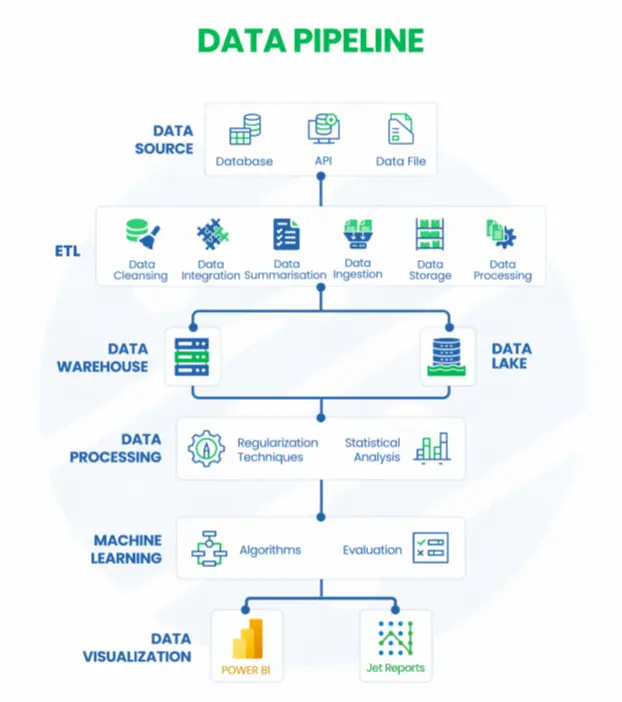
A data pipeline automates the flow of data from various sources to storage, processing, and visualization platforms. It ensures data is collected, cleaned, stored, processed, and analyzed efficiently. Here’s how it works:

data pipeline process

1. Data Source: Gathering Raw Data

Data is collected from multiple sources, including databases (SQL/NoSQL), APIs (real-time data exchange), and data files (CSV, JSON, XML). These sources provide the foundation for business intelligence and analytics.


2. ETL (Extract, Transform, Load): Preparing the Data:

The ETL process ensures data quality and usability. Data cleansing removes errors and duplicates, while integration and summarization combine data from different sources. Data ingestion loads the cleaned data into storage, and processing transforms it for analysis.


3. Data Storage: Organizing and Managing Data

Processed data is stored in either a data warehouse (structured, optimized for fast queries) or a data lake (raw, flexible for future processing). Warehouses support real-time analytics, while lakes store vast amounts of diverse data.


4. Data Processing: Extracting Insights

Regularization techniques ensure data consistency, while statistical analysis identifies trends and patterns. This step refines data for deeper insights and advanced analytics.


5. Machine Learning: Driving AI-Powered Insights

Algorithms detect patterns, classify data, and automate decision-making. The evaluation phase tests models for accuracy, enabling predictive analytics and AI-driven insights.


6. Data Visualization: Presenting Insights for Decision-Making

Power BI and Jet Reports create interactive dashboards and reports, making complex data easy to understand. These tools help businesses monitor key metrics and make data-driven decisions.

Data Pipeline Architecture:

The architecture of a data pipeline typically consists of three core steps: data ingestion, data processing, and data storage. 


  1. Data Ingestion:
  • Data ingestion is the process of collecting raw data from various sources such as databases, files, APIs, sensors, or streaming platforms. 
  • This step involves extracting data from the source systems and loading it into the data pipeline for further processing. 
  • Common tools used for data ingestion include Apache Kafka, AWS Kinesis, and Apache Flume. 
  1. Data Transformation:
  • In data transformation, a sequence of tasks is performed to convert data into the necessary format for the target data repository.  
  • These tasks incorporate automation and governance to streamline repetitive processes like business reporting, ensuring consistent cleansing and transformation of data. 
  1. Data Storage:
  • Data storage involves storing processed data in a data repository such as a data lake, data warehouse, or database. 
  • The refined data is stored in a data repository, ready for access by various stakeholders. 
  • In the context of streaming data, these refined datasets are commonly referred to as consumers, subscribers, or recipients. 

Benefits of Data Pipeline:

Automated data pipeline brings together data from different sources, helping organizations make the most of their data. In simple terms, a data pipeline helps organizations unlock the full potential of their data assets. Here are some benefits of using data pipelines: 


  1. Improved Efficiency:
    Data pipeline automate data workflows, which means less manual work and better efficiency in handling data. This makes data operations smoother, helps organizations use their resources more wisely, and reduces costs associated with manual data management. 

  2. Scalability:
    Data pipeline can handle large amounts of data, allowing organizations to expand their operations as their data needs grow. With a scalable setup, businesses can manage increasing data demands without any drop in performance. 

  3. Better Data Quality:
    Data pipeline clean and transform data, enhancing its quality and ensuring it’s accurate for analysis and decision-making. This ensures that organizations can rely on the insights they get from their data to guide their business activities.

  4. Real-time Insights:
    The Data pipeline provide access to real-time data, which means organizations can get up-to-date information for immediate action. By using timely data insights, businesses can make quick and informed decisions, giving them an edge in fast-paced markets.
     
  5. Cost-effectiveness:
    The Data pipeline optimize resource use, reducing costs related to manual data processing. By saving time and effort in handling data, organizations can allocate their resources efficiently and achieve cost-effectiveness. 

Data Pipeline Use cases:

As big data continues to grow, data management becomes an ever-increasing priority. Data pipelines serve various functions, especially in business applications: 


  1. Exploratory Data Analysis (EDA):
    Data scientists use EDA to analyze and investigate datasets, summarizing their main characteristics. EDA helps determine the best way to manipulate data sources to get needed answers, making it easier to discover patterns, spot anomalies, test hypotheses, or check assumptions. 
  1. Data Visualizations:
    Visual representations of data, such as charts, plots, infographics, and animations, help communicate complex data relationships and insights in an easy-to-understand manner. 
  1. Machine Learning:
    A branch of artificial intelligence, uses data and algorithms to imitate the way humans learn, gradually improving accuracy. Statistical methods and algorithms are trained to make classifications or predictions, uncovering key insights in data mining projects. 
  1. Data Observability:
    This practice uses various tools to monitor, track, and alert for both expected events and anomalies, ensuring the accuracy and safety of the data being used. 
  1. Data Integration and Data Warehousing:
    Data pipelines are crucial for integrating data from multiple sources and storing it in a data warehouse for analysis. This allows organizations to have a unified view of their data, enabling better decision-making. 
  1. Real-time Analytics:
    Data pipelines can process streaming data in real-time, enabling organizations to analyze data as it is generated and make timely decisions. 
  1. Data Migration:
    Data pipeline can be used to migrate data between systems, such as moving data from an on-premises database to a cloud-based data warehouse. 
  1. Log Processing and Analysis:
    Data pipeline can process and analyze log data from applications and systems, helping organizations monitor performance, detect issues, and improve security. 

Challenges and Limitations of Data Pipeline:

While data pipeline offer numerous advantages, they also come with challenges and limitations that organizations must address:

  • Complexity in Implementation:
    Designing and maintaining a robust data pipeline requires expertise in data engineering, integration, and automation. Poorly designed pipelines can lead to inefficiencies and failures.

  • Data Quality Issues: 
    Inconsistent or incomplete data from various sources can lead to inaccurate insights. Ensuring data validation, cleansing, and transformation at every stage is crucial but can be resource-intensive.

  • Scalability Constraints: 
    As data volume grows, pipelines must be able to scale efficiently. Without proper infrastructure, organizations may face bottlenecks, slow processing speeds, or system failures.

  • Latency and Real-Time Processing Challenges:
    While real-time data pipelines enable faster decision-making, maintaining low latency in streaming data environments requires powerful computing resources and optimized architecture.

  • Security and Compliance Risks:
    Data pipelines handle sensitive information, making them vulnerable to breaches and compliance violations. Implementing encryption, access controls, and governance policies is essential but adds complexity.

  • High Maintenance and Monitoring Overhead:
    Pipelines require continuous monitoring, debugging, and optimization to prevent failures, data loss, or corruption. Unexpected schema changes or source disruptions can break pipelines, demanding quick fixes.

  • Cost Considerations:
    Cloud-based and on-premise data pipelines incur costs related to storage, compute resources, and third-party tools. Inefficient pipelines can lead to excessive spending on data processing and storage.

In Conclusion

In conclusion, data pipelines are crucial components of modern data management, facilitating the collection, processing, and analysis of data to drive informed decision-making. They play a pivotal role in various applications such as exploratory data analysis, data visualizations, machine learning, and real-time analytics. By enabling organizations to integrate data from multiple sources, data pipelines help break down data silos and improve overall data quality. As data continues to grow in volume and complexity, data pipelines will remain essential tools for organizations looking to harness the power of data to gain insights and drive business success. 

Talk to our BI Experts!

Share this blog on:

Search Blog

About Us

Global Data 365 is composed of highly skilled professionals who specialize in streamlining the data and automate the reporting process through the utilization of various business intelligence tools.

Follow us on:

Want to try Jet Analytics?

Get Free License for 30 Days

Jet Analytics Hero Section

Subscribe to Our Newsletter

What is Data Pipeline? Read More »

Microsoft Dynamics 365 Solution

Microsoft Dynamics 365 Solution: Driving Digital Transformation

Microsoft Dynamics 365 Solution: Driving Digital Transformation

Microsoft Dynamics 365 Solution

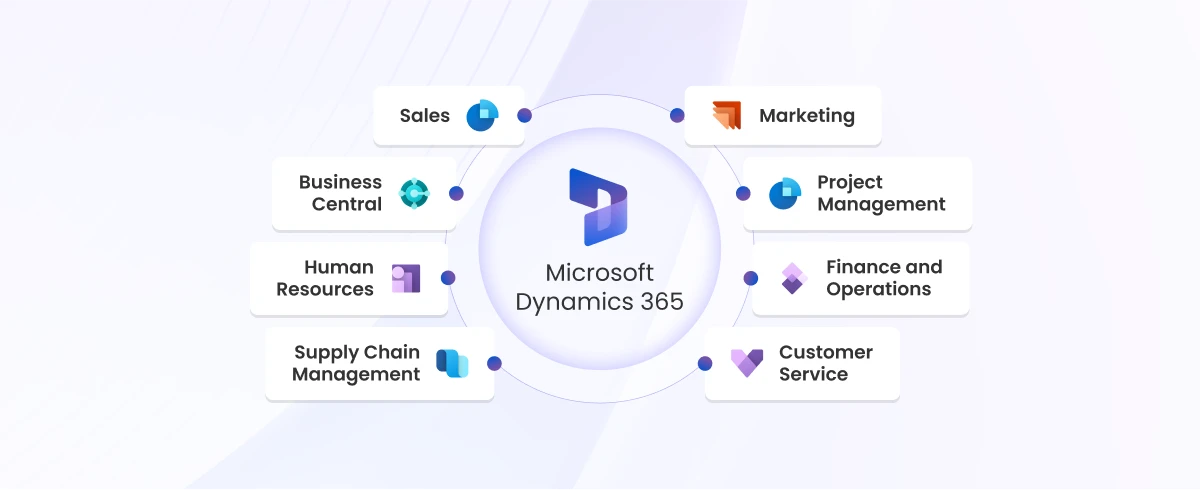
In today’s highly competitive market, businesses need integrated solutions that streamline operations, enhance productivity and provide valuable insights. Microsoft Dynamics 365 emerges as a transformative platform, combining the capabilities of Customer Relationship Management (CRM) and Enterprise Resource Planning (ERP) into a unified solution.


In this blog, we will explore what Microsoft Dynamics 365 is, its key benefits, and core functionalities, demonstrating how it can revolutionize business operations.

What is Microsoft Dynamics 365 Solutions?

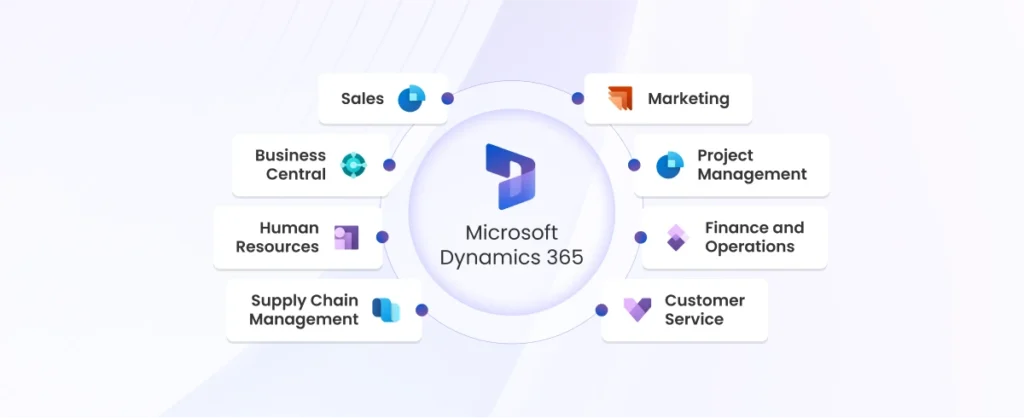
Microsoft Dynamics 365 is a suite of intelligent business applications that help organizations run their entire business and deliver greater results through predictive, AI-driven insights. It seamlessly integrates CRM and ERP capabilities, providing a comprehensive solution for managing customer relationships, finances, operations and more.

Components:

Dynamics 365 is divided into two main modules:

  • Customer Relationship Management (CRM)
  • Enterprise Resource Planning (ERP)

Customer Relationship Management (CRM):

This module focuses on sales, customer service, marketing and field service. It helps businesses improve customer engagement and drives sales growth.

Enterprise Resource Planning (ERP):

This module covers financials, supply chain management, manufacturing and human resources. It enhances operational efficiency and provides real-time insights into business performance.

Key Features of MD365 Solution

  • Cloud Integration: Dynamics 365 is a cloud-based solution, ensuring accessibility from anywhere and facilitating collaboration across different departments.

  • AI Capabilities: It leverages artificial intelligence to provide predictive analytics, automate routine tasks and offer actionable insights.

  • Real-Time Data Analytics: Businesses can make data-driven decisions with real-time analytics and reporting tools.

  • Customizable Modules: Dynamics 365 offers a range of modules tailored for specific business needs, such as sales, marketing, finance, and operations, which can be customized to align with organizational workflows.

  • Seamless Integration: It integrates seamlessly with other Microsoft tools like Power BI, Office 365, and Azure, as well as third-party applications, enabling a unified ecosystem for enhanced productivity.

  • Enhanced Security: Built on Microsoft’s secure Azure platform, Dynamics 365 ensures data protection with advanced encryption, compliance with global standards, and robust access control measures.

  • Scalability and Flexibility: Dynamics 365 grows with your business, offering flexible licensing options and the ability to scale up or down to meet changing operational requirements.

Benefits of MD365 Solution

  • Customization: Dynamics 365 offers extensive customization options, allowing businesses to tailor the solution to their specific requirements. Custom workflows, applications, and integrations can be developed to meet unique business needs.
  • Integration: Microsoft Dynamics 365 seamlessly integrates with other Microsoft products, such as Office 365, Azure, and Power BI, and third-party applications. This enhances its functionality and ensures smooth operations across different business processes.
  • Unified Platform: One of the standout advantages of Microsoft Dynamics 365 is its unified platform that integrates CRM and ERP functionalities. This eliminates data silos and provides a single source of truth, enabling better decision-making and streamlined operations.
  • Scalability: Dynamics 365 is highly scalable, making it suitable for businesses of all sizes. Whether you are a small startup or a large enterprise, Dynamics 365 can scale your business, adapting to changing needs and growth.

Core Functionalities

Sales and Marketing

Microsoft Dynamics 365 enhances sales and marketing efforts with tools for lead management, customer insights, and automated marketing campaigns. Sales teams can track customer interactions, manage pipelines, and close deals more effectively. Marketing teams can create targeted campaigns and measure their impact with detailed analytics.

Customer Service

Customer service is a critical aspect of any business. Dynamics 365 improves customer service with features such as case management, service level agreements (SLAs), and self-service portals. These tools help businesses provide timely and efficient support, leading to higher customer satisfaction.

Finance and Operations

Dynamics 365 offers robust financial management tools, including budgeting, financial reporting, and operational efficiency enhancements. Businesses can manage their finances more effectively, ensuring compliance and optimizing financial performance.

Human Resources

The HR functionalities in Dynamics 365 cover recruitment, employee management, and performance tracking. HR departments can streamline hiring processes, manage employee records, and track performance metrics to enhance workforce productivity.

Supply Chain Management

Supply chain operations are crucial for businesses that deal with physical goods. Dynamics 365 optimizes supply chain management with features like inventory management, demand forecasting, and supplier collaboration. This ensures efficient supply chain operations and reduces costs.

Challenges and Solutions

Implementing a powerful solution like Microsoft Dynamics 365 can drive business transformation, but it comes with its share of challenges.

Common Challenges:
  1. Data Migration Issues: Transferring data from legacy systems can be complex, especially with inconsistent or outdated data.
  2. User Adoption: Employees may resist the new system, leading to lower adoption rates and operational inefficiencies.
  3. Integration with Existing Systems: Aligning Dynamics 365 with your current software infrastructure can be technically challenging.
  4. Customization Overload: Over-customizing the system to meet every perceived need can complicate maintenance and upgrades.
  5. Budget and Timeline Management: Misjudging project scope or underestimating costs can result in delays and budget overruns.

Effective Solutions:

  1. Data Migration:
    – Conduct a thorough data audit and cleansing before migration.
    – Leverage advanced migration tools and collaborate with experienced partners to streamline the process.
  2. User Adoption:
    – Provide hands-on training and ongoing support to ensure employees are comfortable using the new system.
    – Involve end-users in the implementation process and gather feedback to build ownership and engagement.
  3. Integration:
    – Use Dynamics 365’s robust APIs and pre-built connectors to integrate seamlessly with existing tools.
    – Engage skilled implementation experts to handle complex integration requirements.
  4. Customization Overload:
    – Focus on implementing core functionalities first and avoid over-customizing the system.
    – Regularly review customization needs to ensure they align with business goals without creating unnecessary complexity.
  5. Budget and Timeline Management:
    – Set clear project objectives and milestones from the start.
    – Work with an experienced implementation partner to plan resources, monitor progress, and manage costs effectively.

In Conclusion

Microsoft Dynamics 365 Solutions offer a comprehensive suite of tools designed to streamline business operations, enhance customer engagement, and drive growth. By integrating various functionalities such as customer relationship management (CRM), financial management, sales automation, and project management, Dynamics 365 provides a unified platform that adapts to your organization’s needs. Leveraging its real-time insights, flexible integrations, and advanced analytics, businesses can make data-driven decisions, optimize processes, and achieve strategic goals more efficiently. Embracing Dynamics 365 can significantly transform how your organization operates, ensuring that you stay competitive in a rapidly evolving marketplace.


Ready to transform your business operations with Microsoft Dynamics 365? Contact our experts today for a consultation and take the first step towards a more efficient and productive future.

Book Your Free Dynamics 365 Demo Now!

Share this blog on:

Search Blog

About Us

Global Data 365 is composed of highly skilled professionals who specialize in streamlining the data and automate the reporting process through the utilization of various business intelligence tools.

Follow us on:

Want to try Jet Analytics?

Get Free License for 30 Days

Jet Analytics Hero Section

Subscribe to Our Newsletter

Microsoft Dynamics 365 Solution: Driving Digital Transformation Read More »

data marts

What is Data Mart?

What is a Data Mart? A Beginner’s Guide

data marts

We use many data storage and repository solutions, but do you know what a data mart is? Data marts are a subset of a data warehouse, specifically designed to serve the needs of a particular department, business unit, or team. While a data warehouse contains enterprise-wide data and serves as a central repository, but they focus on specific area of the business, providing relevant data for faster, more efficient analysis. 


For example, a marketing team may use a marketing data mart to track campaign performance, while the sales department uses a sales data mart to analyze customer interactions. By narrowing down the data scope, you can enable quicker insights and more efficient decision-making. 

What is Data Mart?

A precise definition of data mart is a specialized subset of a data warehouse, designed to meet the specific data analysis needs of a particular department, business unit, or team within an organization. Unlike a data warehouse, which stores enterprise-wide data as a central repository, they focus on a narrower scope, providing only relevant data for faster and more targeted analysis. By offering a streamlined view of data, it enables users to extract actionable insights quickly without navigating through extensive datasets. This tailored approach makes them a valuable tool for optimizing decision-making and improving operational efficiency. Data Warehouses are composed entirely of proprietary corporate data, while data marts take advantage of data purchased from third-party firms.

Why Are Data Marts Important for Businesses?

There is a critical role of data mart in business intelligence and data accessibility. Their department-specific focus allows teams to quickly analyze relevant data without sifting through large, complex datasets found in a full-scale data warehouse. With quicker access to accurate data, organizations can make informed decisions and respond to market changes faster, leading to a competitive edge. 

Types of Data Marts

There are three main types, each serving different organizational needs: 

  1. Dependent Data Mart:
    A dependent mart is built from a centralized data warehouse. Data is first stored in the warehouse and then extracted and loaded into the mart. This ensures consistency and data integrity across the organization.
  2. Independent Data Mart:
    An independent mart is a standalone system that does not rely on a data warehouse. It pulls data directly from source systems. While quick to implement, it can result in data silos and inconsistencies if not properly managed.
  3. Hybrid Data Mart:
    A hybrid mart combines elements of both dependent and independent data marts. It leverages centralized data from the warehouse while allowing departments to store and manage their own data as needed. 

How to Build a Data Mart?

Building a mart involves several key steps to ensure it aligns with business needs and supports efficient data analysis: 

data mart process
  1. Define Business Requirement:
    The first step in building is understanding the business requirements of the department or team it will serve. This involves identifying the specific data they need, how they will use it, and what type of analysis they’ll conduct.  
  1. Design Architecture:
    When designing the architecture, businesses need to choose between a star schema and a snowflake schema:
    Star Schema: Data is organized around a central fact table with related dimension tables. It’s simple and efficient for querying. 
    -Snowflake Schema: A more normalized version of the star schema, where dimension tables are further broken down into additional tables. It can improve storage efficiency but may be more complex to query. 
  1. Extract, Transform, and Load (ETL) Process:
    The ETL process is critical to build: 
    -Extract: Data is pulled from source systems or the data warehouse. 
    -Transform: Data is cleaned, normalized, and transformed to fit the data mart’s schema. 
    -Load: The transformed data is loaded into the data mart for querying and analysis. 
  1. Testing and Validation:
    Testing ensures the data mart is working correctly and the data is accurate. Validation includes checking data consistency, performance, and ensuring that queries return correct results. 
  1. Maintenance and Scaling:
    They require ongoing maintenance, such as updating data, optimizing queries, and scaling the infrastructure to meet future growth and usage needs. 

Benefits of Data Mart for Business Intelligence

  1. Improved Performance:
    With smaller, focused datasets, they provide faster query performance, allowing users to retrieve the data they need quickly without waiting for large-scale processing. 
  1. Enhanced Decision-Making:
    By offering department-specific data, they empower teams to make informed, data-driven decisions. This business intelligence leads to improved strategic planning and execution. 
  1. Cost Efficiency:
    They are more cost-effective compared to a full data warehouse implementation. For small or mid-sized teams, the reduced scope means lower infrastructure and maintenance costs. 
  1. Focused Analysis:
    They allow departments to concentrate on the data that matters most to them, leading to more precise analysis and actionable insights. 
  1. Easier to Manage:
    It is simpler to design, build, and maintain than a large data warehouse. This simplicity translates to lower maintenance costs, less complexity in data integration, and fewer challenges in ensuring data quality and consistency. 
  1. Enhanced Security and Control:
    They can be designed to limit access to specific data, giving organizations more control over who can view or modify sensitive information. This targeted control is crucial for departments dealing with confidential or proprietary data. 

When Should You Use a Data Mart?

The Data Marts are designed for the end-user needs in a strategic business unit or department.

  • Department-Specific Analysis: If a department needs tailored insights from data, a data mart is the ideal solution. 
  • Budget Constraints: They are a more affordable option than building a full-scale data warehouse. 
  • Quick Deployment Needs: If your organization needs a fast solution for data analysis, they are quicker to implement. 
  • Simpler Data Requirements: When only a small, focused data set is needed for analysis, it is more efficient. 

Common Use Cases for Data Marts

  1. Sales and Marketing Teams:
    Sales departments can use it to track performance metrics and customer trends. Marketing teams can monitor campaign effectiveness and return on investment. 
  1. Finance Departments:
    Finance teams can use them for financial reporting, budget analysis, and cost tracking, allowing them to make more informed financial decisions. 
  1. Customer Service and Support:
    Customer service teams can track performance metrics like response times, satisfaction rates, and case resolution data through a dedicated data mart. 
  1. Healthcare:
    In healthcare organizations, it can be used to analyze patient data, medical billing, and track performance metrics for different departments. 

Challenges and Limitations of Data Marts

While it offer numerous benefits, they are not without their challenges, following are some disadvantages of data mart: 


  • Data Silos: Independent data marts can result in isolated systems that don’t communicate with other business units, leading to inconsistent data across departments. 
  • Maintenance: Overhead managing multiple marts can be time-consuming, especially if each department operates its own independent system. This can increase maintenance costs over time. 
  • Scalability: As businesses grow, integrating multiple marts or scaling them can become complex. Without careful planning, businesses may struggle to scale their data infrastructure.


  • Data Redundancy and Maintenance: They can lead to data redundancy across the organization, especially when multiple departments create their own marts with overlapping data. This duplication not only increases storage costs but also complicates data maintenance and synchronization, potentially resulting in inconsistent data across departments.

Best Practices for Implementation

  • Start Small, Scale Gradually: Begin with a single mart for one department and scale based on business needs. This minimizes complexity and ensures the system can evolve without becoming overwhelming. 
  • Ensure Data Quality: To avoid issues with incorrect or outdated information, focus on data quality and implement strong governance measures. 
  • Align with Business Goals: Ensure thar it aligns with the organization’s goals and serves a clear business purpose. Each should be designed to support decision-making within the relevant department. 
  • Regular Monitoring and Optimization: Continuously track the performance of the data mart and optimize it for better efficiency and faster query times. This helps ensure it remains an effective tool for data analysis. 

Future Trends in Data Marts

  • Cloud-Based Data Marts: With the rise of cloud computing, cloud-based data marts offer businesses the flexibility to scale their infrastructure without the need for costly on-premises hardware. It also improve accessibility and performance. 
  • Data Mart Automation: AI and machine learning are revolutionizing data marts by automating ETL processes, improving data quality, and optimizing query performance.


  • Integration with Real-Time Analytics: As businesses demand faster insights, they are increasingly being integrated with real-time analytics platforms. This trend enables to provide near-instantaneous insights by processing and delivering data as it’s generated, allowing for more agile decision-making and up-to-the-minute reporting across departments.


  • Data Mart Virtualization: Data Virtualization is emerging as a way to create a unified view of data across multiple sources without physically consolidating the data. This approach allows organizations to access and analyze data from different systems in real time, improving flexibility, reducing data duplication, and lowering storage costs.
  • Self-Service Data Marts: Self-service tools empower business users to create and manage their own data marts, reducing dependency on IT departments and fostering faster decision-making. 

In Conclusion

In conclusion, they are an essential part of modern business intelligence, enabling organizations to access, analyze, and leverage data quickly and efficiently. Whether you’re looking to improve decision-making, reduce costs, or enhance performance, implementing a well-designed mart can help your business thrive in today’s competitive environment. By understanding their benefits, challenges, and best practices, you can ensure that your organization is making the most of its data-driven opportunities. 


Are you ready to empower your teams with faster, more targeted insights? Consider implementing a data mart tailored to your department’s specific needs. If you’re unsure where to begin, our experts can help you assess your data strategy and build a solution that drives meaningful results. Contact us today to start your journey toward more efficient and effective data management! 

Talk to our BI Experts!

Share this blog on:

Search Blog

About Us

Global Data 365 is composed of highly skilled professionals who specialize in streamlining the data and automate the reporting process through the utilization of various business intelligence tools.

Follow us on:

Want to try Jet Analytics?

Get Free License for 30 Days

Jet Analytics Hero Section

Subscribe to Our Newsletter

What is Data Mart? Read More »
Data Mining

What is Data Mining?

What is Data Mining? Turning Data into Hidden Insights

Data Mining

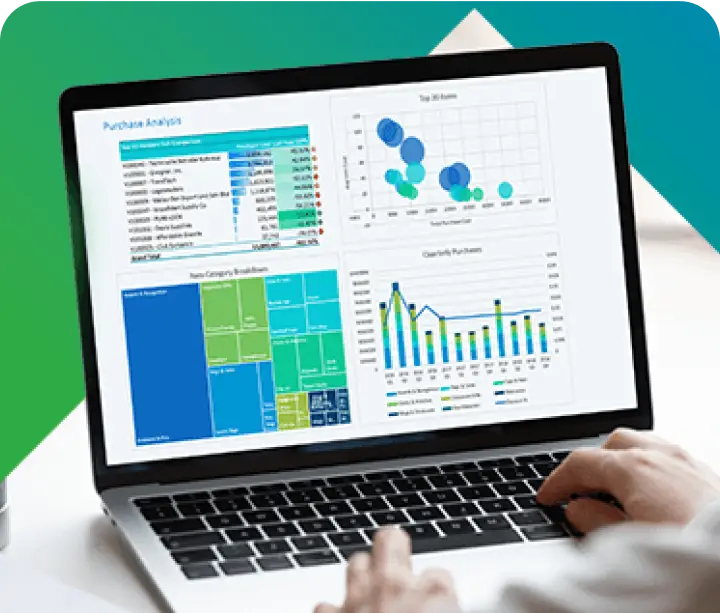
Data mining refers to the process of extracting valuable patterns, information, and knowledge from large datasets. It involves uncovering hidden trends, correlations, and associations within the data, providing organizations with actionable insights for informed decision-making.

How Data Mining Works?

  • Data Collection: This involves gathering relevant data from various sources, such as databases, logs, and external datasets. The richness and diversity of the data contribute to the effectiveness of the mining process.
  • Data Cleaning: Identifying and rectifying errors, inconsistencies, and missing values in the dataset is crucial. Clean data ensures the accuracy and reliability of the mining results.
  • Exploratory Data Analysis: Before diving into the modeling phase, analysts perform exploratory data analysis to understand the structure, relationships, and potential patterns within the dataset. This step guides subsequent modeling decisions.
  • Model Building: Mathematical models or algorithms are created in this step to identify patterns and relationships within the data. This phase requires a deep understanding of the dataset and the goals of the analysis.
  • Pattern Evaluation: The effectiveness of the models is evaluated in terms of their ability to reveal meaningful insights. This step ensures that the patterns identified are relevant and reliable.
  • Knowledge Deployment: Implementing the discovered knowledge is the final step, where insights gained from the analysis are applied to drive decision-making and improve business processes.

Data Mining Techniques

Data mining employs various techniques, including:


  • Classification: This technique categorizes data into predefined classes or groups based on identified patterns. It is often used for tasks such as spam filtering or customer segmentation.
  • Clustering: Grouping similar data points together helps identify inherent structures within the dataset. This technique is valuable for market segmentation and anomaly detection.
  • Regression: Predicting numerical values based on identified relationships within the data. It is widely used in areas such as sales forecasting and risk assessment.
  • Association Rule Mining: This technique discovers relationships and patterns that frequently co-occur in the dataset. It is applied in areas like market basket analysis in retail.

The Process of Data Mining

  1. Data Collection: Gathering relevant data from diverse sources sets the foundation for meaningful analysis. The more comprehensive the dataset, the richer the insights.
  2. Data Preprocessing: Cleaning and transforming the data for analysis is essential for accurate results. This step involves handling missing values, outliers, and ensuring data consistency.
  3. Exploratory Data Analysis: Understanding the characteristics and relationships within the dataset guides subsequent modeling decisions. Visualization tools are often employed to aid in this exploration.
  4. Model Building: Developing algorithms or models to identify patterns requires expertise in both the domain and the intricacies of the data. This step is crucial for accurate and meaningful results.
  5. Validation and Testing: Evaluating the model’s performance on new data ensures its generalizability. Techniques like cross-validation help in assessing the model’s robustness.
  6. Implementation: Deploying the knowledge gained from the analysis for practical use completes the data mining process. This step often involves integrating insights into existing business processes.

Applications of Data Mining in Business Intelligence

The data mining process is fundamental to strengthening business intelligence, offering a range of applications that enhance decision-making and operational efficiency:


  1. Strategic Decision-Making: Leveraging data-driven insights enables organizations to make well-informed decisions, fostering strategic planning and optimizing resource allocation for sustained success.
  2. Customer Segmentation: Identifying and comprehending diverse customer segments are pivotal. Data mining facilitates targeted marketing strategies and cultivates personalized customer experiences, driving customer satisfaction and loyalty. The reporting capabilities of business intelligence tools, such as Jet Analytics, offer a robust solution for creating customer-centric reports. By delving into customer data, organizations can tailor their strategies enhancing overall customer satisfaction.
  3. Fraud Detection: Uncovering anomalies and unusual patterns in financial transactions is a critical aspect of business intelligence. Data mining plays a crucial role in proactively identifying fraudulent activities and safeguarding financial integrity.
  4. Market Analysis: In a dynamic business environment, analyzing market trends and predicting future conditions is indispensable. Data mining empowers businesses to stay competitive by providing insights that aid in adapting to changing market landscapes. Integrated reporting solutions, such as Jet Reports, for visualizing and interpreting market data. Organizations can generate reports that highlight key market trends, enabling them to make proactive decisions and stay ahead in dynamic market scenarios.

Data Mining Uses

Data mining finds applications across various industries, including healthcare, finance, retail, and manufacturing. It is utilized for:


  • Healthcare: In healthcare, data mining is instrumental in predicting disease outbreaks and optimizing patient care. By analyzing vast datasets, it contributes to improved public health initiatives, early detection of health trends, and personalized treatment strategies.
  • Finance: Data mining plays a crucial role in the financial sector by identifying fraudulent transactions and predicting market trends. These insights aid in effective risk management, fraud detection, and the formulation of sound investment strategies, contributing to the stability of financial systems.
  • Retail: In the retail industry, data mining is employed to analyze customer behavior and optimize inventory management. Understanding consumer preferences and purchasing patterns enhances the overall retail experience, enabling businesses to tailor their offerings and improve customer satisfaction. This can be further visualized with Power BI Dashboard that can be custom made for your preference.
  • Manufacturing: For manufacturing, data mining is utilized to improve production processes and predict equipment failures. By analyzing data related to machinery performance, production workflows, and quality control, manufacturers can enhance efficiency, reduce downtime, and make informed decisions to optimize operations.

Pros and Cons of Data Mining

Pros:

  • Informed Decision-Making: The insights gained from data mining empower organizations to make informed decisions, leading to strategic advantages. This results in a more agile and adaptive approach to changing market conditions.
  • Efficiency: By optimizing processes and identifying areas for improvement, data mining contributes to increased operational efficiency. Streamlining workflows and resource allocation enhances overall business productivity.
  • Predictive Analysis: The ability to predict future trends and behaviors enables proactive decision-making and planning. Businesses can anticipate market shifts, customer preferences, and potential challenges, staying ahead of the curve.
  • Innovation Catalyst: Data mining often sparks innovation by revealing hidden patterns and opportunities. Organizations can uncover novel ideas and strategies that drive product development and business growth.

Cons:

  • Privacy Concerns: The use of personal data raises ethical and privacy concerns, necessitating careful handling and compliance with regulations. Striking a balance between data utilization and privacy protection is an ongoing challenge.
  • Complexity: Implementing data mining processes can be complex, requiring skilled professionals and significant resources. The intricacies of algorithmic models and the need for specialized expertise may pose challenges for some organizations.
  • Data Accuracy: The accuracy of results is highly dependent on the quality and precision of the input data. Ensuring data accuracy remains a perpetual challenge, as inaccuracies in the input can lead to misleading insights and flawed decision-making.
  • Integration Challenges: Integrating data mining into existing systems and workflows can be challenging. The process may disrupt established routines, requiring careful planning and effective change management to mitigate potential disruptions.

In Conclusion

In conclusion, data mining is a dynamic process that transforms raw data into actionable intelligence, driving informed decision-making in various industries. While offering numerous benefits, careful consideration of privacy and data accuracy is essential. As businesses continue to leverage data mining for strategic advantage, a balanced approach that addresses both the advantages and challenges will be crucial for success in the data-driven landscape.

Get 30 days free license for Jet Reports

Share this blog on:

Search Blog

About Us

Global Data 365 is composed of highly skilled professionals who specialize in streamlining the data and automate the reporting process through the utilization of various business intelligence tools.

Follow us on:

Want to try Jet Analytics?

Get Free License for 30 Days

Jet Analytics Hero Section

Subscribe to Our Newsletter

What is Data Mining? Read More »

Business Central vs Finance and operations

Business Central vs. Finance and Operations(F&O)

Business Central vs. Finance and operations

Business Central vs Finance and operations

Microsoft Dynamics 365 offers a range of powerful business management solutions, each tailored to meet the specific needs of different types of businesses. Two of the most popular offerings in the Dynamics 365 suite are Business Central and Finance and Operations. This blog will explore the key differences and compare the two suites; business central vs. finance and operations. Identify your business needs with this detailed comparison guide.

12 Key Differences: Business Central vs. Finance and Operations

While both solutions are designed to help businesses manage their operations more effectively, there are some key differences between the two. In this blog post, we will help you to explore detailed differences for Business Central vs. Finance and Operations to help you determine which solution is right for your business.

Functionality

D365 Business Central

 D365 Finance and Operations

Microsoft Positioning

Business management solution for small and medium-sized businesses, offering tools to manage finances, operations, sales, and customer service effectively.

Solution for medium to large enterprises with complex business processes, offering advanced financial and operational management capabilities

Type of Companies

Ideal for small and medium-sized businesses across various industries

Geared towards medium to large enterprises with complex business processes

Customization and flexibility

Flexible and customizable for different industries, enabling operational excellence and digital transformation.

Suitable for a wide range of industries including manufacturing, retail, distribution, and services, providing tailored solutions for complex business processes.

Depth of Manufacturing

Offers robust manufacturing functionality, including production planning, shop floor control, and quality management, suitable for managing manufacturing processes effectively.

Provides deep manufacturing functionality supporting various modes like make-to-stock, make-to-order, and assemble-to-order, along with advanced features

Capabilities and Integration

Provides comprehensive capabilities for financial management, sales, and customer service, integrating seamlessly with other Dynamics 365 components for a unified platform.

Offers advanced capabilities for managing financials, supply chain, manufacturing, and operations, seamlessly integrating with other Dynamics 365 components

Minimum Number of Users

1

20

License Cost

$70 to $100 per user / month

$115 to $210 per user / month

Availability

 Available as a cloud-based solution in 33 countries

Available as a cloud-based solution in 140 countries

Localization

 localized to comply with regulatory requirements of different countries and regions, making it suitable for global operations.

Localized to comply with the regulatory requirements of different countries and regions, ensuring compliance and ease of use in various markets.

Business Analytics

Provides powerful analytics capabilities, offering insights into operations and supporting informed decision-making.

Offers advanced business analytics capabilities, providing valuable insights into operations and enabling informed decision-making across the Organization.

Scalability

Scalable to accommodate business growth, allowing for easy expansion of operations as the business expands.

Scalable to support business growth, enabling organizations to expand their operations easily as their business grows.

Deployment

Offers flexibility in deployment options, including cloud-based deployment for ease of access and management.

Provides flexibility in deployment options, including cloud-based deployment for improved accessibility and management

In Conclusion

In conclusion, Business Central vs. Finance and Operations are both powerful business management solutions, each offering unique functionalities tailored to meet the specific needs of different types of businesses.


While Dynamics 365 Business Central is ideal for small and medium-sized businesses looking for a comprehensive and cost-effective solution, Dynamics 365 Finance and Operations is more suited for medium to large enterprises with complex business processes and a need for advanced financial and operational management capabilities. Whether you’re a small retail business or a large manufacturing enterprise, Microsoft Dynamics 365 has the right solution to help you streamline your operations, improve efficiency, and drive growth.

Choose the Right Solution for Your Business Needs!

Share this blog on:

Search Blog

About Us

Global Data 365 is composed of highly skilled professionals who specialize in streamlining the data and automate the reporting process through the utilization of various business intelligence tools.

Follow us on:

Want to try Jet Analytics?

Get Free License for 30 Days

Jet Analytics Hero Section

Subscribe to Our Newsletter

Business Central vs. Finance and operations Read More »

global-data-365-logo
Talk to Our BI Experts!
global-data-365-logo
Get an Instant Demo!