Microsoft Dynamics 365 Finance and Operations

Power BI for Business Central Reporting

How Power BI Enhances Microsoft Dynamics 365 Business Central Reporting
Power BI for Business Central Reporting

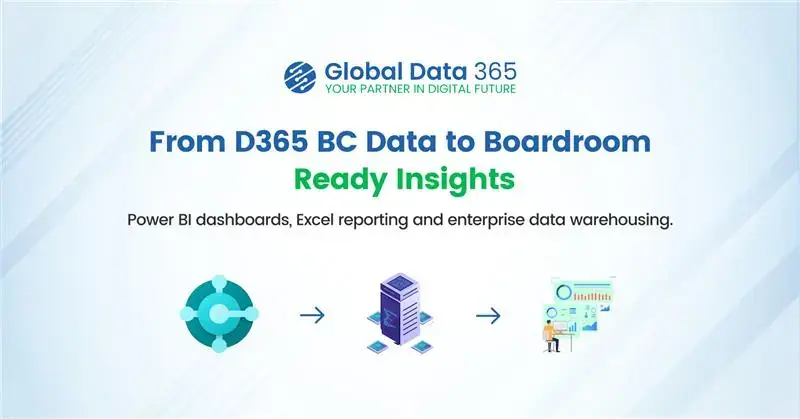
Having accurate financial data is necessary but understanding what that data actually means is what drives a company forward. Microsoft Dynamics 365 Business Central serves as a powerful tool for tracking your inventory, vendor payments, and daily cash flow. Yet, trying to identify growth opportunities by staring at endless rows of numbers will be a little difficult for any business owner.  In this context, Power BI unlocks the true potential of your ERP data. This dedicated analytics tool connects directly to your Business Central data to produce clear, colorful visual metrics. It helps your team gain instant clarity to spot trends and fix hidden issues.  


Throughout this blog, let us look at the specific technical features, the practical aspects, and how this visual tool upgrades your data strategy and enhances your daily business reporting. 

How Power BI Connects Natively to Business Central Data

In the past, connecting an ERP system to a visual reporting tool required significant technical work. IT departments had to write custom scripts to get data, or finance teams had to export CSV files manually every single week. This meant business reports were always delayed. Because Microsoft developed both of these platforms, they share a unified technical environment. Power BI uses pre-built API connectors to link directly to your Business Central database. You do not need to hire programmers to build a custom bridge.  


Once the connection is authorized, the business intelligence platform automatically refreshes your data based on a schedule you define. You can configure the system to refresh your financial dashboards every morning or even multiple times throughout the day. 


With data automatically syncing, accountants no longer need to export and consolidate reports manually.  

Using Power BI Interactive Visuals to Replace Static Reports

A standard financial report generated directly from an ERP is usually a static document. It only displays a fixed set of numbers. If a manager reviews a static sales report and sees a sudden drop in revenue for a specific product line, the report cannot explain the reason behind the drop. The manager has to request a completely new document to investigate the issue. 

Power BI avoids these hassles with interactive visual workspaces. The software features a function called cross-filtering. If you look at a digital dashboard containing a revenue bar chart, a regional map, and a list of top customers, these visuals work together dynamically.  


When you click on a specific product category in the bar chart, the regional map instantly updates to show where that specific product is selling. The customer list also shifts to display only the buyers who purchased that item. This drill-down capability allows any user to filter data intuitively and find the root cause of a business trend in seconds. 


While this level of interaction makes internal accounting and ERP data highly powerful to explore, a complete business view cannot depend on ERP data alone. Much of the essential information also comes from external sources that work outside the core accounting system. However, valuable business insights often require data beyond the ERP system itself.  

How Does Power BI Blend External Data With Business Central Ledgers?

Your ERP platform is the financial core of your company, but it rarely holds every piece of operational data. Some companies use separate software applications for email marketing, customer relationship management and website analytics. Keeping these data sets separated creates blind spots for the management team. You cannot easily see how your marketing efforts affect your actual sales. 


Power BI acts as a central hub that can blend data from hundreds of different external sources. It allows you to build a single data model that combines your Business Central ledgers with information from outside platforms. 


For instance, you can import your monthly digital advertising spend from a marketing tool and display it directly next to the invoiced sales data provided by your accounting software. By viewing the marketing costs and the resulting revenue on the exact same screen, your management team can accurately calculate the return on investment for their advertising campaigns. Blending multiple data sources provides a complete view of company performance. 


Once these different data sources are unified, you get a clear and reliable view of current business performance. The next step is to go beyond understanding the present and start using this combined data to anticipate future outcomes.  

Leveraging Power BI Predictive Analytics for Financial Forecasting

Reviewing historical sales data is necessary for compliance, but predicting future cash flow is what actually keeps a business secure. Doing manual forecasting using spreadsheets is incredibly difficult. It requires complex formulas and a lot of guesswork regarding seasonal trends and customer payment habits. 


Power BI includes built-in predictive analytics and forecasting algorithms that take the guesswork out of planning. The tool analyzes the historical data stored inside Business Central to identify hidden patterns. 


You can apply a forecasting feature to a standard line chart tracking your monthly revenue. The system will look at your past performance, factor in seasonal dips and draw a projected path for the upcoming quarter. It even displays a shaded confidence interval to show the high and low estimates of the prediction. This feature helps procurement managers identify inventory consumption trends and support replenishment planning when relevant operational data is available. This gives them enough time to place new vendor orders before a stockout occurs. 


While forecasting strengthens planning for inventory and cash flow, its value is maximized only when these insights are distributed throughout the organization with proper security controls. 

Securing Your Reports With Power BI Row-Level Security

Distributing financial reports always presents a security challenge. Sending Excel files through email or printing out physical packets makes it very easy for sensitive organizational data to be leaked or accessed without permission.  


Power BI solves this administrative burden through a feature known as Row-Level Security. This security feature allows your IT team to create a single master dashboard for the entire company. 


When an employee logs into their online portal or mobile app, the system checks their identity. It then filters the data on the dashboard based on their specific security clearance. A regional sales manager can open the dashboard and only see the revenue figures for their specific territory. The overall corporate totals and the data for other regions remain completely hidden.  


This lets you distribute powerful reporting tools across your organization without compromising data privacy. 


Beyond secure access, Power BI dashboards are available through web browsers, tablets, and mobile devices. This allows executives, finance teams, and department managers to monitor key performance indicators, review financial metrics, and respond to operational issues even when they are away from the office. Having access to critical business insights from anywhere helps decision-makers stay informed and act quickly when circumstances change. 

Wrapping Up

The main goal of any accounting system is to clearly show where your business stands at any point in time. Microsoft Dynamics 365 Business Central  captures and records financial details with precision, while Power BI turns that raw data into clear, visual insights that are easy to understand at a glance and use for better decision-making. 


When these two systems work together, it removes the need for repeated manual data exports and keep reporting continuously up to date. It also allows you to combine internal financial data with external sources like marketing performance, giving a more complete picture of business performance and enabling more accurate cash flow forecasting. For management teams, this creates a stronger ability to plan ahead with confidence rather than react after the fact. 


At the same time, row-level security ensures that each user only sees the data relevant to their role, protecting sensitive information without limiting access to insights. With this combination of real-time visibility, integrated data, and controlled access, teams can quickly identify small issues early and address them before they grow into costly problems. 


Ready to transform your business central reporting?

Share this blog on:

Search Blog

About Us

Global Data 365 is composed of highly skilled professionals who specialize in streamlining the data and automate the reporting process through the utilization of various business intelligence tools.

Follow us on:

Still using Jet Basics?

Get Free Upgrade
to Jet Reports

jet services

Subscribe to Our Newsletter

[wpforms id="26968"]

Power BI for Microsoft Dynamics 365 Business Central Reporting Read More »

key features of Finance and operations(F&O)

Key Features of Finance & Operations(F&O)

key features of Finance and operations(F&O)

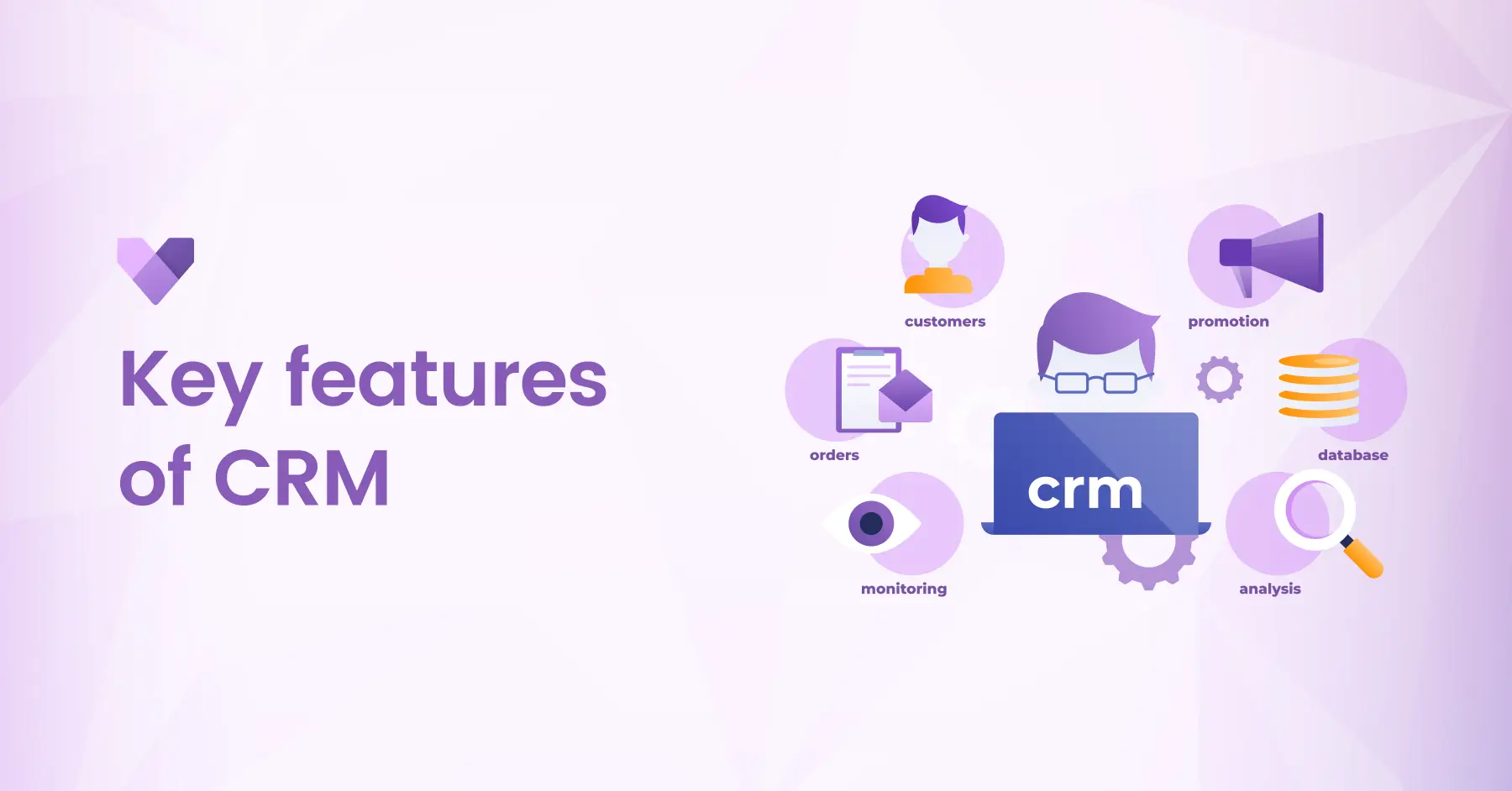
F&O empowers businesses to streamline complex processes, drive operational efficiency, and make real-time, data-driven decisions. Whether you operate globally or locally, F&O provides the scalability and flexibility needed to support your growth strategy. Let’s explore the key features of Dynamics 365 Finance & Operations(F&O) and how they can help transform your enterprise operations.

Introduction to Dynamics 365 Finance and Operations(F&O)

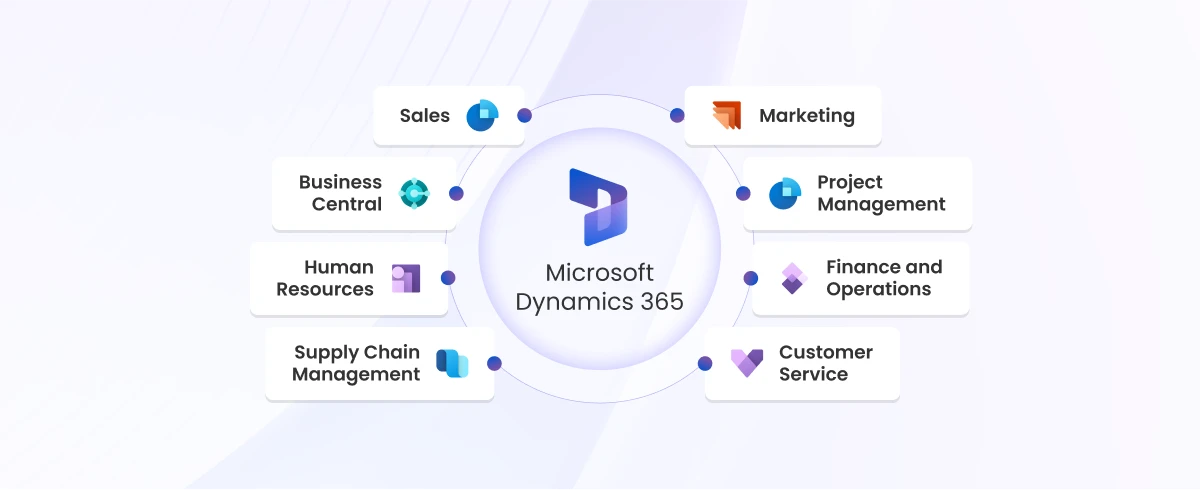
Microsoft Dynamics 365 Finance & Operations (F&O) is a cloud-based enterprise resource planning (ERP) solution designed for medium to large organizations. As part of the Microsoft Dynamics 365 suite, it integrates core business functions; finance, supply chain, manufacturing, human resources and analytics into a single unified platform.

F&O empowers businesses to streamline complex processes, drive operational efficiency, and make real-time, data-driven decisions. Whether you operate globally or locally, F&O provides the scalability and flexibility needed to support your growth strategy.

Key Features of Finance and Operations(F&O)

Key Features of finance and operations (F&O)

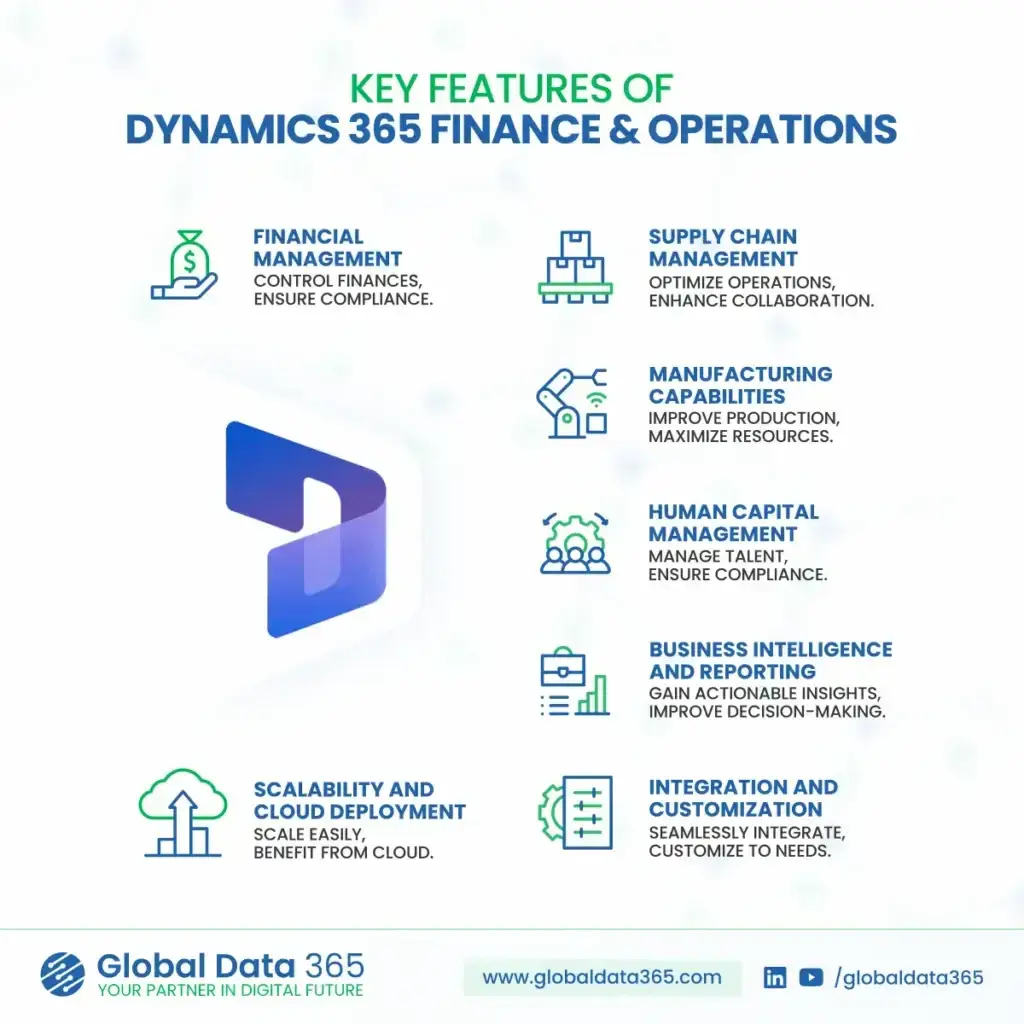
Financial Management

Gain full control over your organization’s finances and ensure compliance across global operations.


  • General Ledger & Accounting: 
    Automate accounting processes and maintain accurate financial records.

  • Accounts Payable & Receivable: 
    Track payables, receivables and manage credit efficiently.

  • Global Compliance: 
    Ensure regulatory compliance with multi-currency, multi-language, and multi-entity support.

  • Budgeting & Forecasting: 
    Improve financial planning with robust budgeting tools and real-time forecasting.

Supply Chain Management

With powerful tools for inventory, logistics and procurement, F&O helps businesses build a resilient supply chain. It enables faster response to market changes and ensures product availability where it matters most.

  • Procurement & Sourcing:
    Automate purchasing processes and vendor collaboration.

  • Inventory & Warehouse Management: 
    Gain visibility into stock levels, movements and warehouse operations.

  • Logistics & Transportation:
    Optimize routes, manage shipping and reduce delivery costs.

  • Demand Forecasting:
    Predict demand to improve fulfillment and reduce waste.

Sales Components in Dynamics 365 F&O

Dynamics 365 Finance & Operations includes powerful sales capabilities that help organizations manage the entire order-to-cash cycle efficiently. From capturing leads to processing invoices, the system ensures accuracy, speed, and full visibility across all sales operations.

  • Sales Order Management: Create, manage, and track sales orders in real time with complete visibility into order status, pricing and fulfillment.

  • Customer Management: Maintain a centralized customer database with detailed information including billing, shipping, credit limits, and transaction history.

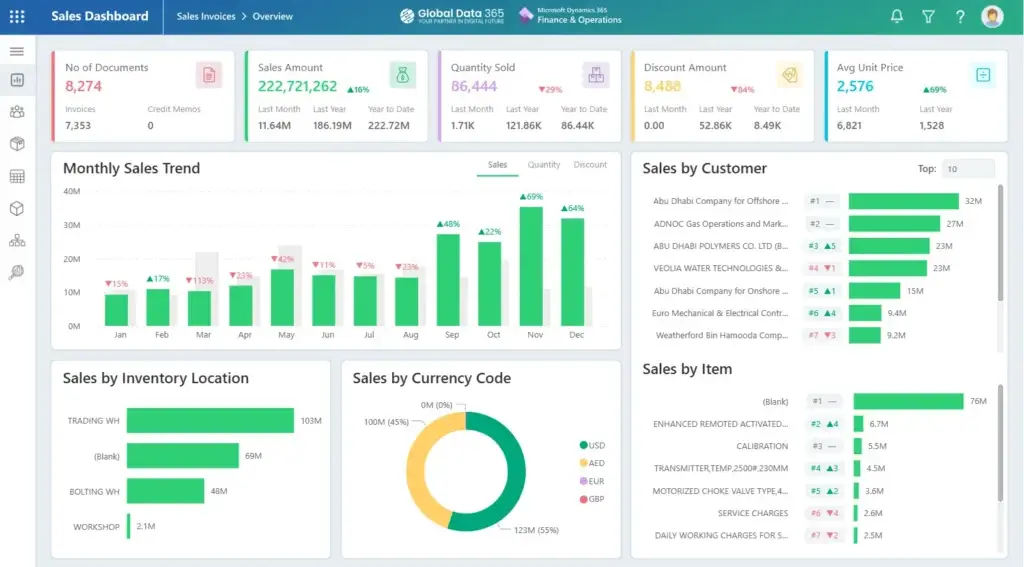
  • Sales Analytics & Reporting: Leverage built-in analytics and Power BI integration to track sales performance, revenue trends, top customers, and product demand in real time.

Manufacturing Capabilities

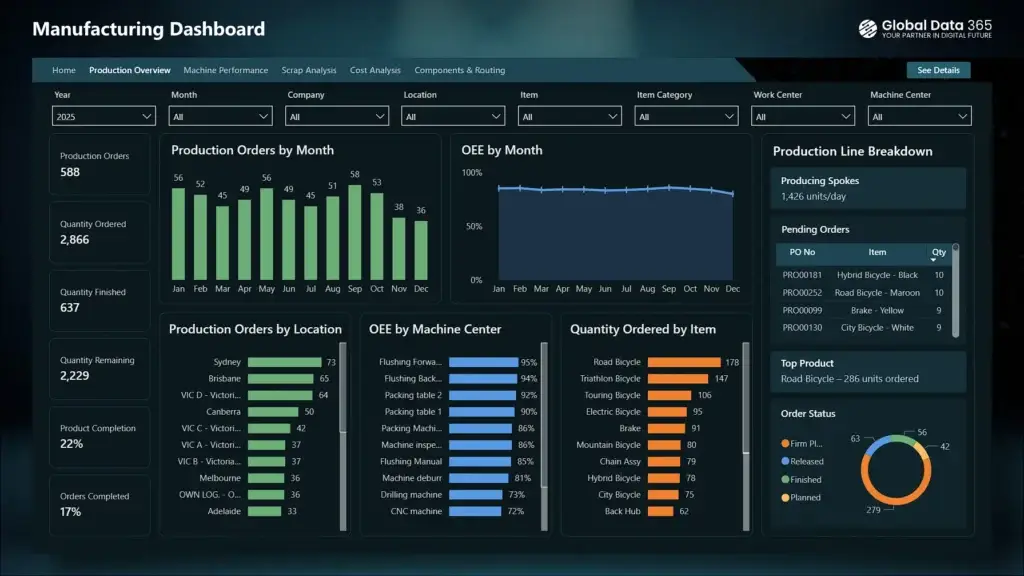
Dynamics 365 F&O empowers manufacturers with tools to streamline production, reduce downtime and ensure quality. Whether it’s discrete, lean or process manufacturing, the system offers end-to-end visibility and control.

  • Production Control:
    Plan and execute discrete, lean and process manufacturing.

  • Shop Floor Management
    Track real-time operations on the production floor.

  • Resource Optimization:
    Allocate machines, labor and materials efficiently.

  • MRP & BOM Management: 
    Streamline planning with Material Requirements Planning and Bill of Materials.

Human Capital Management

From recruitment to retirement, F&O simplifies human resource operations. It offers a centralized platform to manage employees, foster growth and ensure compliance with labor laws.


  • Core HR Functions:
    Track employee data, benefits, and organizational structure.

  • Payroll Integration:
    Automate payroll processing and ensure accuracy.

  • Performance & Talent Management:
    Develop and retain top talent with integrated performance tracking.

  • Compliance & Reporting:
    Maintain workforce compliance with global regulations.

Business Intelligence & Reporting

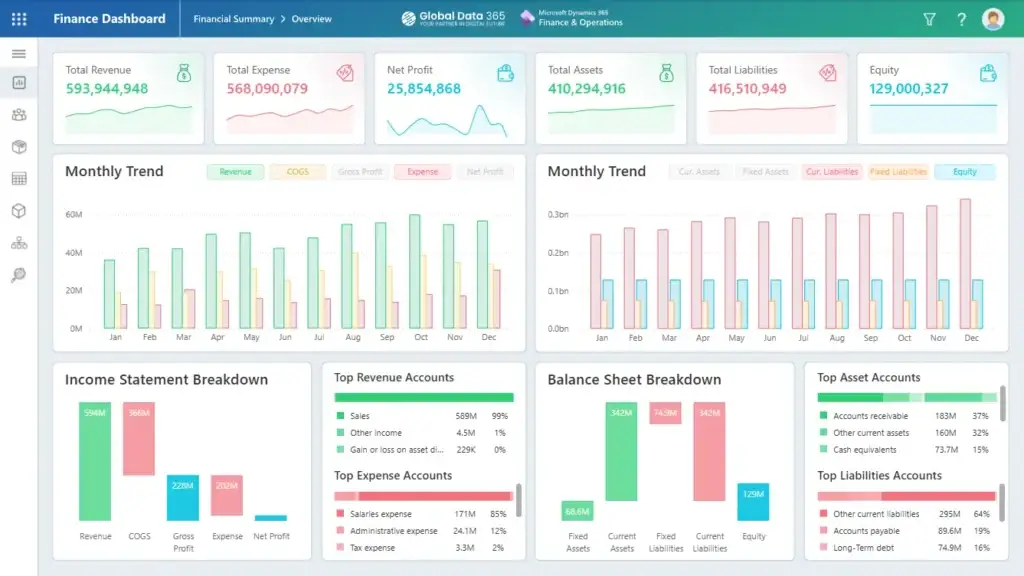
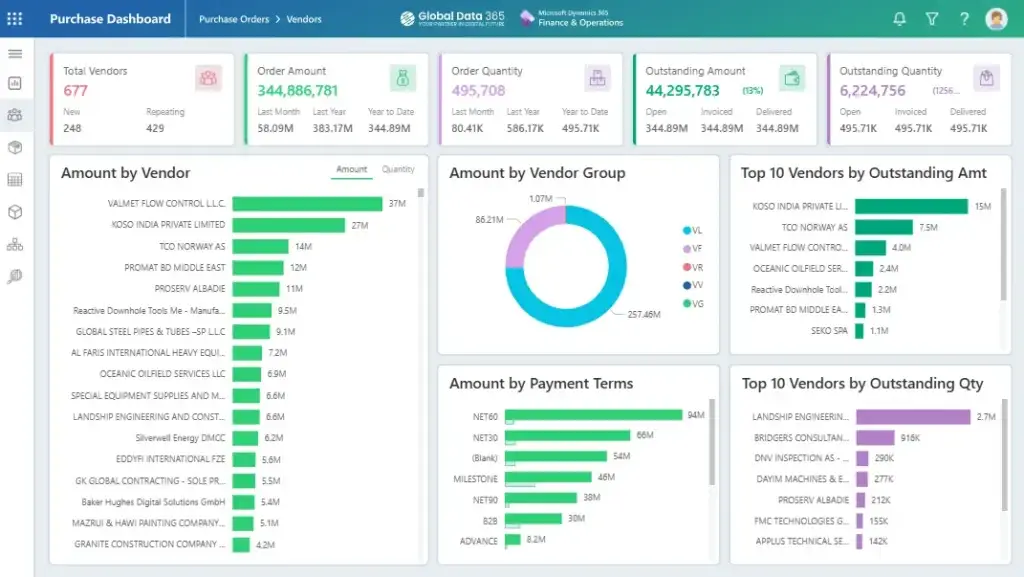
Built-in analytics and reporting tools turn raw data into actionable insights. However there are multiple tools available as reporting solution for both cloud and on prem d365 F&O that helps businesses make informed decisions with real-time data, dashboards and predictive analytics.


  • Real-Time Dashboards: 
    Monitor KPIs, financial metrics, and operational health at a glance.

  • Advanced Analytics:
    Use embedded Power BI to uncover trends and drive performance.

  • Custom Reports:
    Generate financial and operational reports tailored to your business needs.

  • Data-Driven Decisions:
    Empower teams to make informed choices based on reliable data.

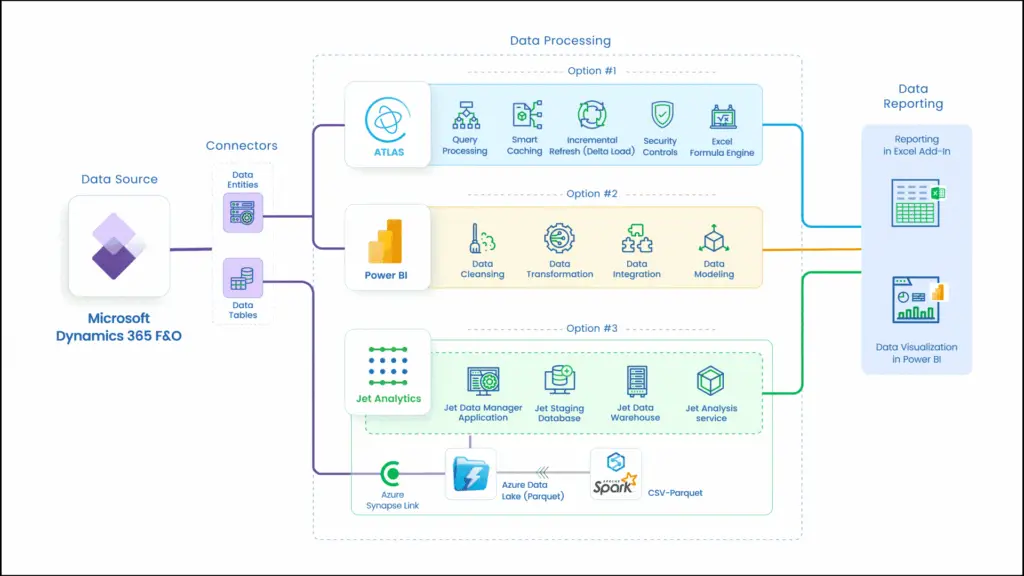
F&O reporting solutions

With Global Data 365’s Reporting Solution curated specially for the D365 F&O you get three tools to opt from for your business needs and requirements.

Scalability & Cloud Deployment

Designed to grow with your business, F&O provides the flexibility of cloud-based deployment. It ensures high availability, global reach and scalability without compromising performance.


  • Flexible Deployment:
    Choose between on-premises, cloud or hybrid deployment.

  • Global Scalability:
    Expand operations without compromising performance.

  • Security & Reliability:
    Rely on Microsoft Azure’s enterprise-grade security and uptime.

  • Automatic Updates: 
    Stay current with continuous platform enhancements and security patches.

Integration & Customization

Dynamics 365 F&O seamlessly connects with other Microsoft products and third-party systems. Its flexible architecture allows businesses to tailor processes and workflows to fit their unique needs.


  • Seamless Integration:
    Connect with other Microsoft products like Office 365, Teams, Power BI and more.

  • Low-Code Customization:
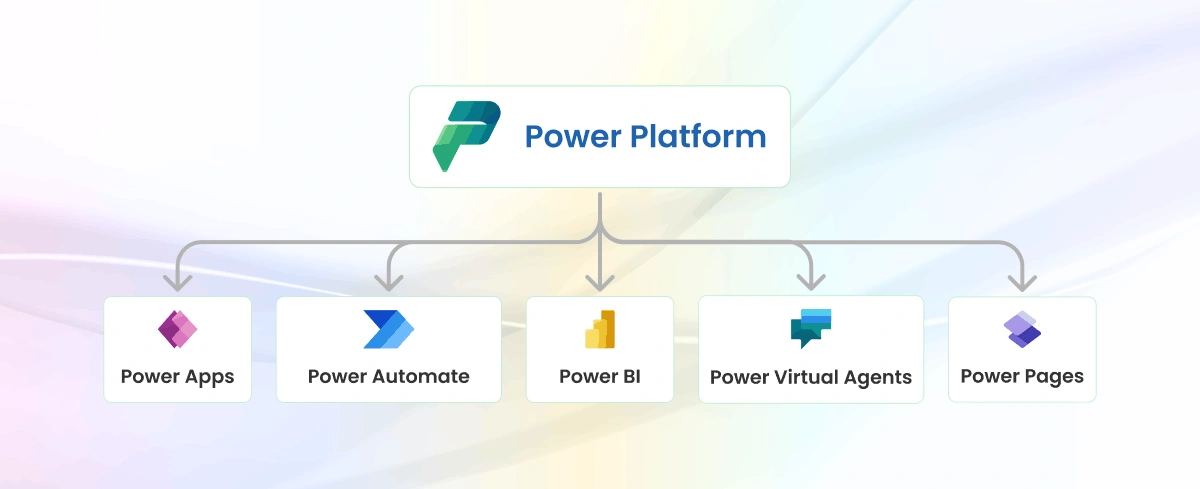
    Use Power Platform to build custom workflows and apps.

  • Industry-Specific Extensions:
    Deploy tailored solutions to support your industry’s challenges.

  • API Connectivity:
    Integrate with external systems via REST APIs and data connectors.

In Conclusion

Microsoft Dynamics 365 Finance & Operations offers a powerful, end-to-end ERP solution that enables organizations to unify financials, optimize supply chains, manage production and make intelligent decisions with real-time insights. Whether you’re managing multiple entities across geographies or seeking to scale efficiently with cloud-native solutions, F&O delivers the tools and agility your enterprise needs to lead in today’s competitive market. With the key features of F&O, businesses gain a flexible foundation to drive growth, innovation, and operational excellence.

Ready to transform the way your enterprise operates?

Share this blog on:

Search Blog

About Us

Global Data 365 is composed of highly skilled professionals who specialize in streamlining the data and automate the reporting process through the utilization of various business intelligence tools.

Follow us on:

Still using Jet Basics?

Get Free Upgrade
to Jet Reports

jet services

Subscribe to Our Newsletter

[wpforms id="26968"]

Key Features of Finance & Operations(F&O): Empowering Enterprise Growth Read More »

Microsoft 365 Copilot

A Complete Guide on Microsoft 365 Copilot

Microsoft 365 Copilot

In the ever-evolving landscape of digital productivity tools, Microsoft 365 stands tall as a comprehensive suite that empowers businesses worldwide. Among its many offerings, Microsoft 365 Copilot emerges as a transformative solution, promising to revolutionize the way organizations manage their Microsoft 365 environment.

What is Microsoft 365 Copilot?

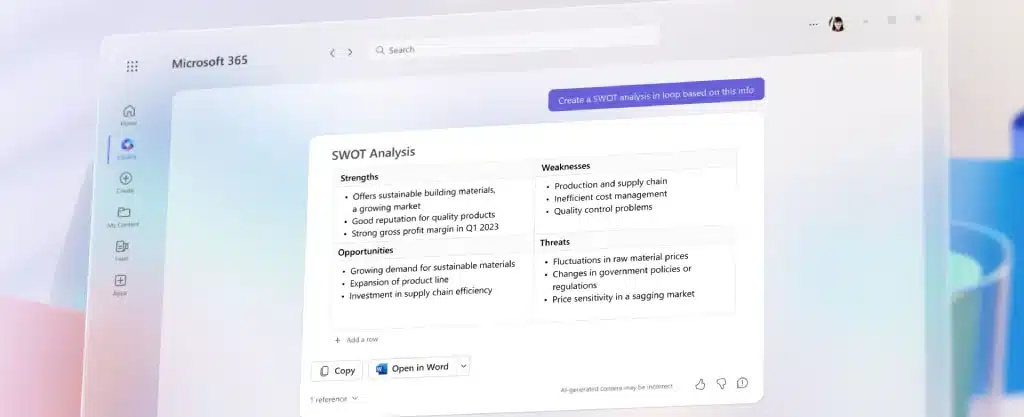
Microsoft 365 Copilot is a revolutionary management tool designed to simplify the administration of Microsoft 365 services including those crucial for customer relationship management (Microsoft Dynamics 365 CRM), finance and operations (Microsoft Dynamics 365 F&O), and business central management (Microsoft Dynamics 365 BC).

It comprises three main components: Microsoft 365 apps (like Word, Excel, Teams), Microsoft Graph (incorporating files and data across the M365 environments), and OpenAI models (including ChatGPT-3, ChatGPT-4, DALL-E, Codex, and Embedding), all hosted on Microsoft Azure. Unlike traditional management methods, Copilot offers a more efficient and streamlined approach, allowing organizations to focus on their core business activities.

Microsoft 365 Copilot Features:

The Copilot offers many features for vast business community such as;

  • Effortless Automation: 
    Microsoft 365 Copilot improves productivity by automating repetitive tasks and workflows, allowing employees to focus on more strategic initiatives.
  • Reduced Cost and optimizing Resources:
    It helps organizations save costs and optimize resources by streamlining Microsoft 365 management processes.
  • AI-powered insights:
    It leverages AI to unlock valuable insights from your Dynamics 365 state. Gain real-time customer behavior trends in Dynamics 365 CRM or identity financial optimization opportunities in Dynamics 365 F&O.
  • Streamlined Collaboration:
    Microsoft 365 Copilot fosters seamless collaboration within Dynamics 365 applications. Imagine teams working together on sales proposals in Dynamics 365 CRM or project plans in Dynamics 365 Business Central with real-time edits and suggestions.
  • Enhanced Security:
    It empowers businesses to maintain robust security within Dynamics 365. Leverage advanced monitoring and threat detection to keep your data safe.
  • Azure Integration & Scalability:
    Microsoft 365 Copilot seamlessly integrates with Azure services, enabling businesses to connect enterprise data, automate workflows, leverage Azure AI capabilities and scale securely across cloud environments for advanced analytics, automation and intelligent business operations.

Microsoft 365 Copilot

How Much Does Microsoft 365 Copilot Cost?

Microsoft 365 Copilot is available as part of the Microsoft 365 Enterprise subscription, which offers a range of plans tailored to meet the needs of businesses of all sizes. The cost of Copilot varies depending on the specific plan chosen, with pricing starting at $30 per user per month for the basic plan. Find how Microsoft Dynamics transform your business with: Microsoft 365Future plans include tailored Microsoft 365 Copilot for Dynamics 365, Power Platform, security suite, and Windows OS.

How many Modes of Interaction are in Copilot?

  • Microsoft 365 Copilot system offers two main interaction modes: Direct engagement within applications like Word and Teams, and accessibility through Microsoft 365 Chat in Teams
  • Within applications, users seamlessly integrate M365 Copilot for tasks like drafting documents and summarizing meetings in real-time.
  • The second method of interaction is through Microsoft 365 Chat, functioning as a chatbot within Teams. Microsoft 365 Chat serves as a versatile tool for natural language interactions, enabling users to search across diverse sources.
  • Microsoft 365 Copilot enhances productivity in Word by offering text suggestions, facilitates collaboration in Teams with real-time meeting summaries, and streamlines PowerPoint presentations.
  • In addition to automation, Microsoft 365 Copilot also provides advanced monitoring and reporting capabilities, allowing you to keep track of service health and performance metrics. This information can help you identify potential issues before they escalate, ensuring that your Microsoft 365 copilot environment remains stable and reliable.

In Conclusion

Copilot is a transformative tool that empowers businesses to unlock the full potential of Dynamics 365. With its innovative cutting-edge functionality and user-friendly interface, Copilot is empowering teams to collaborate more effectively and achieve their goals efficiently. To experience the benefits of Microsoft 365 Copilot for your business and drive growth, contact us at Global Data 365 today. Our team is ready to help you leverage this powerful tool to take your productivity to new heights.

Get 30 days free license for Jet Reports

Share this blog on:

Search Blog

About Us

Global Data 365 is composed of highly skilled professionals who specialize in streamlining the data and automate the reporting process through the utilization of various business intelligence tools.

Follow us on:

Want to try Jet Analytics?

Get Free License for 30 Days

Jet Analytics Hero Section

Subscribe to Our Newsletter

[wpforms id="26968"]

Microsoft 365 Copilot: Revolutionizing Your Productivity Read More »