How Microsoft Dynamics 365 Customization Helps Scale Your Business?
- Global Data 365
Every market presents its own unique set of problems. MS Dynamics 365 provides guidance and solutions for many business areas, including customer service and operational resource management. Executing every aspect of your business and managing your procedures at scale is unfeasible with the features Dynamics 365 offers out-of-the-box customization. The strength of MS Dynamics 365 lies in its customizability. With Dynamics 365, you don’t have to press your business and your people into the processes of the software. Instead, the software assists your current workflow and processes.
Advanced Microsoft Dynamics 365 Customization Services provide automation, integrate with almost any software and provide your employees with advanced tools. Most importantly, these services help your employees make data-driven decisions. We will explore the extent of Dynamics 365 customization, the specific ways customization supports your business and additional tips and tricks to help you maintain success long after implementation of customization services.
What Is Microsoft Dynamics 365 Modification
Microsoft Dynamics 365 Customization modifies and improves the system to align to an organization’s needs, while keeping the core working.
Customization can include:
- Creation of custom entities and fields
- Design of custom dashboards
- Implementation of workflow automation
- Creation of business rules
- Design of applications using Microsoft Power Platform
- Integration of third-party applications
- Alteration of forms and reports
- Establishment of role-based user experiences
Why Businesses Need Dynamics 365 Customization
Not two companies have the same way of running their business. There is always a unique way of having approval processes, sales cycles, reporting structures, and customer service processes.
On the other hand, the absence of customization may lead to:
- Need to enter data manually
- Performing tasks repetitively
- Having ineffective work processes
- Having limited reporting capabilities
- Not having the application adopted
- Having challenges in growing the activities of the organization
Customization of Dynamics 365 addresses these concerns by tailoring the software to the techniques of the business process instead of the business process adapting to the software’s restraints.
Benefits of Advanced Microsoft Dynamics 365 Customization Services
- Unique Business Processes:
Customized Dynamics 365 services stretch the platform to your unique workflows and adapt the solution to your business instead of expecting process changes.
- More Productivity:
Custom workflows, forms and dashboards help employees be more efficient by ensuring employees only perform high-value work.
- Better User Experience:
Role-relevant data and features personalize dashboards. This leads to high adoption and low training times.
- Effortless Integration:
Dynamics 365 Customization allows effortless integration of Microsoft products and applications.
- Supports Digital Transformation:
Dynamics 365 Digital Transformation allows for smooth operations, better cross-departmental collaboration and automated business process management. Your organization becomes more flexible and more fit for competition.
Primary Areas of Microsoft Dynamics 365 Customization
1. Custom Entities
Create custom entities to store proprietary data for your business that are not included in other Dynamics 365 modules.
2. Forms and Fields Customization
Tailor presentation and input forms for users.
3. Workflow Automation
Eliminate common, burdensome tasks, approvals, and process requests, and receive alerts when reasoned.
4. Dashboards and Reports
Measure your business using dashboards and reports customized to track and display the metrics that matter to your organization.
5. Third-Party Fusion
Integrate Dynamics 365 with other corporate demands including Microsoft 365, Power BI and ERPs.
6. Role-Based Security
Manage what types of data users have access to based on what they are responsible for in the business.
7. Power Apps and Power Automate
Expand Dynamics 365’s capabilities, by developing your own apps and automating flows, respectively.
Dynamics 365 Digital Transformation Through Customization
Optimizing processes and transforming customer experience is as important as adopting new technology for digital changes.
Dynamics 365 Digital Transformation empowers businesses to:-
- Transform work processes
- Unify enterprise data
- Nurture customer relationships
- Create business process transparency
- Stimulate collaboration
- Work with distributed teams.
Customization is important so that digital initiatives reflect your business versus process requests resulting from inflexible software.
Microsoft Dynamics 365 Customization for Business Growth
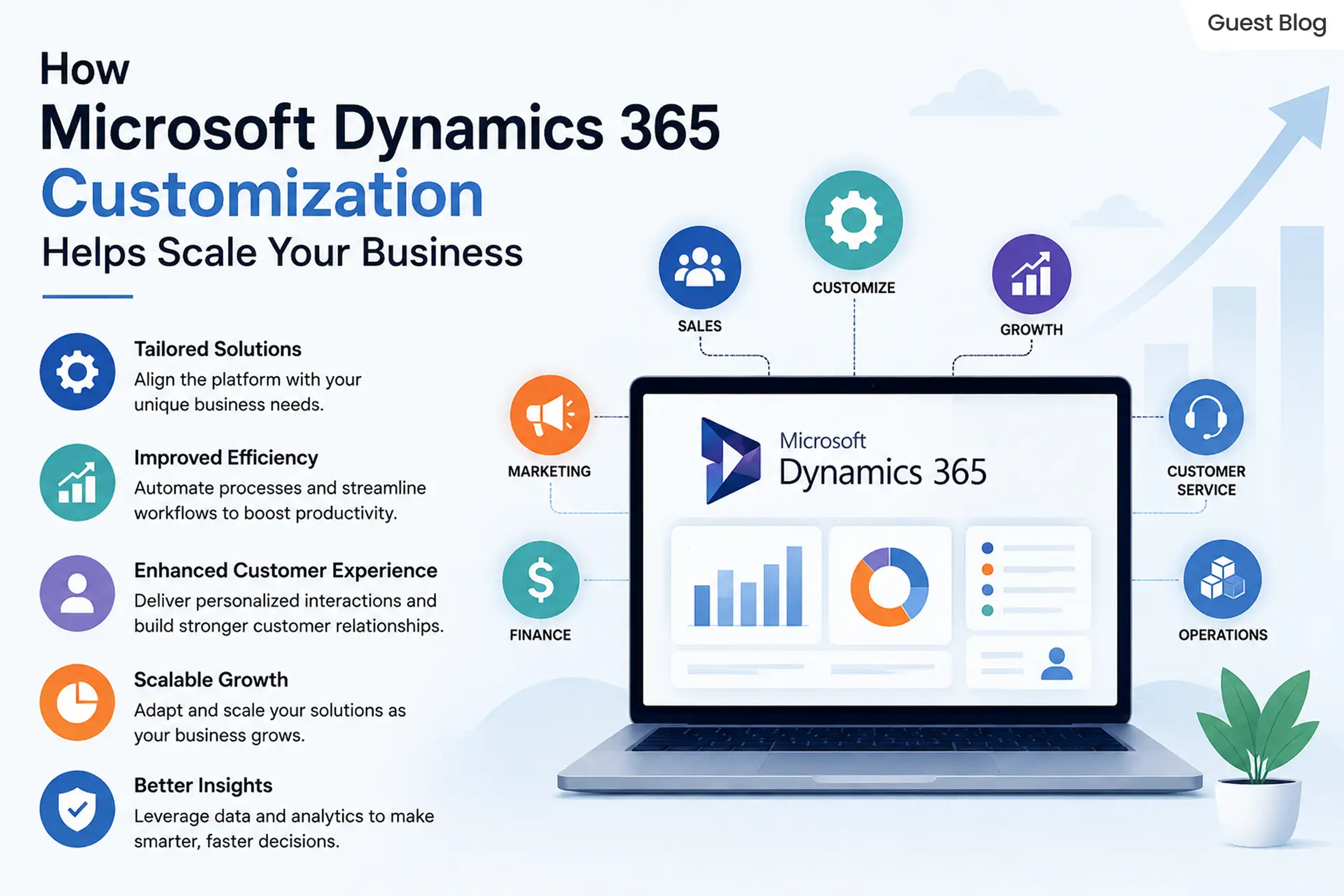
As organizations expand, so do their method, customer needs, and working needs. Microsoft Dynamics 365 Customization for business growth facilitates the unique adaptability required. The flexibility in Dynamics 365 incorporates the benefits of enhanced efficiency, improved collaboration, and scaling. Through customizing the workflow, automating procedures, and the integration of applications, companies are able to enhance their productivity in order to satisfy the demands of the market. Flexible solutions can maximize the value of an investment and can lead to sustainable growth for companies.
Customization of Dynamics 365 supports business growth in several ways:
- Automating business processes to increase efficiency and reduce the need for formulaic processes
- Improving customer satisfaction and loyalty by providing tailored and expedited services
- Increasing productivity by means of personalized dashboards, forms, and workflows
- Syncing with Microsoft 365 and Power BI as well as ERP and other third-party applications
- Providing the ability to bring together data and teams to drive the company business forward
- Facilitating the expansion of Dynamics 365 business operations to support modern and flexible business functions in a digital age.
Best Practices for Dynamics 365 Customization
If companies implement these strategies to Microsoft Dynamics 365 Customization, they will improve the efficiency and the capacity of their systems as well as enhancing the efficiency in maintenance of the system. When they focus on these components, businesses are able to optimize their investment and minimize problems that might occur in the near future.
It is essential to determine the goals your company wants to accomplish, and then customize it in the Dynamics 365 system to that final goal.
Second, try to use Dynamics 365 as is. Customizations, if necessary, should be the last resort. Since customizations increase the complexity of your system, it can be harder to maintain.
Third, if you have a growing organization, plan for the growth by ensuring your customizations will support that growth.
Fourth, efficiency of your users should be the focus. Dynamics 365 incorporates many automation features, workflows and processes. These should be designed in a way that users automatically use them.
Finally, and most importantly, do thorough testing to validate your customizations before you roll them out to your team and lose your sanity if your system fails.
Picking the Right Advanced Microsoft Dynamics 365 Customization Services
Selecting a trusted tailor-made partner is vital to the success of your project.
Choose a provider who provides:-
- Certified Microsoft Dynamics experts
- Experience in the industry
- End-to-end implementation
- Integration capabilities
- Security best practices
- Support and maintenance on a regular basis
- Optimization of performance
- Training for users
The ideal partner will align your technical abilities with your business aim and will ensure that you have a Dynamics 365 environment that will continue to evolve as your company expands.
Common Mistakes to Ignore
Dynamics 365 Customizations fail to achieve what they set out to do because of the following common mistakes:-
- Over-customization without defined business value
- Paying no attention to future business growth
- Forgetting to train users
- Not keeping track of customizations
- No validation to assess whether customizations are ready for production
- Multiple workflows that accomplish the same task
- Inefficient use of a secure system
Not avoiding these will cause an inefficient Dynamics 365 system.
Common Challenges Solved by Microsoft Dynamics 365 Customization
A majority of businesses have issues with unreliable workflows and systems that are not accessible as well as inaccessibility to business processes. Microsoft Dynamics 365 Customization addresses these issues by tailoring the platform to meet your needs as a company, increasing productivity while enhancing the user experience.
Common problems solved by customization can include:
- Manual and repetitive tasks can be automated through workflow automation.
- Business applications that are disconnected and seamless integrations with third party applications.
- Limited reporting capabilities with customized Dashboards as well as real-time Analytics.
- Complex user interfaces are created by creating form-based and interactive dashboards.
- Inconsistencies in data with custom validation rules or standardized procedures.
- Problems with scaling can be solved by changing the platform to accommodate the growth of businesses.
Future Trends in Microsoft Dynamics 365 Customization
Technology is constantly changing; Microsoft Dynamics 365 Customization is changing to become more sophisticated and automated, and also fully automated and data-driven. Companies are embracing new technologies to boost efficiency, improve customer service and accelerate the speed in Dynamics 365 Digital Transformation.
The most important patterns that will define the direction of are:-
- AI-powered automation increases the effectiveness of business processes and increases the quality of decision-making.
- Development without code and low-code with Microsoft Power Platform.
- Predictive analytics can assist in improving the planning and forecasting of business operations, as well as management of business.
- Cloud-native modifications allow for more capacity and greater flexibility.
- Advanced integration of data with Microsoft Fabric and Power BI.
- Specific to the industry, Microsoft Dynamics 365 Solutions tailored to specific business needs.
ROI of Microsoft Dynamics 365 Customization for Growing Businesses
The investment in Microsoft Dynamics 365 Customization for business growth can yield tangible results by enhancing process efficiency, reducing manual labor, and enhancing satisfaction of customers. Customized solutions help companies make the most of their resources, increase productivity, and expand their capabilities in the course of time.
The most important ROI benefits are:
- Lower operating costs by automating workflows.
- Improved productivity of employees through personalized processes and interfaces.
- More efficient decision-making with the latest dashboards, analytics, and real-time data.
- Increased customer satisfaction through personal interactions.
- Scalability that can support the growth of business operations.
More efficient use and better utilization of Microsoft Dynamics 365 Solutions by aligning the platform with the goals of the business.
In Conclusion
Microsoft Dynamics 365 Customization offers an end-to-end solution for exploiting the efficiency of business operations and boosting productivity. By utilizing Advanced Microsoft Dynamics 365 Customization Services, companies can design automated processes, improve usability, and implement solutions that are scalable. Through the proper modifications, companies can increase the capabilities of Dynamics 365 and advance their digital transformation strategies and long-term growth strategies for their business.