How Long Does it Take to Really Learn Power BI? Skill Paths Explained
- Ayesha Binte Habib
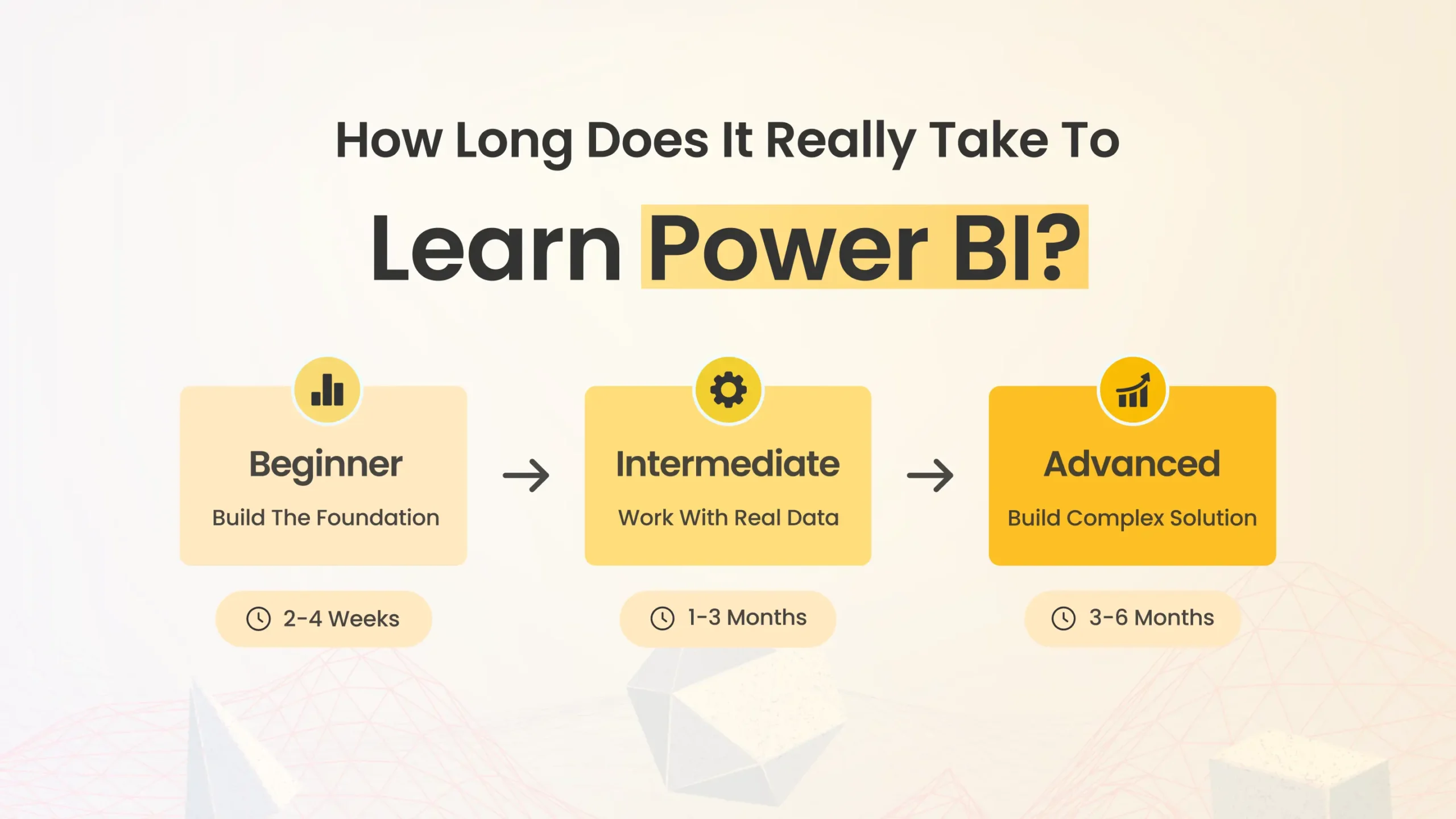
“How long will it take me to learn Power BI?” We hear that question all the time. The answer depends on what you need to do with Power BI and what skills you’re starting with.
Let’s map out the learning curve for the three most common Power BI roles in an organization.
The business user: 1–2 days
For a casual user who just needs to view reports and simply interact with some filters and slicers, you can pick up the basics in a day or maybe 2 days if you want to get fancy and advanced with custom visualizations to learn power bi from scratch.
A short Power BI for Business Users class will give you the skills to navigate and interpret pre-built dashboards. You will learn how to drill down into data, use filters and slicers, export data and maybe even create some personal views based on your requirement.
But you won’t be building your own reports from scratch. For that, you’ll need to step up to…
The report creator: 3–5 days plus practice
Creating basic Power BI reports doesn’t require you to be a full-stack data wizard or expert. If you are comfortable with Excel PivotTables and VLOOKUP like formulae, you can learn to build useful Power BI reports in about 3 to 5 days of good training.
A course for Report creator as Power BI you can opt for Ultimate Training where you will learn essential skills like importing data, creating relationships between tables, adding calculated columns and measures, so as to create designing interactive visuals that help insights to be found at a glane.
After the course, plan on a few weeks of practice to cement your skills. Your first solo flights might feel a bit shaky but stick with it. With real-world experience, you’ll be churning out slick reports in no time.
Now, if your job is to build complex data models and architect enterprise-grade BI solutions, you’re playing in a different league. You’re in the realm of…
The BI professional: 10+ days and never stop learning
To become a full-fledged Power BI pro, you’ll need to master advanced topics like data modeling, DAX formulas, Power Query and data gateways. Expect to spend 10 days or more in deep-dive Power BI training that covers advanced topics and design variables, likely spread out over several weeks.
Even then, the learning should never stop. You will need to continually hone your skills and keep up with new features to stay at the top of your game. Many BI professionals invest in ongoing training, certifications and community events to sharpen their skills.
Sound exciting? It absolutely is. But don’t feel like you need to jump straight into the deep end. Smart organizations build and learn Power BI expertise incrementally, focusing first on empowering casual users and report creators.
That’s where our role-specific Power BI training shines. We offer targeted 1-day to 5-day courses for business users, report creators, and yes, even seasoned BI pros looking to refine their craft.
Ready to Empower Your Team with Power BI?
Delivered privately at your offices (or virtually) for just $80 to $100 per hour, our training helps you build Power BI skills efficiently across your organization.
Wondering how to learn power bi or where to start with Power BI training for your team? Let’s talk.
Get Personalized Recommendation for Power BI Training!
Search Blog
Related Resources

Power BI Training vs Consultant
Power BI Training for Dynamics 365