
Data Analysis

ways to optimize your ERP reporting

How to Optimize Your ERP Reporting?

Optimize Your ERP Reporting

ways to optimize your ERP reporting

According to a recent study, nearly 81% of companies surveyed reported that they had either introduced the use of ERP software or were in the process of implementing it. So, what makes ERP reporting important? By leveraging ERP data analysis, businesses can create strategic plans, forecast future trends, and develop advanced strategies. To truly maximize these benefits, it’s essential to optimize your ERP reporting for more accurate insights and decision-making.
 

A depth of data indicates that financial reporting generates as much clarification as it creates confusion:


97% of CFO’s have uncertainty regarding the quality of reporting.


  • 40% of CFO’s are concerned that information is reliable and precise.
  • 87% of accountants function overtime to complete the financial closing.
  • 86% of finance teams say that their analytics are not informative.

The only downside is that companies cannot be successful if they don’t have reliable, accurate, and detailed ERP reporting, which can lead to them making risky choices without even acknowledging it. The plus side is that optimizing ERP reporting is not a difficult task in comparison to the usual reporting process.


Listed below are the 5 ways businesses can optimize their ERP Reporting to make it quick and easy:

- Self-Service Reporting

Users often need to submit a request to IT before getting access to a report and wait in a queue until they can access it. Users must depend on technical experts because working with the underlying data is hard. For users who are not IT experts, self-service ERP reporting is intended to be user-friendly. This kind of reporting is less about the careful organization of data and more about being cost-effective and a time saver.


For instance, IKEA, one of the biggest retail company has enabled self-service ERP reporting after the implementation of Jet Reports and witnessed instant results. A report that may have taken hours for a warehouse manager can now be done within seconds. Time is saved by enabling self-sufficient ERP reporting.

- Automated Processes

A large-scale data organization effort is required to report on finance and operations throughout different departments. The workload includes tracking information from different sources, transferring it from one document to another, and putting time and effort to arrange it all in one clear performance portrait. Advanced automated processes speed up this effort by automatically placing data from ERP systems and other networks, then placing it for immediate analysis into pre-built ERP report templates.


Amref Health Africa, a major NGO in Africa, was having difficulty handling data manually before adding Jet Reports to its reporting toolbox. Now the organization spends less time on handling information and reporting.

- Flexibility

Reporting is a regular duty that changes with time. Depending on the same reports adds up to poor performance management, but it takes extra time and feedback from IT experts to produce customized reports. ERP reporting stops being a hassle when it is simple to track various metrics, rewrite reporting data, receive deep insight from reports into transferable data, and access real-time updates on request.


Using an ERP reporting tool, companies can keep track of their data in real-time. Fawaz Holding seized the benefit of customized reports when it introduced Jet Reports to operate side by side with its Microsoft Dynamics 365 Business Central ERP. By building flexibility into the processes, ERP reporting becomes easier.

- Business Continuation

Accurate ERP reporting is vital after the global pandemic. Decision-makers instantly require quality, updated data, but it can also be made inaccessible by the same situation that makes it essential. ERP reporting should function at any time, providing the same robust functionality even though users are operating from elsewhere.


Similarly, Enova Facilities Management started to save time on ERP reporting using Jet Reports. When COVID-19 struck, the business utilized those time saved. The challenge didn’t sway the method of reporting, instead, it provided leaders greater insight into the situation.

- Higher Standards

ERP reporting can be difficult when the processes are not automated. It leads to a lot of time and effort spent on manually documenting reports and generating analysis. Many ERP reporting systems allow the users data security. It is important to set high standards for data reporting, so businesses need to implement robust ERP systems to automate processes and receive greater insight into the workings of all departments.


Air Trade Centre, a Turkish electronics firm felt it needed quicker ERP reporting and relied on Jet Analytics as the solution. After that, reporting then demanded 60% less feedback overall, which reduced the time it took IT on reporting.

In Conclusion

Learn How to Optimize Your ERP Reporting as accurate reporting is a result of quality data, which is precisely the reason the process takes time. Data is an unruly commodity that takes an extra effort to control, protect, and manipulate. As the data volume grows, ERP reporting will fall behind and cause companies to delay acting. That is why it is important to search for strategies that make data as quickly available as possible by automation.


So, if you face any challenges in reporting, our experienced consultants can provide you with solutions to help you optimize your ERP reporting and make your business grow. Schedule a call to discuss your requirements. Contact us now.

Get a Free JET Demo Now!

Share this blog on:

Search Blog

About Us

Global Data 365 is composed of highly skilled professionals who specialize in streamlining the data and automate the reporting process through the utilization of various business intelligence tools.

Follow us on:

Want to try Jet Analytics?

Get Free License for 30 Days
Jet Analytics Hero Section

Subscribe to Our Newsletter

How to Optimize Your ERP Reporting? Read More »

Why-Power-BI-Is-a-Better-Choice-than-Excel-for-Analytics

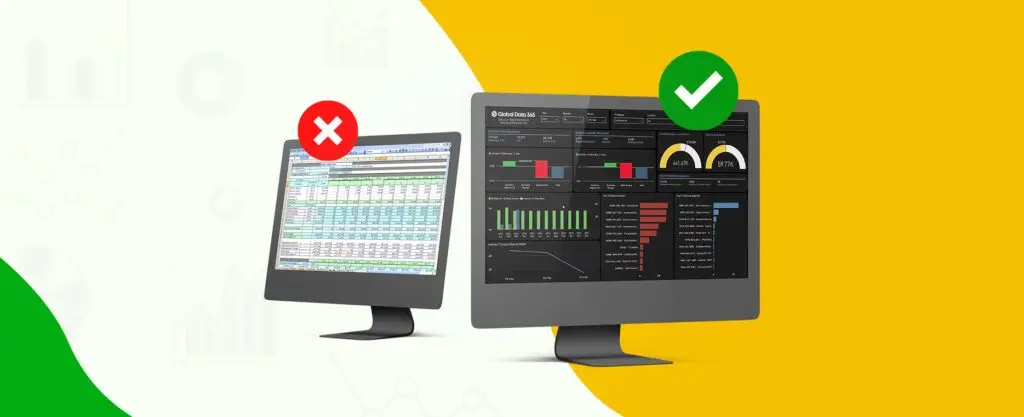
Why Power BI is a Better Choice than Excel for Analytics

Why Power BI is a Better Choice than Excel for Analytics?

Why-Power-BI-Is-a-Better-Choice-than-Excel-for-Analytics

Modern businesses depend on data, and we’re producing more of it than ever before. However, accumulating vast volumes of digital data is useless unless companies can leverage it effectively. Business intelligence tools, such as Power BI and Excel, can play a crucial role in this process.


Are you planning to introduce a platform to assist you in extracting valuable, actionable insights from your data? You have arrived at the right place. By harnessing the capabilities of Power BI and Excel, you can transform raw data into meaningful visualizations and reports, empowering your organization to make informed decisions based on real-time analytics.


Explore how Power BI and Excel can work together to unlock the full potential of your data, streamline your reporting processes, and enhance your business strategies. Let’s embark on this journey to data-driven success! We will go over the fundamentals of Microsoft’s flagship BI app, Power BI, in this article, like what it can do, what it costs, and what changes it can provide to your company.

Characteristics of Power BI Desktop

– Can link to several different data sources. With the Auto-Refresh option, you can keep this data up to date.

– It aids in the rapid modelling of data.

– Using the drag and drop map, it is possible to generate interactive reports.

Characteristics of Power BI Service

– It is a web portal that allows users to monitor and view reports generated with Power BI Desktop.

– Reduce the amount of time spent moving and sharing information.

– Data can be imported from a variety of on-premise sources (Excel, DB, CSV, etc.) or directly documented from a variety of cloud web services, including Azure, MailChimp, Zendesk, and Salesforce.

Why should you Choose Power BI over Excel?

Power BI has many benefits to offer compared to Excel. Listed below are some of the benefits.

- Convenience and Data Size

Power BI can handle massive amounts of raw data as well as several data tables. The analytical tool is capable of loading and processing large amounts of data into a single PBIX file. Multiple tables can be configured and, if necessary, combined based on common fields. In terms of user interface and ease of use, the Power Query Editor and Data Modeling parts are easier to use.

- Data Connectivity and Auto Refresh

One of the key reasons to use Power BI is that it can link to a broad range of data sources, including databases, online sites like Facebook, and Salesforce reports, among others. When compared to the previous data, the data is automatically inserted into the Power BI Workbook. Excel’s ODBC Driver takes up a lot of time.


Power BI has a great choice for keeping data in alignment with the source called Auto Refresh. To have all the reports updated, Power BI Desktop has a Refresh option, and Power BI Service has a Refresh Now, as well as a Scheduled Refresh option. When you choose Refresh, the data in the file’s model is replaced with the most recent information from the original data source. This form of a refresh, which takes place entirely inside the Power BI Desktop program, varies from Power BI’s Refresh Now and Scheduled Refresh solutions.


Power BI uses the information in the database to link to the data sources identified for it, search for updated data, and then upload the updated data into the dataset when you refresh data in a dataset, whether using Refresh Now or setting up a refresh schedule. In Power BI, unlike Excel, the dashboard can be refreshed.

- Reporting and Cross-Filtering

Power BI reporting is much more advanced and engaging than Excel reports, and a single graph can provide numerous perspectives. In Excel, cross-filtering is not possible, but it is possible in Power BI. This has an impact on how users want the filtering for data with table relationships to move.

- Alerts and Emails

To submit a mail and a reminder in Excel, a user has to use the VBA Editor to generate a macro. In Power BI, creating a warning and sending an email when a condition (such as a threshold value) is met has never been easier. This will keep users updated when on the move, and they will be able to view the report at any time and from any place.


Some other features include:


  • Natural Language Query (NLQ): By asking a common person question in Power BI Service, everyone can get a fast response from the current insights. It’s helpful when someone isn’t familiar with the data model but needs fast answers to questions about the insights. Furthermore, this saves a lot of time.
  • Deeper Insights: The backend program, which is driven by intelligence and algorithms, can generate interactive insights at the touch of a button. It will help you save time and interpret data more quickly.
  • Dashboards and Customized Reports: The reports produced can be modified to achieve the desired outcomes. On the dashboard, the report tiles can be rearranged and relocated as desired.

  • Sharing Reports and Access: The reports and dashboards may be shared with the public or only a small group of associates.
  • Downloading and Exporting Dashboards: The Power BI Service lets you download and transfer dashboards in various formats. The dashboards can be submitted as a .PBIX file or exported as a PowerPoint presentation, PDF, or event print.

In Conclusion

In today’s data-driven environment, a fast and efficient data analytics tool is needed. Power BI makes use of business intelligence to ensure that all reports are produced efficiently and provide a wealth of information. Changes in time and technology necessitate the use of a versatile tool like Power BI, which makes work easier and saves time while delivering the best performance. Get a suitable power bi training for your needs or for more information, contact us today!

Register Now and Get 25% Off on Power BI Training.

Training Type

Share this blog on:

Search Blog

About Us

Global Data 365 is composed of highly skilled professionals who specialize in streamlining the data and automate the reporting process through the utilization of various business intelligence tools.

Follow us on:

Transform Business with Power BI

Get Free Consultation Today!

power bi inventory dashboard

Subscribe to Our Newsletter

Why Power BI is a Better Choice than Excel for Analytics Read More »

How to Increase Transparency in your Finance Processes

How to Increase Transparency in your Finance Processes

How to Increase Transparency in your Finance Processes?

How to Increase Transparency in your Finance Processes

When upper management has complete insight into the operations of the company, it runs more smoothly with it’s finance process. Gartner’s market oracles recently published a list of nine characteristics that CFOs must possess to maintain success during times of crisis and uncertainty. Based on 20 years of research and strongly influenced by lessons learned from the financial crisis of 2008, the list needs a review.  Placing more money on the line. 


  • Defending against scope creep.
  • Critical Initiative Funding.
  • Making it easier to take risks.
  • Getting to know your customers.
  • Cutting your losses.
  • Careful cost-cutting.
  • Identifying cost-cutting opportunities around the organization.
  • Integrating Budget Models. 

Even though each entry is based on a different goal, they all have one thing in common: the need for financial transparency. CFOs must provide the most up-to-date details on all facets of financial results. When making new acquisitions, searching for cost-cutting opportunities, or modifying the years’ plans. 

Impact of COVID-19 on Businesses

Even before the pandemic, CFOs struggled to obtain refined, regularly updated information. Data accessibility has become a pressing problem as more teams work from home and struggle to access the same data, software, and teamwork that they depend on in the office. Financial invisibility occurs when businesses have the requisite data (often distributed across the ERP) but are unable to access it easily, comprehensively, or consistently. 


CFOs require access to reports and metrics that represent the most recent data available as they try to control cash flow, perfect accounts receivable, or safe loans and stimulus funding. The volume of information and the speed at which it is processed is well beyond standard. As a result, CFOs are much less informed about financial performance data. One of the major threats that businesses face today is financial invisibility. In this crucial time, a single bad decision based on incomplete or unreliable data may sink a corporation. That outcome can be avoided with a few tweaks. 

Finance Processes and Financial Visibility

Financial reporting is one way to convey visibility. Many business leaders are motivated by the need for a reliable, automated, and open reporting system. Provide them with the data they need, when they need it, for full transparency with finance processes. 


Specialized tools, such as those created by Global Data 365, can help. Incorporating these strategies can significantly enhance transparency in your finance processes, ultimately leading to better decision-making and increased trust among stakeholders. Each of our solutions integrates with common ERP software and automates the most time-consuming aspects of reporting. The solutions then produce and distribute reports in the format that the CFO prefers. That may mean regular updates in the standard Excel format or CFOs can go a step further and get real-time updates through specialized dashboards. Our tools keep financial visibility crystal transparent by making financial reporting simpler than ever while also enhancing the pace, scope, and accuracy of the resulting insights. 


Get 30 days free trial on your database. Contact us now. 

Get 30 days free license for Jet Reports.

Share this blog on:

Search Blog

About Us

Global Data 365 is composed of highly skilled professionals who specialize in streamlining the data and automate the reporting process through the utilization of various business intelligence tools.

Follow us on:

Still using Jet Basics?

Get Free Upgrade to Jet Reports
jet services

Subscribe to Our Newsletter

How to Increase Transparency in your Finance Processes Read More »

Business Intelligence with Power BI

Business Intelligence with Power BI

Business Intelligence with Power BI: Unlock Data Insights

Business Intelligence with Power BI

Business Intelligence is a crucial aspect for companies to make informed decisions and stay ahead of the competition. Business Intelligence with Power BI offers a simple and fast solution for efficient data visualization, real-time reporting, and predictive analytics, Power BI can turn data into actionable insights.  


The platform is user-friendly interface and ability to integrate with a wide range of data sources make it easy for companies to get started. Adopting Power BI business intelligence can help organizations make data-driven decisions, improve operational efficiency, and drive growth. Start leveraging the power of Business Intelligence with Power BI today. 


Maximize the potential of your data and gain valuable business insights with Power BI services. As a powerful data visualization and reporting tool, Power BI can help you turn raw data into actionable insights, empowering you to make data-driven decisions with confidence. With its interactive dashboards and insightful reports, you can uncover patterns, trends, and opportunities in your data, and transform your business for growth.  

Business Intelligence with Power BI: Key Advantages

There are many options available for organizations for business intelligence then Why Power BIPower BI have edge over other tools when it comes to effective business intelligence. Microsoft Power BI takes lead over other tools because advantages of Power BI are immense that it offers to organizations. Below are the five advantages of Power BI that results in effective business intelligence which will ultimately bring effective results.

- Data Integration with Power BI

Data integration in Power BI is more advanced compared to other tools due to its seamless integration with other Microsoft products and its ability to handle large amounts of data. Power BI allows for easy import of data from various sources such as Excel, SQL Server, and cloud-based platforms.  


Additionally, Power BI’s Direct Query technology allows for real-time data analysis and visualization, providing users with up-to-date insights. Power BI’s powerful data integration capabilities make it an ideal choice for organizations looking to centralize and make sense of their data. 

- Drag and Drop Interface

The drag and drop interface of Power BI allows users to effortlessly manipulate data to create customized visualizations and reports. Unlike other BI tools that require coding or complex data structures, Power BI’s intuitive interface makes it easy for users of all skill levels to explore and analyze data.  


The ability to drag and drop data sources and instantly see visual representations differentiates Power BI from other BI tools, enabling users to quickly gain insights and make data-driven decisions without having to rely on IT support. 

- Power BI Data Modeling

Data Modeling in Power BI allows users to create relationships between different data sets and create a unified view of the data. This helps in easy data analysis and decision making. So, the next time you consider adding a new facility, Power BI will assist you in analyzing the impact it will have on its suppliers. It allows a person to observe the current world while still planning for the future. 


It also integrates with other Microsoft tools, making it a part of a larger data ecosystem, which can be useful for organizations that use multiple Microsoft products. Additionally, Power BI provides a wide range of data visualization options and interactive dashboards, which can help make data insights more accessible to stakeholders. 

- Ease of Use

Power BI is known for its ease of use, as it offers a simple, intuitive interface for data visualization and business intelligence. This makes it accessible to users with a variety of technical backgrounds, allowing them to easily create and share interactive dashboards and reports. 

- Real-Time Collaboration

Power BI offers real-time collaboration features that allow teams to work together and make data-driven decisions in real-time. With Power BI, users can access and share real-time data dashboards, reports, and visualizations from anywhere, on any device. Power BI also provides robust collaboration tools, including comments, annotations, and co-authoring, which enable teams to discuss and make decisions based on the latest data insights.  


Additionally, Power BI’s cloud-based architecture ensures that all team members have access to the most up-to-date data and insights. With its real-time collaboration capabilities, Power BI empowers organizations to make data-driven decisions faster and more effectively. 

- Data Visualization with Power BI

Data Visualization with Power BI allows businesses to turn data into interactive and shareable insights. Power BI stands out from other tools by offering a comprehensive suite of data visualization, reporting, and business intelligence capabilities in one package. With Power BI, users can easily connect to a variety of data sources, perform data transformations, and create interactive dashboards and reports with a simple drag and drop interface. 


The tool also provides collaboration features such as shared dashboards and data stories, enabling teams to work together and make data-driven decisions. Power BI’s advanced data visualization options, such as its 3D map and custom visualizations, set it apart from other data visualization tools, providing a more immersive and engaging way to explore data. 

Learn how to leverage Business Intelligence with Power BI

Global Data 365 is a leading provider of Power BI services for effective business intelligence in the Middle East and Africa. Our team of experts help organizations streamline their data management, gain valuable insights and drive better business decisions. With a focus on delivering customized solutions or required trainings, our services are designed to meet the unique needs of each client and maximize the impact of Power BI on their overall success. 

Schedule a Demo with our Power BI Experts

Share this blog on:

Search Blog

About Us

Global Data 365 is composed of highly skilled professionals who specialize in streamlining the data and automate the reporting process through the utilization of various business intelligence tools.

Follow us on:

Interact Live with Power BI Dashboards

Increase efficiency and deliver success now with Microsoft Power BI. Enjoy a 20% discount on all Power BI services.

dashboards

Subscribe to Our Newsletter

Business Intelligence with Power BI: Unlock Data Insights Read More »

Talk to Our BI Experts!